
Most people connect an OBD2 scanner to read a trouble code after the check engine light turns on. But the vehicle’s computer does much more than store codes. It also runs internal tests on emissions-related systems and records the results.
Mode 6 provides access to many of those test results.
This information can reveal whether a monitored system passed, failed, or completed a test close to its programmed limit. In some situations, it may provide useful evidence before a fault becomes a confirmed diagnostic trouble code. However, the numbers can also be confusing because their names, units, and limits vary between vehicles and scan tools.
Understanding What Is Mode 6 on an OBD2 Scanner requires looking at it as a test report—not as another list of trouble codes.
Quick Answer
Mode 6, also written as Mode $06 or Service $06, is a standardized OBD-II service used to retrieve results from onboard monitoring tests performed by the vehicle’s computer.
These results may cover systems such as the catalytic converter, oxygen sensors, EVAP system, EGR or variable valve timing, and—in supported vehicles—individual misfire monitoring. The exact tests available depend on the vehicle.
Mode 6 normally reports the latest stored result from a completed test. It does not provide ordinary live sensor data, command a monitor to run, or automatically identify which part should be replaced.
Think of Mode 6 as a Diagnostic Report Card
A readiness monitor gives a broad answer: the system test is either complete or incomplete. Mode 6 can provide a closer look at the individual test results used by that monitor.
Think of the monitor as a school subject and each Mode 6 test as an exam. The vehicle’s computer records which test was performed, the measured result, the acceptable limit, and whether the result passed or failed.
A simplified report might look like this:
| Monitor | Test value | Programmed limit | Result |
|---|---|---|---|
| Example catalyst test | 75 | Maximum 100 | Pass |
| Example sensor test | 115 | Maximum 100 | Fail |
These numbers are only illustrations. Actual Mode 6 values may use different units, scaling rules, and limit directions. Some tests fail when the result rises above a maximum; others fail when it drops below a minimum. A value cannot be interpreted safely until the correct test definition and units are known.
This report-card approach is the simplest way to understand What Is Mode 6 on an OBD2 Scanner: it shows how the vehicle graded its own most recent monitoring tests.
What Does “Mode 6” Actually Mean?
OBD-II organizes standardized diagnostic information into different services, traditionally called modes. Each mode requests a particular category of information from the powertrain control module.
SAE J1979 identifies Mode $06 as the service for requesting onboard monitoring test results. It was originally associated mainly with non-continuously monitored systems.
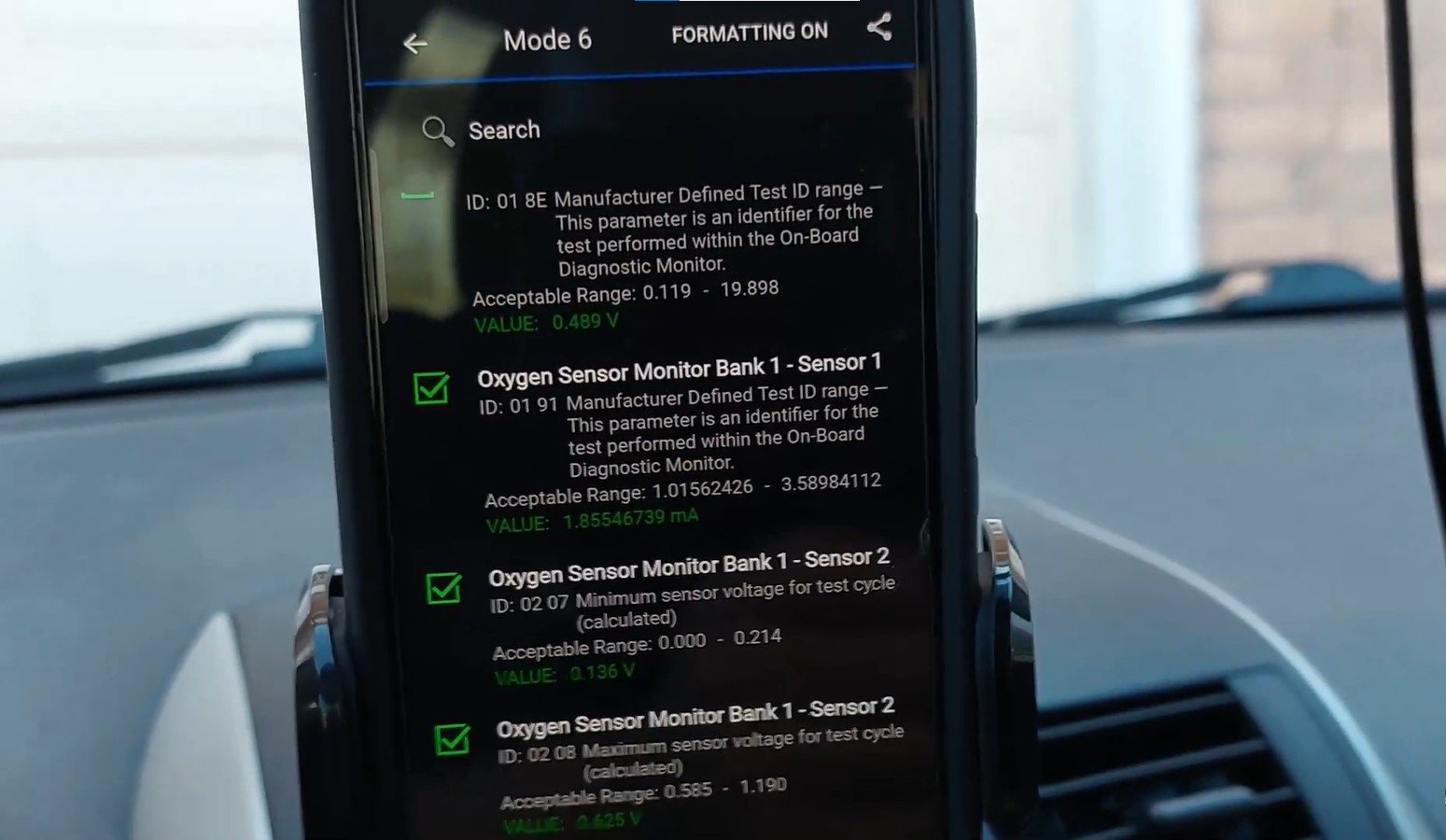
A non-continuous monitor does not run every moment the engine operates. It waits for specific enable conditions, which may involve engine temperature, vehicle speed, fuel level, load, or time since startup. Catalyst, EVAP, oxygen-sensor, and EGR-related tests are common examples.
If those conditions have not occurred, the monitor may remain incomplete and there may be no updated Mode 6 result. When the test does run, the computer stores its latest valid result until it is replaced by a newer valid test or relevant diagnostic information is cleared.
Some vehicles and scanners also display Mode 6 results for certain continuously monitored systems. Coverage and presentation depend heavily on the vehicle, communication protocol, and scanner software.
Mode 6 vs Other Common OBD2 Modes
Mode 6 becomes easier to understand when compared with the services drivers use more frequently.
| OBD service | Information requested |
|---|---|
| Mode 1 | Current powertrain data, MIL status, and readiness monitors |
| Mode 2 | Freeze-frame data captured around a fault |
| Mode 3 | Confirmed emissions-related trouble codes |
| Mode 4 | Clear or reset emissions-related diagnostic information |
| Mode 6 | Results of onboard monitoring tests |
| Mode 7 | Pending trouble codes detected during recent monitoring |
| Mode 9 | Vehicle information, such as the VIN when supported |
Mode 1 may show a sensor reading changing now, while Mode 6 usually shows the outcome of the latest relevant self-test. Mode 3 tells you which confirmed code was stored, while Mode 6 may show the test result that contributed to the computer’s diagnostic decision.
This distinction matters. Mode 6 is not a replacement for trouble codes, freeze-frame data, readiness status, or live data. Its real value appears when those different pieces of evidence are interpreted together.
What Is Mode 6 on an OBD2 Scanner Showing You?
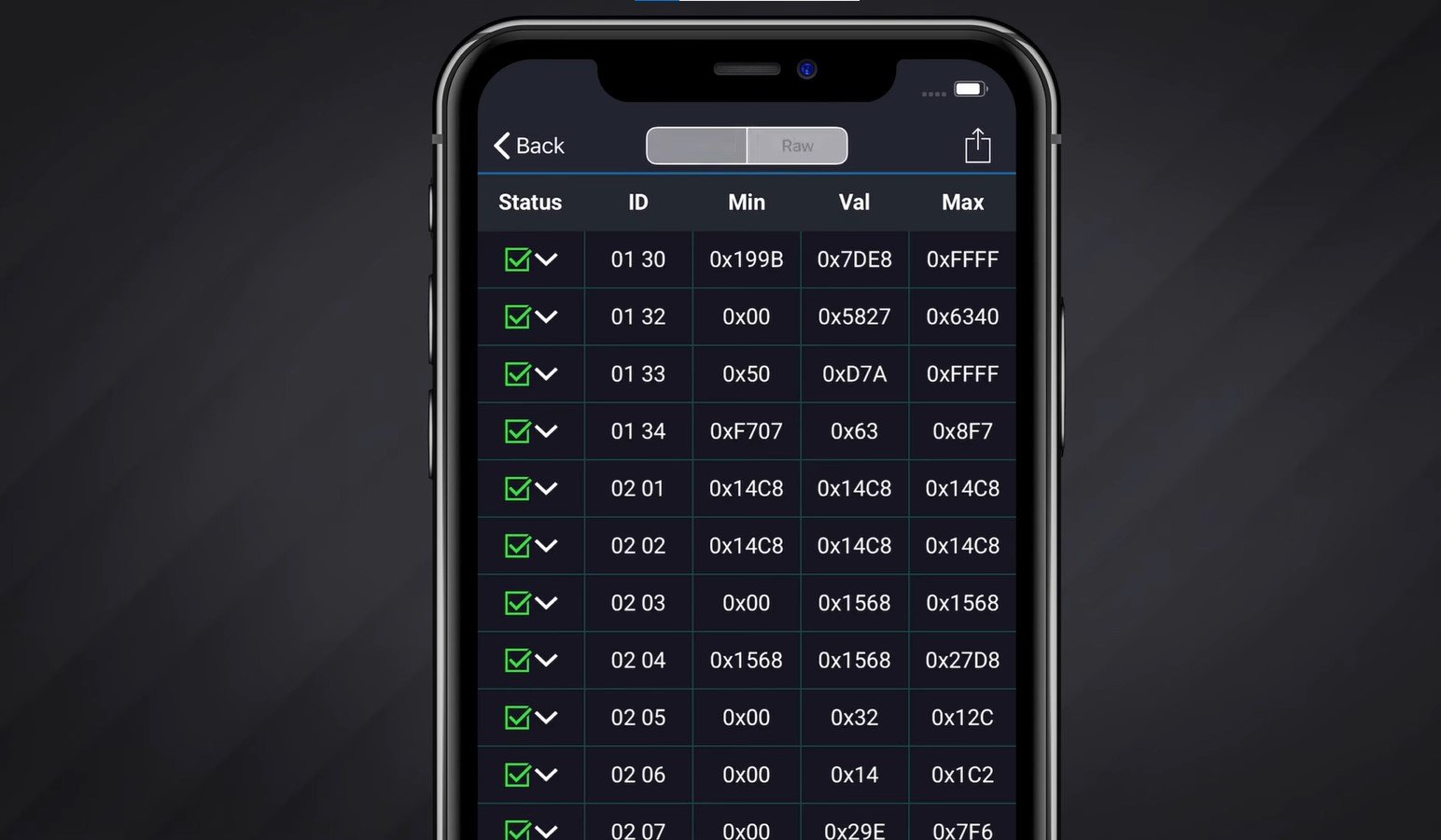
Opening the Mode 6 menu may reveal recognizable descriptions such as “catalyst monitor” or “cylinder misfire count.” On another scanner, the same information may appear as unfamiliar hexadecimal identifiers.
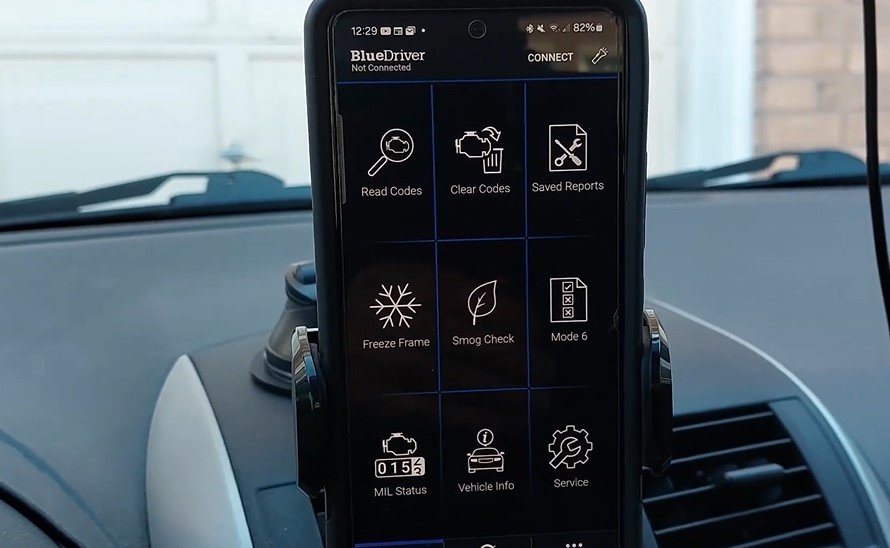
The screen can look complicated, but most records answer three basic questions: What did the computer test, what result did it measure, and was that result within the programmed limit?
How Mode 6 Data Is Organized
The exact labels depend on the vehicle’s communication protocol and scanner software. Common fields include:
| Field | What it identifies |
|---|---|
| MID or OBDMID | The monitor or monitored system |
| TID | A specific test performed by that monitor |
| CID | A component or sub-test on systems that use this label |
| Test value | The result recorded during the latest valid test |
| Minimum/maximum | The programmed acceptable limits |
| Status | Whether the result passed or failed |
A newer scanner may translate these identifiers into names and units automatically. A basic tool may show only raw values such as MID $21 or TID $01. Raw data is not useless, but it requires the correct manufacturer information before it can be interpreted reliably.
The measured value must also be compared in the correct direction. Some tests fail when a value exceeds a maximum. Others fail when it falls below a minimum. Therefore, the highest or lowest number is not automatically the worst result.
A Five-Question Method for Reading Mode 6
Start by identifying the monitor and individual test. Next, confirm that the corresponding readiness monitor has completed; otherwise, the displayed result may be old or unavailable.
Then verify the test description, scaling, and units using reliable vehicle-specific information. Compare the measured value with both limits rather than looking at the number alone. Finally, determine whether the result agrees with the trouble codes, freeze-frame data, live readings, and symptoms.
A failed test is evidence that the computer observed an unacceptable result. It is not proof that the component named on the screen caused the failure.
Practical Uses of Mode 6
1. Finding Evidence Before a Confirmed Code Appears
A monitor may record a failed result before the fault meets the criteria for a confirmed DTC and illuminated check engine light. Mode 6 can therefore support the investigation of a pending code or intermittent complaint.
However, a passing result close to its limit is only a clue. It does not guarantee that the system will fail soon.
2. Narrowing Down an Intermittent Misfire
On supported vehicles, Mode 6 may provide cylinder-specific misfire test results. Comparing cylinders can help identify where further testing should begin.
A higher count does not automatically prove that the spark plug or ignition coil is bad. Fuel delivery, compression, wiring, air leaks, and operating conditions can produce similar evidence.
3. Evaluating Catalyst Monitor Results
Catalyst-related Mode 6 data may show whether the computer’s efficiency test passed and how its result compared with the failure threshold. This can help support diagnosis of a catalyst code or verify that the monitor completed after a repair.
The displayed result cannot, by itself, distinguish a damaged converter from an exhaust leak, misfire, fuel-control problem, or sensor issue affecting the test.
4. Checking Oxygen-Sensor Tests
Supported results may cover sensor response, switching behavior, heater performance, or another manufacturer-defined characteristic. Mode 6 can show whether the onboard test accepted that behavior.
Live data is still needed to observe what the sensor is doing now. Mode 6 and live data answer different questions.
5. Investigating EVAP, EGR, and VVT Monitors
Mode 6 may include results for EVAP leak detection, EGR flow, variable valve timing, or other monitored emissions systems. Availability varies significantly between vehicles.
A failed result points toward a system requiring diagnosis, but it may not identify the leaking hose, blocked passage, wiring fault, valve, or sensor responsible.
6. Checking Whether a Repair Was Verified
After a repair, Mode 6 can help confirm whether the responsible monitor has run and passed. This is more useful than assuming the repair succeeded simply because the warning light is currently off.
If the monitor remains incomplete, the computer has not yet produced the necessary updated result. Follow manufacturer-specific service information and keep any required road testing safe and legal.
7. Separating “Not Ready” From “Failed”
An incomplete readiness monitor means the test has not finished under the required conditions. A failed Mode 6 result means a completed test produced an unacceptable outcome.
That difference prevents a common diagnostic mistake: treating the absence of a completed result as proof of component failure.
These uses provide the practical answer to What Is Mode 6 on an OBD2 Scanner. It is a window into the computer’s testing evidence, but that evidence becomes meaningful only when the correct test definition, limits, and surrounding diagnostic data are considered together.
Can Mode 6 Predict a Problem Before the Check Engine Light Turns On?
Sometimes Mode 6 shows a completed test that passed but came close to its programmed limit. That result may help identify a weak or developing condition before it creates a confirmed DTC.

It is not a guaranteed failure prediction. Test values can change with temperature, engine load, fuel quality, and other operating conditions. A near-limit result is a reason to collect more evidence—not a reason to replace a component immediately.
Important Limitations of Mode 6
| Limitation | Why it matters |
|---|---|
| Vehicle coverage varies | Different models support different tests |
| Scanner translation varies | A basic tool may show raw or incorrectly labeled data |
| Results are not usually live | The value normally comes from the latest completed test |
| Monitors may be incomplete | An updated result may not exist yet |
| Units can be manufacturer-specific | Raw numbers may require OEM definitions |
| Pass/fail is not parts diagnosis | Related faults can influence the same test |
| Results provide limited history | One value may not reveal a long-term trend |
| It is not bidirectional control | Mode 6 retrieves results but does not command actuators |
Clearing diagnostic information can also reset readiness monitors and remove useful test evidence. Record codes, freeze-frame information, readiness status, and Mode 6 results before clearing anything.
A Practical Mode 6 Diagnostic Workflow
Begin with the trouble codes and symptoms. Next, check readiness to confirm whether the relevant monitor has completed. Locate the associated Mode 6 test and verify its description, units, scaling, and limits using reliable vehicle-specific information.
Compare the result with freeze-frame data, live readings, and appropriate physical tests. Diagnose the system rather than automatically replacing the component named by the scanner. After repairing the confirmed cause, allow the monitor to run under manufacturer-specified, safe, and legal conditions. Then compare the updated result and check whether any pending or confirmed code returns.
Common Interpretation Mistakes
Frequent mistakes include treating every near-limit value as a failed part, assuming the largest number is always worst, reading old data as a current condition, and confusing an incomplete monitor with a failed test.
Another mistake is believing that a green “pass” label proves the entire system is healthy. It only means that particular test result satisfied its programmed criteria during the last valid test.
Frequently Asked Questions
Is Mode 6 available on every scanner?
Not every scanner displays it, and basic tools may provide only raw identifiers. Check the tool’s features and vehicle coverage.
Is Mode 6 the same as live data?
No. Live data shows changing sensor information, while Mode 6 generally displays stored onboard test results.
Can Mode 6 turn on the check engine light?
Mode 6 does not turn on the light. The OBD system uses monitor results and fault criteria to decide whether to store a code and command the light on.
Can Mode 6 run an EVAP or catalyst test?
No. It retrieves results from tests the vehicle has already performed. Active or bidirectional tests require other scanner functions.
Can Mode 6 help diagnose a misfire?
On supported vehicles, cylinder-specific results may narrow the search. Additional ignition, fuel, wiring, and mechanical testing is still necessary.
Why does the scanner show hexadecimal values?
The scanner may not have the database needed to translate manufacturer-specific identifiers. OEM service information or a more capable tool may be required.
Conclusion
The clearest answer to What Is Mode 6 on an OBD2 Scanner is that it is the vehicle computer’s diagnostic report card. It reveals the result and limits of supported onboard monitoring tests.
Mode 6 can expose useful evidence before a confirmed code, assist with repair verification, and explain what happened inside a readiness monitor. Its limitations remain important: the data may be old, untranslated, incomplete, or influenced by another fault.
Use What Is Mode 6 on an OBD2 Scanner as a starting point for evidence-based diagnosis. Interpret the result with DTCs, readiness, freeze-frame information, live data, and vehicle-specific procedures before approving a repair or replacing a part.