
Last Updated on October 18, 2026
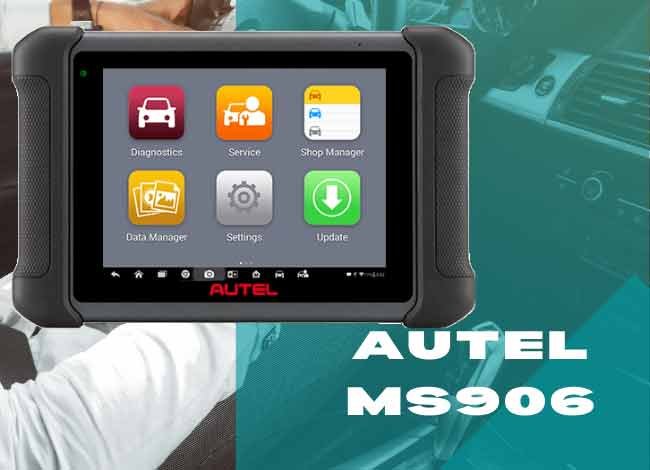 If you’re a professional mechanic or technician looking for an easy-to-use, reliable, and capable diagnostic scan tool, the Autel MaxiSys MS906 is worth examining. It was designed for workshops that need more than basic check engine light diagnostics.
The MS906 offers an 8-inch touchscreen, full-system diagnostics on supported vehicles, live data, active tests, and several service functions. It also features Wi-Fi connectivity for software management and online resources.
However, the original MS906 is now an older diagnostic platform. Newer Autel scanners offer faster processors, newer operating systems, greater memory, and additional vehicle communication capabilities.
That makes the buying decision different in 2026. The important question is whether the original MS906 still supports the vehicles and functions you need at a reasonable price.
In this Autel MS906 review, we’ll examine its specifications, diagnostic features, advantages, shortcomings, and alternatives to help you decide.
The MS906 can also be compared with the Autel MaxiDAS DS808, while the MS906BT and MS906TS offer different connectivity and TPMS-related features.
2026 buying note: This review covers the original MaxiSys MS906, not the newer MS906 Pro, MS906 MAX, or MS906 Pro2 models. Hardware specifications and available functions should not be assumed to be identical across these products.
Autel MS906 Review: Quick Verdict
The original MS906 remains a useful diagnostic tool for compatible vehicles, especially when a workshop already owns one or can obtain a properly supported unit at a reasonable price.
Its strong points include the large display, extensive diagnostic menus, live-data graphing, active testing, and vehicle-specific service functions.
Its main disadvantages are its older Android platform, limited hardware compared with current scanners, cable-based vehicle connection, and uncertainty about future software and model coverage.
Best suited for: Technicians working on vehicles that are confirmed to be supported by the installed software.
Less suitable for: Buyers who regularly diagnose newer vehicles requiring modern communication protocols, newer security-gateway access, or advanced programming functions.
Vehicle Coverage
The original MaxiSys MS906 was designed to provide broad diagnostic coverage across many American, Asian, and European vehicle makes.
Depending on the installed software, supported vehicles may include models from Ford, Chevrolet, Chrysler, Toyota, Honda, Nissan, Hyundai, Kia, BMW, Mercedes-Benz, Volkswagen, Audi, Volvo, and other manufacturers.
However, a manufacturer’s name appearing in a coverage list does not mean every model, year, module, and diagnostic function is supported.
Before purchasing, check the exact year, make, model, engine, transmission, and required functions with Autel.
This matters even more in 2026 because newer vehicles may use CAN FD, DoIP, or secure diagnostic gateways that the original MS906 does not support in the same way as newer Autel platforms.
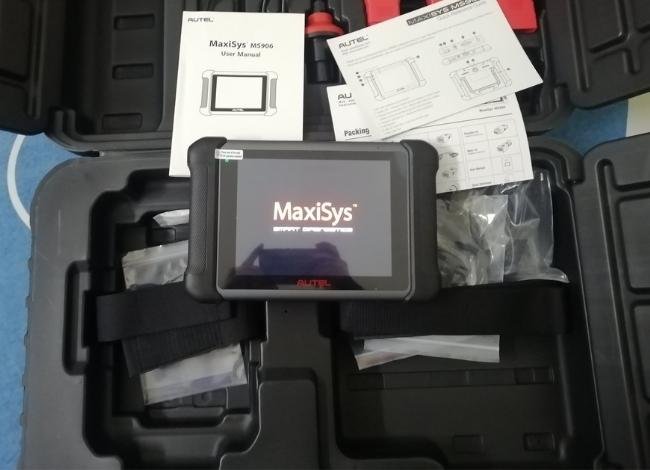
Autel MaxiSys MS906 Technical Specifications
The following are the main hardware specifications of the original MS906, not the MS906BT or newer Pro-series models.
| Specification | Original Autel MS906 |
|---|---|
| Display | 8-inch capacitive touchscreen |
| Screen resolution | 1024 × 768 |
| Operating system | Android 4.4.2 KitKat |
| Processor | Samsung Exynos hexa-core |
| RAM | 2GB |
| Internal storage | 32GB |
| Battery | 3.7V, 5,000mAh lithium-polymer |
| Rear camera | 8 megapixels with autofocus and flash |
| Wireless connectivity | Wi-Fi for network functions |
| Vehicle connection | Wired diagnostic cable |
| Live data and graphing | Supported |
| Active tests | Supported on compatible vehicles |
| AutoVIN | Supported on applicable vehicles |
| Operating temperature | -10°C to 55°C |
| Storage temperature | -20°C to 70°C |
| Price | 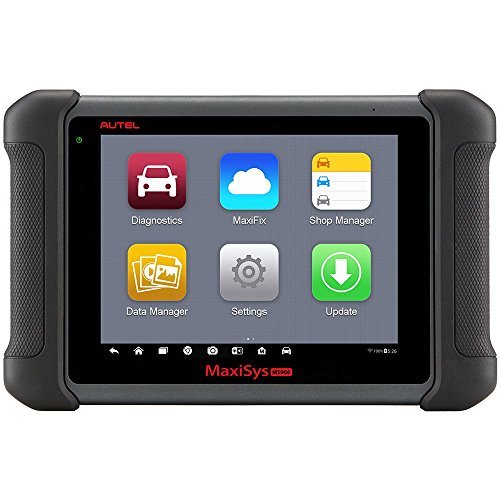 Check Today’s Price and Availability Check Today’s Price and Availability |
The original MS906 commonly included an initial software-update period, but current renewals, update eligibility, and manufacturer support should be verified using the specific device serial number.
Autel MaxiSys MS906 Automotive Diagnostic Scanner Review
Let’s examine the functions that made the MS906 a popular workshop scanner and how useful they remain for vehicle diagnostics.
Large 8-Inch Touchscreen
The 8-inch color display is one of the MS906’s most convenient features. It provides enough space to navigate diagnostic menus, read trouble-code descriptions, and examine supported live-data graphs.
Its 1024 × 768 resolution is adequate for ordinary scanning, although newer professional tablets offer sharper screens and larger workspaces.
Touchscreen navigation also means you do not need to work through numerous physical buttons when switching between diagnostic functions.
Processor and Operating System
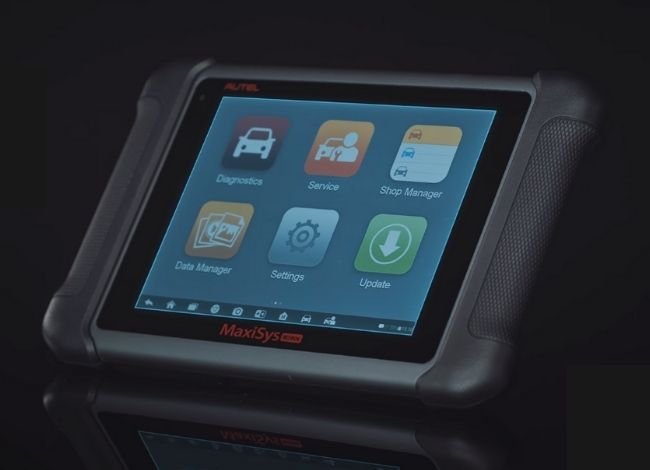
The original MS906 uses a Samsung Exynos six-core processor and Android 4.4.2 KitKat.
This hardware was capable for its generation and supports the scanner’s touchscreen menus, vehicle diagnostics, and data graphing.
However, Android 4.4.2 is now an old operating system. Buyers should not expect the same speed, application compatibility, or future update support available on current Android-based diagnostic tablets.
The processor is still capable of running its existing supported diagnostic software, but newer tools are better suited for demanding multi-module scanning and newer vehicle coverage.
User-Friendly Diagnostic Interface
The MS906 uses a menu-based interface that makes selecting a vehicle, scanning supported systems, and viewing fault information reasonably straightforward.
For basic emissions-related diagnostics, technicians can use the EOBD/OBDII menu.
For enhanced vehicle diagnostics, the appropriate make and model must be selected from the diagnostic software.
The device also includes workshop-oriented functions such as diagnostic record management and supported repair-information features. The availability of online services, including historical MaxiFix functions, should be checked rather than assumed.
Full-System Diagnostics
Unlike a basic engine-code reader, the MS906 was designed to communicate with multiple electronic control modules on supported vehicles.
Depending on coverage, these may include:
- Engine and powertrain systems
- Automatic transmission
- ABS braking systems
- SRS and airbag modules
- Body-control systems
- Electronic steering systems
- Other manufacturer-specific modules
It can read and clear supported diagnostic trouble codes, display relevant system information, and provide diagnostic data.
However, full-system access does not mean every electronic module or every function is supported on every vehicle.
Live Data and Active Tests
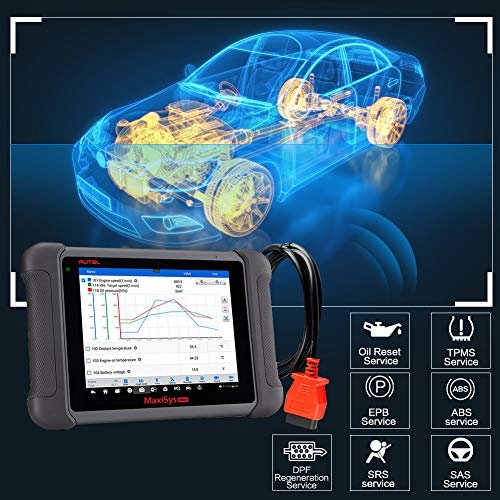
The MS906 can display supported live vehicle parameters and graph selected data to help technicians understand changing system behavior.
For example, a technician may compare sensor readings when investigating rough idling, transmission problems, or an ABS-related fault.
Its active-test capability can command certain supported components, which may help verify whether a control circuit or actuator is responding.
These tests are different from ECU programming. The original MS906 should not be presented as a universal ECU flashing or immobilizer programming tool.
To understand the difference between ordinary data and advanced commands, see our guide to interpreting OBD2 live sensor readings.
Service and Maintenance Functions
The MS906 provides service functions on compatible vehicles. Depending on the vehicle and installed software, these may involve:
- Oil-service reset
- Electronic parking brake service
- Steering-angle sensor calibration
- DPF-related service procedures
- Battery-management functions
- Selected adaptations and relearns
- Supported ABS service procedures
TPMS-related diagnostic access should not be confused with dedicated TPMS sensor activation or programming. Those advanced TPMS functions generally require appropriate TPMS hardware and software.
Likewise, service-function availability must be verified for the specific vehicle before buying the scanner.
Camera and Diagnostic Records
The built-in 8-megapixel rear camera allows technicians to capture photographs of components, labels, or areas that need further inspection.
The camera flash can also help in poorly lit locations.
With 32GB of internal storage, the MS906 can retain diagnostic records and other supported files. Export and sharing options depend on the installed software and connectivity.
Portable Workshop Design
The original MS906 measures approximately 10 × 6.9 × 1.4 inches and weighs about 2.05 pounds.
Its tablet-like shape makes it convenient to hold or place near the work area. The protective housing is also intended for regular workshop use.
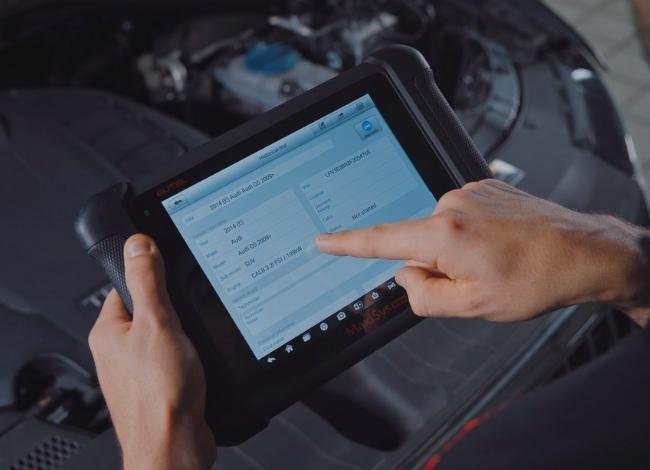
The internal rechargeable battery allows the display to operate independently for a period of time, although a cable is still used to connect the original MS906 to the vehicle.
Battery condition matters when buying an older or previously used unit.
Software Updates and Warranty
The MS906 supports software updating over Wi-Fi. Its original package commonly included one year of updates, with additional update services available according to Autel’s policies.
In 2026, buyers should verify whether the exact device can still receive the software coverage they require.
Check the serial number, registration status, available updates, renewal cost, and regional support before purchasing.
The original warranty terms should not be assumed to apply to used, refurbished, imported, or older inventory. Confirm warranty eligibility with the seller.
Pros: Why Buy the Autel MS906?
- Large display: The 8-inch touchscreen provides convenient access to menus, trouble codes, and diagnostic information.
- Enhanced diagnostics: Supports multiple vehicle systems rather than only generic engine codes.
- Live-data graphing: Helps technicians compare supported operating parameters.
- Active tests: Can command certain components on compatible vehicles.
- Useful maintenance functions: Includes selected resets, calibrations, and service procedures.
- Portable design: Offers tablet-style operation with a built-in rechargeable battery.
- Wi-Fi connectivity: Supports software management and applicable online features.
These capabilities make the MS906 more versatile than an inexpensive generic OBD2 reader.
What Are the Shortcomings of the Autel MS906?
Older Hardware and Software
The Android 4.4.2 operating system, 2GB RAM, and 32GB storage show the age of the original platform.
Newer scanners provide faster processors, more storage, and updated communication hardware.
Limited Modern Vehicle Protocol Support
The original MS906 predates many newer communication requirements.
If your workshop regularly services vehicles requiring CAN FD, DoIP, secure-gateway authorization, or newer manufacturer functions, a more recent platform may be a better investment.
Vehicle Compatibility Can Vary
Not every listed manufacturer or supported model provides the same diagnostic functions.
Check exact coverage for the vehicles you service most often, including ABS, SRS, transmission, adaptations, and active tests.
Software Renewals and Support
The cost of obtaining current diagnostic coverage can affect the value of an older scanner.
A low purchase price may be less attractive if essential updates are unavailable or expensive.
Battery Age and Charging
Used or long-stored units may have reduced battery capacity.
Confirm that the battery charges properly, the touchscreen works, the diagnostic cable is included, and the scanner can communicate with vehicles before completing a purchase.
 See Autel MS906 Listing
Autel MS906 vs. XTOOL D8 vs. LAUNCH X431 V+
All three product families have been used for enhanced automotive diagnosis, but they differ in hardware, software, supported functions, and model generations.
Older comparison charts sometimes mix specifications from different revisions. The following table focuses on the differences worth checking instead of treating specifications from unrelated model generations as equivalent.
| Feature | Autel MS906 Original | XTOOL D8 Family | LAUNCH X431 V+ Family |
|---|---|---|---|
| Display | 8-inch touchscreen | 8-inch class, depending on version | Varies by model generation |
| Operating system | Android 4.4.2 | Android-based; version varies | Android-based; version varies |
| Vehicle connection | Wired diagnostic cable | Check specific model | Check included VCI and version |
| Live data | Supported | Supported on covered vehicles | Supported on covered vehicles |
| Active tests | Vehicle-dependent | Vehicle-dependent | Vehicle-dependent |
| Service functions | Selected service procedures | Depends on software and vehicle | Depends on software and vehicle |
| Software coverage | Older platform; verify support | Verify exact D8 variant | Verify exact X431 revision |
For more detail on the alternatives, read our XTOOL D8-series review and LAUNCH X431 scanner review.
Two Alternatives to the Original Autel MS906
1. Autel MaxiCOM MK906Pro
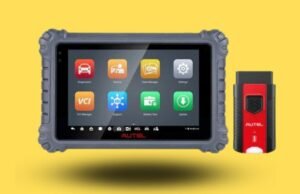 The MK906Pro is a more recent diagnostic tablet that improves on several limitations of the original MS906.
Compared with the older platform, it offers newer processing hardware and Android software, along with expanded service and diagnostic capabilities on supported vehicles.
It is worth considering if you need a more modern scanner for regular professional work.
Depending on the exact regional model, available features may include bidirectional testing, maintenance functions, supported coding, and enhanced vehicle coverage.
Before purchasing, verify software subscriptions, communication protocols, security-gateway access, and the functions supported on your vehicles.
2. Autel MaxiSys MS906BT
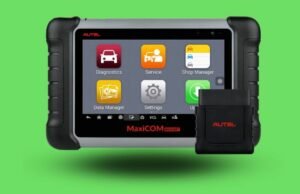 The MS906BT belongs to the earlier MS906 family and adds a Bluetooth-enabled vehicle communication interface, allowing more flexibility than the original wired MS906.
It shares many diagnostic concepts and features with the original model, including supported full-system diagnostics, live data, and selected active tests.
However, the MS906BT is also an older-generation product. It should not be treated as equal to the newest MaxiSys scanners in processor performance, operating-system support, or newer vehicle coverage.
Review our Autel MS906BT comparison and review before choosing between these models.
Image note: The original second alternative image has a filename identifying an MK808BT rather than an MS906BT. The image is preserved here, but its subject should be verified and replaced with a correctly licensed MS906BT image if it is mismatched.
Is the Original Autel MS906 Worth Buying in 2026?
That depends on the price, condition, and software coverage.
If you already own an MS906 and it performs the diagnostics you need, there may be no reason to replace it immediately.
If you are buying your first professional scanner in 2026, compare it carefully with newer devices before spending money.
Current Autel products, including the MS906 MAX and newer Pro-series scanners, offer more modern hardware and additional communication features. For example, the MS906 MAX uses a 10.1-inch display, Android 10, and support for newer protocols such as CAN FD and DoIP.
Those improvements can matter to a workshop that regularly services late-model vehicles.
Recommendation: Consider the original MS906 mainly when its supported vehicle coverage matches your work and the total cost is significantly lower than a suitable newer scanner. For long-term professional use, newer hardware and confirmed update support deserve priority.
What to Check Before Purchasing
- Confirm the product is the original MS906 rather than a different MS906-series model.
- Check the scanner’s serial number and Autel registration status.
- Confirm software updates and renewal eligibility.
- Verify exact vehicle and module coverage.
- Test the touchscreen, battery, charging port, and diagnostic cable.
- Check whether all required adapters and accessories are included.
- Review the seller’s warranty and return policy.
- Compare the total purchase and update cost against newer models.
Autel MS906 Review: Bottom Line
The original Autel MaxiSys MS906 was a capable professional diagnostic scanner with a convenient touchscreen, broad vehicle coverage for its generation, live data, active testing, and useful maintenance functions.
It remains a practical tool for supported vehicles, but its older operating system and hardware are important limitations in 2026.
This Autel MS906 review shows that the scanner’s value now depends less on its original feature list and more on vehicle compatibility, software support, condition, and purchase price.
If you need a long-term scanner for newer cars, a current Autel platform may be the more sensible choice.
Frequently Asked Questions
Can the Autel MS906 Read ABS Live Data?
Yes, it can display supported ABS information on compatible vehicles. However, wheel-speed data, active ABS tests, and automated bleeding are separate functions that must be verified for each vehicle.
Is the MS906 Compatible With a 2013 BMW X3?
The MS906 family was designed to cover many BMW vehicles, but exact module and function coverage must be confirmed using Autel’s vehicle coverage information and installed software version.
Can the MS906 Diagnose Transmission Problems?
It can retrieve supported transmission-module trouble codes and display available diagnostic data. It cannot identify every mechanical transmission problem without additional testing.
Is the Original Autel MS906 Wireless?
It has Wi-Fi connectivity for internet-related features, but the original MS906 uses a wired connection to the vehicle. The MS906BT provides a Bluetooth-enabled vehicle interface.
Does the MS906 Support Key Programming?
Certain vehicle-specific functions may be available, but the original MS906 is not a universal key-programming or immobilizer tool. Do not purchase it for that purpose without confirming exact coverage.
Can the MS906 Program an ECU?
The original MS906 supports certain diagnostic, active-test, and adaptation functions. It should not be assumed to support general J2534 ECU flashing or programming. Such work requires specifically compatible hardware and software.
Can the MS906 Reset an Airbag Warning Light?
It can read and clear supported SRS fault codes. However, clearing a warning does not repair an active airbag fault, and component programming or configuration may require other equipment.
Does the MS906 Support OBD1 Vehicles?
Selected older vehicles may be supported through appropriate diagnostic software and adapters. Full OBD1 compatibility with every manufacturer should not be assumed, and included adapters vary by package.
Can It Diagnose Light-Duty Trucks?
Yes, certain light-duty trucks are supported. Coverage depends on model year, powertrain, installed software, and the functions required.
Do You Need to Pay for Software Updates?
The original scanner commonly included an initial update period. Further updates may require payment, and present eligibility must be verified with Autel using the device’s serial number.
Is the Autel MS906 Still a Good Scanner in 2026?
It can remain useful for supported vehicles, especially if already owned. However, buyers should compare it with newer scanners offering updated hardware, communication protocols, and software support.