
Last Updated on October 20, 2026
Established in 1992, LAUNCH is one of the most recognized brands in the automotive diagnostic equipment industry. The company manufactures different types of scan tools, from affordable OBD2 code readers to advanced professional diagnostic tablets. Whether you’re a beginner, DIY mechanic, automotive technician, or repair shop owner, there is likely a LAUNCH scanner designed for your needs.
One reason LAUNCH scanners are popular is their wide selection of diagnostic functions. Some models simply read and clear engine trouble codes, while others can diagnose ABS, SRS, transmission, and additional electronic systems. More advanced scanners offer bidirectional control, ECU coding, maintenance resets, and vehicle-specific adaptations.
However, choosing the best LAUNCH scan tool is not always easy. Different models may look similar but offer very different capabilities. Some scanners work well on older vehicles but lack the communication protocols required for newer cars. Others provide advanced features but cost considerably more than most DIY users need to spend.
That’s why we’ve prepared this detailed Best LAUNCH Scan Tool Review 2026. We’ll compare eight popular scanners, explain their advantages and limitations, and help you understand which models are worth considering for your garage.
We will also discuss newer alternatives because several older LAUNCH scanners are still available through online retailers. Although these scanners can remain useful, newer models may offer better hardware, software compatibility, and access to recent vehicle systems.
If you’re mainly interested in professional diagnostic equipment, you can also explore our professional automotive diagnostic scanner comparison.
LAUNCH Tech USA Support:
Address: 1820 South Milliken Ave, Ontario, CA 91761
Phone: 562-463-1580
Email: Support@launchtechusa.com
Our Recommended Top 4 Best LAUNCH Scan Tool Comparison Table
| Images | Launch Scan Tools | Features Information |
|---|---|---|
2025 Editor's Pick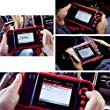 Check Price | Launch CRP129E OBD2 Scanner Auto Code Reader ABS Airbag Engine Transmission Diagnostic Scan tool and EPB SAS Oil Service Light Resets with TPMS Activation Tool Read Review | |
Best DIY Choice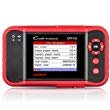 Check Price | Launch CRP123 OBD2 Scanner Engine/ABS/SRS/Transmission Automotive Code Reader Diagnostic Scan Tool Read Review | |
Budget/Beginner Mechanic Choice Check Price | LAUNCH X431 PROS Mini Automotive Diagnostic Tool OBD2 Scanner Code Reader with WiFi & Bluetooth Covering 108 Vehicle Makes + 2 Years Free Update Read Review | |
Professional Mechanic choice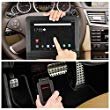 Check Price | LAUNCH X431 V X431 V X431 V+ Diagnostic Scan Tool (Upgraded Version of X431V) for Bi-Directional Control, Full Systems Diagnoses, 11 Reset Functions Including SAS, DPF, BMS, TPMS, Key Programming, ECU Coding with 2-Year Free Online Update Read Review |
Best LAUNCH Scan Tool Reviews 2026: Quick Comparison
Before exploring each scanner, the following table provides a quick overview of eight popular models. It will help you identify the type of scanner that best matches your diagnostic requirements.
| LAUNCH Scanner | Best For | Main Features | Bidirectional Control | Price Category |
|---|---|---|---|---|
| CRP123 | Beginners | Engine, ABS, SRS, transmission | No | Budget |
| CRP129 | DIY mechanics | Four-system diagnostics and resets | Limited service commands | Budget to mid-range |
| X431 PROS Mini | Advanced DIYers and technicians | Full-system scanning, active tests, coding | Yes, vehicle-dependent | Professional |
| CRP229 | Home garages | Touchscreen diagnostics, service functions | Limited | Mid-range |
| X431 V+ | Professional mechanics | Full systems, ECU coding, active tests | Yes, vehicle-dependent | Professional |
| CRP Touch Pro | Serious DIYers | System diagnostics and maintenance | Limited | Mid-range |
| Creader VIII | Home mechanics | Four-system scanning and selected resets | No comprehensive active testing | Budget |
| Creader VII Plus | Basic diagnostic users | Engine, ABS, SRS, transmission codes | No | Budget |
The CRP123 and Creader VII Plus are suitable for basic diagnostics. The CRP129 and CRP Touch Pro add useful maintenance functions, while professional X431 models provide more advanced system access.
Remember that these are model-family comparisons. Available functions can differ according to the scanner’s hardware generation, regional software package, and vehicle compatibility.

8 Best LAUNCH Scan Tool Reviews in 2026
From basic code readers to advanced workshop equipment, the following reviews explain how each scanner works, what makes it useful, and which limitations you should consider before making a purchase.
1. LAUNCH CRP123 OBD2 Scanner – Best for Beginners
The LAUNCH CRP123 scanner is one of the company’s well-known entry-level diagnostic tools. It is designed for car owners who want more information than a basic check engine light reader can provide.
The original CRP123 features a compact handheld design with a 3.5-inch TFT color display. Its physical navigation buttons make the scanner easy to use without needing a touchscreen or smartphone.
This scanner focuses on four important vehicle systems: engine, transmission, ABS, and SRS. These systems account for many common warning lights that drivers encounter during normal vehicle ownership.
For example, if your ABS warning light appears, the CRP123 may retrieve relevant diagnostic trouble codes from the ABS module on supported vehicles. This gives you a useful starting point before replacing wheel speed sensors or other brake-related components.
Diagnostic Functions
The CRP123 supports standard OBD2 diagnostic operations, including reading and clearing engine codes, displaying freeze-frame information, and checking emissions readiness.
It can also display live sensor readings and graph supported data streams. This feature is particularly helpful when diagnosing intermittent engine problems that may not be explained by a stored trouble code alone.
For example, you may be able to examine engine coolant temperature, oxygen sensor information, and fuel-related readings while troubleshooting poor performance.
However, the scanner does not provide advanced bidirectional control. It cannot replace professional equipment when a repair requires actuator testing, extensive adaptations, or ECU coding.
LAUNCH CRP123 Technical Specifications
| Model | LAUNCH CRP123 |
| Display | 3.5-inch TFT color screen |
| Diagnostic Systems | Engine, transmission, ABS, SRS |
| OBD2 Modes | Standard OBD2 test modes |
| Live Data | Yes, including graphing |
| Freeze Frame | Yes |
| Vehicle Information | Supported VIN and calibration data |
| Bidirectional Control | No |
| Connection | Wired OBD2 cable |
| Updates | PC-based updates where available |
| Price |  Check Today’s Price |
LAUNCH CRP123 vs. CRP129
The main difference is maintenance functionality. While the CRP123 concentrates on retrieving diagnostic information, the CRP129 offers additional service functions on compatible vehicles.
For example, certain CRP129 versions support oil service reset, electronic parking brake maintenance, and steering angle sensor calibration. These functions are generally unavailable on the original CRP123.
If you only need to diagnose warning lights, the CRP123 may be sufficient. If you regularly maintain your vehicle yourself, the CRP129 provides more flexibility.
Buyers should also consider newer CRP123X-series products. Updated versions generally provide a modern touchscreen interface and may include additional functions.
Pros and Cons
Pros:
- Simple and beginner-friendly interface.
- Four-system diagnostic coverage.
- Live data graphing and recording.
- Compact and portable construction.
- No smartphone required.
- Useful for common warning lights.
Cons:
- No comprehensive bidirectional control.
- No advanced ECU coding.
- Limited maintenance functions.
- Older hardware compared with modern touchscreen scanners.
Verdict: The CRP123 remains a practical choice for basic vehicle diagnostics, especially if you find it at a reasonable price. However, buyers who want newer hardware should compare it with the CRP123X family.
2. LAUNCH CRP129 OBD2 Code Reader – Best for DIY Maintenance
If you’re looking for a scanner that combines basic diagnostics with useful maintenance functions, the LAUNCH CRP129 deserves consideration.
This scanner is designed for DIY mechanics who want to diagnose engine, transmission, ABS, and SRS problems without purchasing expensive professional equipment.
The original CRP129 features a handheld design with a color screen and physical navigation buttons. It is easy to carry, store, and connect whenever you need to investigate a warning light.
One of its main advantages over the CRP123 is the addition of selected maintenance procedures. Depending on the vehicle, these may include oil service reset, steering angle sensor calibration, and electronic parking brake service.
Diagnostic Capabilities
The CRP129 can retrieve diagnostic trouble codes from supported systems and display information about the detected faults.
It also supports live data readings, graphing, freeze-frame information, and standard OBD2 emissions functions.
These capabilities can help you understand why an engine warning light is illuminated or whether a sensor is reporting unusual values.
However, a trouble code should not be treated as proof that a particular component needs replacement. For example, an oxygen sensor-related fault may also involve wiring, exhaust leaks, or fuel mixture problems.
For a better understanding of common engine warning lights, see our guide to check engine light causes and diagnostics.
Maintenance Functions
Oil service reset is useful after completing an oil change on supported vehicles. Certain models also require electronic parking brake service mode before replacing rear brake pads.
The CRP129 can help with these procedures when the necessary vehicle coverage is available.
Steering angle sensor calibration is another useful function, particularly after certain steering or suspension repairs.
However, the original CRP129 does not provide the same level of active testing or ECU coding as professional X431 scanners.
LAUNCH CRP129 Technical Specifications
| Model | LAUNCH CRP129 |
| Display | 4-inch TFT color LCD |
| Supported Systems | Engine, transmission, ABS, SRS |
| Live Data | Recording and graphing |
| I/M Readiness | Yes |
| Freeze Frame | Yes |
| Oil Reset | Supported vehicles |
| EPB Service | Supported vehicles |
| SAS Calibration | Supported vehicles |
| ECU Programming | No |
| Price |  Check Today’s Price |
Should You Buy the Original CRP129 in 2026?
The original CRP129 can still be useful if it supports your vehicle and the required functions. However, newer CRP129X and CRP129X V2.0 versions offer updated hardware and may provide additional maintenance capabilities.
For buyers planning to keep a scanner for several years, these newer versions are worth comparing.
Check the exact service functions rather than relying on broad claims such as complete vehicle coverage. Some features may be available for one car manufacturer but not another.
Pros and Cons
Pros:
- Four-system diagnostics.
- Useful maintenance resets.
- Live data and freeze-frame information.
- Easy-to-understand menus.
- Suitable for home mechanics.
- More capable than basic engine-only readers.
Cons:
- Limited advanced diagnostic functions.
- Not a full bidirectional scanner.
- Older interface and hardware.
- Maintenance coverage varies by vehicle.
Verdict: The CRP129 is a good fit for DIY mechanics who need a scanner for both diagnostics and routine maintenance. Nevertheless, its updated versions may offer better long-term value in 2026.
3. LAUNCH X431 PROS Mini – Best for Advanced DIYers
The LAUNCH X431 PROS Mini is a more advanced diagnostic scanner designed for experienced car owners, automotive technicians, and smaller repair shops.
Unlike basic code readers, the PROS Mini provides access to many electronic control modules and supports selected active tests, adaptations, and coding functions.
Its tablet-style design gives users a larger viewing area for diagnostic results and live data. The touchscreen interface also makes navigation more convenient when moving between vehicle systems.
Wireless connectivity is another advantage. Instead of remaining next to the diagnostic connector, technicians can move around the vehicle while reading data or performing supported tests.
Full-System Diagnostics
The X431 PROS Mini is designed to communicate with multiple vehicle systems, including engine, transmission, ABS, SRS, body electronics, and other supported modules.
This broader access makes it useful when a fault involves more than the engine.
For example, a transmission shifting problem may involve information from the transmission control module, engine sensors, or communication between different control units.
By scanning multiple modules, the technician can obtain a more complete picture before deciding which components need further testing.
Bidirectional Control
One of the most valuable features of the PROS Mini is its support for bidirectional control.
On compatible vehicles, the scanner can send commands to selected components. These operations may include activating cooling fans, testing pumps, controlling valves, or checking other electronic actuators.
This is useful because reading a fault code does not always reveal whether the problem involves the component itself, its wiring, or the control system.
For more information about active testing, see our bidirectional scanner buying guide.
Maintenance and Coding Functions
The PROS Mini also supports various maintenance operations, such as oil service reset, electronic parking brake service, ABS bleeding, and battery-related procedures.
Selected vehicles may support ECU coding, injector coding, adaptations, or anti-theft functions.
However, ECU coding should not be confused with full module programming. The scanner does not automatically provide the same programming capabilities as specialized manufacturer equipment.
LAUNCH X431 PROS Mini Technical Specifications
| Model | LAUNCH X431 PROS Mini |
| Display | Touchscreen tablet; size varies by generation |
| Operating System | Android-based |
| Full-System Diagnostics | Yes |
| Bidirectional Control | Yes, on supported vehicles |
| ECU Coding | Selected vehicle models |
| Live Data | Yes |
| Service Functions | Oil, EPB, SAS, ABS, BMS, and others |
| Connectivity | Bluetooth and Wi-Fi |
| Updates | Package-dependent initial update period |
| Price |  Check Today’s Price |
Pros and Cons
Pros:
- Full-system diagnostic capabilities.
- Bidirectional actuator testing.
- Wireless diagnostic communication.
- Convenient touchscreen interface.
- Useful service and adaptation functions.
- Suitable for advanced troubleshooting.
Cons:
- More expensive than basic scanners.
- Advanced functions depend on vehicle coverage.
- Software renewals may involve additional costs.
- Learning advanced procedures requires experience.
Verdict: The X431 PROS Mini is a worthwhile option for experienced DIYers and independent technicians who need active testing and broader system access. However, buyers should compare its hardware generation with newer X431 professional scanners before purchasing.
4. LAUNCH CRP229 Android-Based Scan Tool
The LAUNCH CRP229 is a mid-range diagnostic scanner designed for car owners and smaller repair shops that want a touchscreen interface and selected maintenance functions.
The scanner features a 5-inch TFT display and an Android-based operating system. Its touchscreen design makes navigating menus more convenient than using traditional handheld code readers.
Although the CRP229 is an older model, it still offers useful diagnostic functions for compatible vehicles.
Diagnostic Coverage
The CRP229 supports standard OBD2 functions and selected enhanced vehicle system diagnostics.
It can retrieve trouble codes, display live data, view vehicle information, and provide diagnostic details that help identify possible problems.
The scanner can also graph supported live data streams. This allows users to observe changing sensor values while the engine is running.
For example, monitoring engine coolant temperature may help you investigate an overheating complaint. However, scan data should always be compared with vehicle specifications and other diagnostic evidence.
Maintenance Functions
Depending on the vehicle, the CRP229 may support oil service reset, electronic parking brake functions, steering angle sensor calibration, and battery maintenance procedures.
These features make the scanner more useful than an engine-only code reader.
However, advanced functions vary between CRP229 versions. Buyers should confirm the exact supported operations before purchasing.
LAUNCH CRP229 Technical Specifications
| Model | LAUNCH CRP229 |
| Operating System | Android-based |
| Display | 5-inch TFT touchscreen |
| OBD2 Diagnostics | Yes |
| Read and Clear Codes | Yes |
| Live Data | Yes |
| Service Functions | Selected oil, EPB, SAS, and battery procedures |
| Connection | 16-pin OBD2 cable |
| Wi-Fi | Yes |
| Software Updates | Internet-based where supported |
| Price | 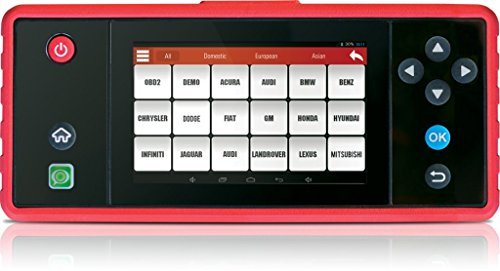 Check Today’s Price |
Is the CRP229 Worth Buying in 2026?
The CRP229 may still be useful for a home mechanic who owns a compatible vehicle and does not need the newest functions.
However, buyers planning to diagnose recently manufactured cars should compare it with modern CRP-series scanners.
Newer models generally offer updated interfaces, improved processing hardware, and more recent diagnostic software support.
This becomes especially important when working on vehicles that use newer electronic communication systems.
Pros and Cons
Pros:
- Convenient touchscreen interface.
- Useful diagnostic functions.
- Live data graphing.
- Selected maintenance capabilities.
- Compact enough for home garages.
- Internet-based update support.
Cons:
- Older Android platform.
- Limited advanced coding functions.
- Vehicle-specific maintenance coverage.
- Newer scanners may provide better long-term value.
Verdict: The CRP229 offers a reasonable combination of diagnostic and maintenance features. However, it is primarily worth considering when the price is attractive and compatibility with your vehicle has been confirmed.
5. LAUNCH X431 V+ Professional Diagnostic Scanner
The LAUNCH X431 V+ is a professional automotive diagnostic scanner designed for repair shops and experienced technicians.
Unlike entry-level models, the X431 V+ provides access to multiple vehicle control modules, advanced diagnostic functions, and selected ECU coding operations.
Its large touchscreen is particularly helpful when viewing complex diagnostic information. Mechanics can read fault descriptions, display live data graphs, and move between systems without relying on a small handheld display.
Wireless diagnostic connectivity is another major advantage. It allows technicians to work around the vehicle while maintaining communication with supported control modules.
Full-System Diagnostic Capabilities
The X431 V+ can retrieve information from supported engine, transmission, ABS, SRS, body control, and other electronic systems.
This makes it useful for diagnosing problems that involve several control modules.
For example, modern vehicles may store related fault codes in the engine and transmission modules when an electronic communication problem develops.
A full-system scan can help technicians identify these related faults rather than focusing only on the first warning light.
Bidirectional Control and Active Tests
One of the most important features of the X431 V+ is bidirectional control.
On compatible vehicles, this function allows users to activate supported components through the scanner.
Examples may include testing cooling fans, fuel pumps, door locks, electronic valves, and selected actuator circuits.
These tests help determine whether a component responds to an electronic command.
However, an active test does not automatically identify a faulty part. If a component fails to respond, further checks may be needed to determine whether the issue involves the component, wiring, power supply, or control module.
ECU Coding and Maintenance
The X431 V+ supports selected ECU coding and adaptation functions. These may be useful after replacing certain electronic components or performing supported repair procedures.
It also offers maintenance functions such as oil reset, electronic parking brake service, battery registration, injector coding, and ABS bleeding.
Available functions vary by vehicle and software version. Certain operations may require additional authorization or online access.
LAUNCH X431 V+ Technical Specifications
| Model | LAUNCH X431 V+ |
| Display | 10.1-inch touchscreen on common configurations |
| Operating System | Android-based |
| Full-System Diagnostics | Yes |
| Live Data | Yes |
| Bidirectional Control | Yes, on supported vehicles |
| ECU Coding | Selected vehicles |
| Service Functions | Oil, EPB, SAS, BMS, and other supported services |
| Connectivity | Bluetooth and Wi-Fi |
| Software Updates | Package-dependent; paid renewals may apply |
| Price | 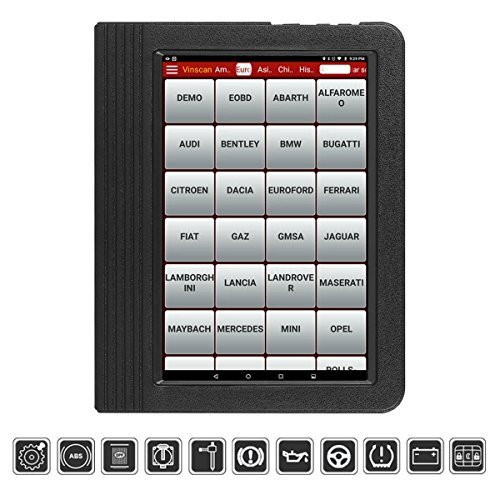 Check Today’s Price |
LAUNCH X431 V+ vs. X431 V Pro
Both models offer advanced diagnostics, wireless communication, and multiple maintenance functions.
The X431 V+ generally provides a larger display than the original V Pro. However, processing speed, available storage, and vehicle coverage depend on the specific generation.
For buyers in 2026, comparing newer X431 Pro-series scanners may be more useful than comparing older hardware alone.
Pros and Cons
Pros:
- Advanced full-system diagnostics.
- Bidirectional actuator testing.
- Selected ECU coding functions.
- Large touchscreen display.
- Wireless diagnostic communication.
- Useful professional maintenance procedures.
- Broad vehicle coverage.
Cons:
- Higher purchase price.
- Additional software renewal expenses may apply.
- Advanced features require technical knowledge.
- Not every function works on every vehicle.
Verdict: The X431 V+ is one of the more capable scanners in this comparison. It makes sense for professional technicians and repair shops, although newer X431 models may provide better compatibility with recent vehicles.
6. LAUNCH CRP Touch Pro – Best for Home Garage Maintenance
The LAUNCH CRP Touch Pro combines a convenient touchscreen interface with diagnostic and maintenance functions.
It is designed for car owners who want more than a basic OBD2 reader but do not need the complexity of professional workshop equipment.
The scanner can retrieve trouble codes, display live data, and perform selected maintenance operations on compatible vehicles.
Its Android-based interface makes navigation straightforward. Instead of working through multiple physical buttons, users can select diagnostic functions directly from the touchscreen.
Diagnostic and Maintenance Features
The CRP Touch Pro supports standard OBD2 diagnostic functions, including reading and clearing engine codes and checking emissions readiness.
It can also communicate with selected additional vehicle systems depending on the make and model.
Available service procedures may include oil reset, electronic parking brake maintenance, steering angle sensor calibration, and battery management functions.
These are useful when performing routine repairs. For instance, certain vehicles require an electronic parking brake service procedure before replacing rear brake pads.
However, a scanner should never replace the correct mechanical repair procedure. Always follow the manufacturer’s service instructions.
Practical Everyday Use
One advantage of the CRP Touch Pro is its balance between diagnostic capability and ease of operation.
A car owner who performs occasional maintenance may appreciate having code reading, live data, and service functions available in one device.
It can also help reduce unnecessary repair-shop visits for tasks that can safely be completed at home.
Nevertheless, its advanced functions are more limited than those available on professional X431 scanners.
LAUNCH CRP Touch Pro Technical Specifications
| Model | LAUNCH CRP Touch Pro |
| Operating System | Android-based |
| Display | Color touchscreen |
| OBD2 Diagnostics | Yes |
| Live Data | Yes |
| Freeze Frame | Yes |
| Service Functions | Selected oil, EPB, SAS, BMS procedures |
| Full ECU Programming | No |
| Software Updates | Online support; verify available updates |
| Price |  Check Today’s Price |
Pros and Cons
Pros:
- Convenient touchscreen interface.
- Useful diagnostic and maintenance features.
- Portable design.
- Live data monitoring.
- Suitable for serious DIY mechanics.
- More capable than basic engine-only readers.
Cons:
- Limited professional functions.
- Some service procedures are vehicle-specific.
- Older hardware compared with newer scanners.
- Not suitable for extensive ECU programming.
Verdict: The CRP Touch Pro is a reasonable option for DIY car owners who need maintenance functions and a touchscreen interface. However, newer CRP-series scanners should also be considered before making a purchase.
7. LAUNCH X431 Creader VIII – Best Traditional Handheld Scanner
The LAUNCH X431 Creader VIII is a traditional handheld diagnostic scanner that offers more functions than a basic engine code reader.
It combines four-system diagnostics with selected maintenance capabilities, making it useful for car owners who prefer physical buttons instead of touchscreen controls.
Its compact design makes the scanner easy to store in a toolbox or vehicle.
Diagnostic Features
The Creader VIII supports standard OBD2 diagnostic modes, including reading and clearing engine codes, displaying freeze-frame data, and checking emissions readiness.
It also provides access to supported engine, transmission, ABS, and SRS systems.
This allows drivers to investigate several common warning lights without immediately visiting a repair shop.
For example, the scanner may retrieve an ABS trouble code that helps identify the area requiring further inspection.
However, diagnostic codes should always be interpreted carefully. An ABS wheel speed sensor code may involve the sensor itself, damaged wiring, a faulty connector, or another related component.
Maintenance Functions
The Creader VIII supports selected maintenance procedures, including oil service reset, steering angle sensor calibration, and electronic parking brake service.
These capabilities depend on the vehicle and scanner software version.
The scanner is not intended for extensive bidirectional actuator testing or advanced ECU coding.
LAUNCH X431 Creader VIII Technical Specifications
| Model | LAUNCH X431 Creader VIII |
| Diagnostic Systems | Engine, transmission, ABS, SRS |
| OBD2 Functions | Standard diagnostic modes |
| Freeze Frame | Yes |
| Live Data | Yes |
| Vehicle Information | Supported VIN and calibration data |
| Service Functions | Selected oil, EPB, SAS procedures |
| ECU Coding | No |
| Connection | Wired OBD2 interface |
| Price | 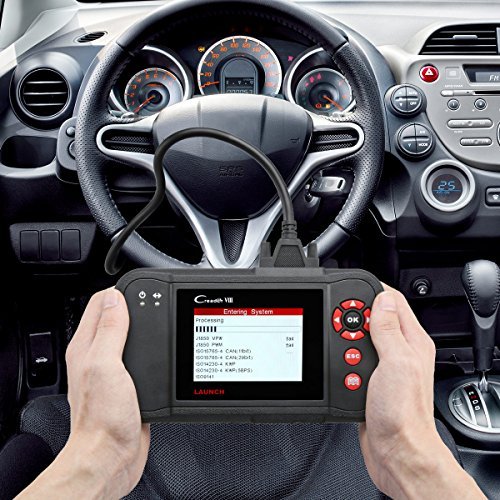 Check Today’s Price |
Who Should Buy It?
The Creader VIII is best suited to drivers who want a dedicated diagnostic scanner without needing a smartphone or tablet.
It can also be useful for DIY mechanics who regularly diagnose warning lights but rarely perform complicated electronic repairs.
Because the model belongs to an older product generation, buyers should verify that software support remains available for their vehicle.
If you work on recent vehicles, a newer scanner with current diagnostic software may be the better investment.
Pros and Cons
Pros:
- Compact handheld design.
- Simple physical controls.
- Useful four-system diagnostics.
- Selected maintenance reset functions.
- No smartphone required.
- Suitable for occasional home use.
Cons:
- Older hardware and interface.
- Limited advanced testing.
- No comprehensive ECU coding.
- Software compatibility may be limited on newer vehicles.
Verdict: The Creader VIII remains a practical traditional scanner for supported vehicles, but newer handheld models may offer improved diagnostic coverage and easier updates.
8. LAUNCH Creader VII Plus – Best for Basic Four-System Diagnostics
The LAUNCH Creader VII Plus is an affordable diagnostic scanner designed for vehicle owners who want more information than a simple engine-only code reader can provide.
It features a 3.5-inch TFT color display and physical navigation buttons. This traditional design makes it straightforward to use, even for drivers who are unfamiliar with automotive diagnostic software.
Like several other entry-level LAUNCH scanners, the Creader VII Plus focuses on engine, transmission, ABS, and SRS diagnostics.
Diagnostic Functions
The scanner can read and clear supported diagnostic trouble codes, display freeze-frame data, and retrieve standard OBD2 information.
It can also display certain live data readings, depending on the vehicle.
For example, if the engine warning light comes on, the Creader VII Plus may help identify the stored fault code and provide information about the affected system.
However, reading the code is only the beginning of the diagnostic process. You may still need electrical testing, mechanical inspection, or manufacturer service information to determine the actual cause.
Limitations
The Creader VII Plus does not provide comprehensive bidirectional control, advanced ECU coding, or the extensive maintenance capabilities found on professional diagnostic tools.
It is primarily intended for reading diagnostic information rather than commanding components or performing complex repair procedures.
For drivers who only need occasional warning light diagnostics, these limitations may not be a problem.
LAUNCH Creader VII Plus Technical Specifications
| Model | LAUNCH Creader VII Plus |
| Display | 3.5-inch TFT color screen |
| Diagnostic Systems | Engine, transmission, ABS, SRS |
| Read and Clear Codes | Yes |
| Freeze Frame | Yes |
| Oxygen Sensor Information | Supported OBD2 functions |
| I/M Readiness | Yes |
| Bidirectional Control | No |
| ECU Programming | No |
| Software Updates | PC-based where available |
| Price | 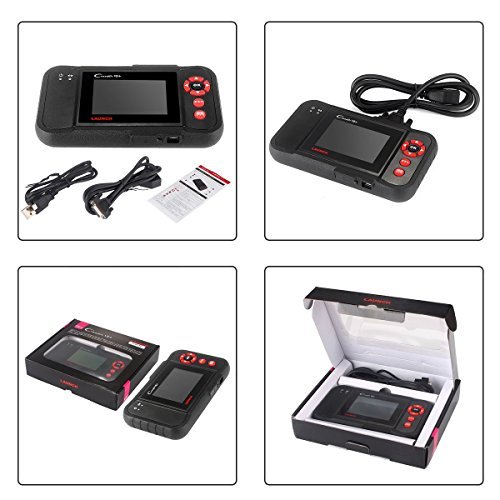 Check Today’s Price |
Pros and Cons
Pros:
- Affordable diagnostic tool.
- Simple physical navigation buttons.
- Useful four-system code reading.
- Compact and easy to store.
- Standard OBD2 functionality.
- Suitable for beginner car owners.
Cons:
- No advanced active testing.
- Limited maintenance functions.
- Older hardware and software interface.
- Less suitable for complicated modern vehicle diagnostics.
Verdict: The Creader VII Plus can still handle basic diagnostic work on compatible vehicles. However, buyers in 2026 should compare its price with newer LAUNCH code readers before choosing an older model.
LAUNCH CRP123 vs. CRP129 vs. X431 PROS Mini vs. X431 V+
These four models illustrate the main differences between entry-level, mid-range, and professional LAUNCH diagnostic tools.
The following comparison helps you understand which functions are worth paying extra for.
| Feature | CRP123 | CRP129 | X431 PROS Mini | X431 V+ |
|---|---|---|---|---|
| Engine Codes | Yes | Yes | Yes | Yes |
| ABS/SRS | Supported vehicles | Supported vehicles | Yes | Yes |
| Live Data | Yes | Yes | Yes | Yes |
| Oil Reset | No dedicated service | Selected vehicles | Selected vehicles | Selected vehicles |
| Full-System Diagnostics | No | No | Yes | Yes |
| Bidirectional Tests | No | Limited service commands | Yes | Yes |
| ECU Coding | No | No | Selected vehicles | Selected vehicles |
| Wireless Diagnostics | No | No | Yes | Yes |
| Primary User | Beginner | DIY mechanic | Advanced DIYer | Professional |
If you mainly diagnose check engine lights, the CRP123 may be all you need. If you also perform maintenance, the CRP129 provides additional value.
The X431 PROS Mini becomes more attractive when you need full-system diagnostics and active testing. The X431 V+ is better suited to professional users who regularly diagnose several different vehicle makes.
How to Choose the Best LAUNCH Scan Tool in 2026
Choosing a diagnostic scanner involves more than comparing prices. A scanner may offer dozens of functions but still lack support for your vehicle’s exact maintenance procedure.
Before purchasing, consider the following factors.
1. Vehicle Compatibility
Vehicle compatibility should always come first.
Many scanners advertise support for vehicles manufactured from 1996 onward. However, this generally refers to standard OBD2 diagnostics, not every advanced function.
A scanner may read engine codes on your car but fail to access its ABS module or perform battery registration.
Check your vehicle’s make, model, year, engine, and the specific functions you need.
If possible, confirm coverage through the manufacturer’s compatibility information before ordering.
2. Diagnostic System Coverage
Basic scanners generally focus on engine and emissions diagnostics. Four-system scanners add support for ABS, SRS, and transmission systems.
Professional full-system scanners can communicate with additional modules, such as body electronics, climate control, steering, and other supported systems.
If you only maintain one vehicle, a four-system scanner may be sufficient.
If you work on several cars or operate a repair shop, broader system access can be much more useful.
3. Bidirectional Control
Bidirectional control allows a scanner to send commands to supported vehicle components.
For example, you may be able to activate a cooling fan, operate a fuel pump, or test an electronic valve.
These functions are useful when troubleshooting complicated faults.
However, advanced active tests should only be performed according to the correct service procedures. Some commands can move components unexpectedly.
For serious diagnostic work, a professional X431-series scanner is generally more suitable than an entry-level code reader.
4. Maintenance Functions
Many modern vehicles require electronic service procedures after routine maintenance.
Examples include electronic parking brake service, battery registration, steering angle sensor calibration, and oil service reset.
These features can save time and reduce the need for certain repair-shop visits.
However, do not assume that every scanner advertising a service function supports it on every vehicle.
5. ECU Coding vs. ECU Programming
ECU coding and ECU programming are often confused.
ECU coding generally involves configuring or adapting certain supported control module settings.
ECU programming may involve installing or updating module software and often requires manufacturer-specific access, specialized interfaces, and appropriate authorization.
A scanner that advertises ECU coding does not necessarily support software flashing.
If you frequently replace electronic control modules, verify the exact programming functions you need before buying.
6. Software Updates and Subscriptions
Software updates are especially important for professional diagnostic scanners.
Vehicle manufacturers regularly introduce new models, control modules, and communication requirements.
Updated diagnostic software may improve coverage and provide additional functions.
Some LAUNCH handheld scanners offer free updates, while professional tablet models may include a limited update period followed by optional paid renewals.
Check the exact terms for your model, seller, and region. Do not assume that every LAUNCH scanner includes lifetime updates.
7. Compatibility With Newer Vehicles
Modern vehicles increasingly use communication technologies such as CAN FD and DoIP.
Some manufacturers also use secure gateway systems that restrict access to advanced diagnostic functions.
If you work on newer vehicles, make sure the scanner supports the required communication protocols and any necessary authorization.
Older scanners may still read generic engine codes but lack access to newer modules or service functions.
Which LAUNCH Scanner Should You Buy Based on Your Needs?
| Your Requirement | Recommended Model | Reason |
|---|---|---|
| Occasional engine diagnostics | CRP123 | Affordable four-system code reading |
| Routine maintenance | CRP129 | Additional reset functions |
| Advanced home repairs | X431 PROS Mini | Full-system diagnostics and active tests |
| Professional workshop use | X431 V+ or newer X431 | Broad system access and coding |
| Touchscreen DIY diagnostics | CRP Touch Pro | Easy interface and maintenance features |
| Traditional handheld scanner | Creader VIII | Physical controls and four-system coverage |
| Basic warning light diagnostics | Creader VII Plus | Simple and budget-friendly |
Common LAUNCH Scan Tool Problems and Troubleshooting
Even a good diagnostic scanner may occasionally experience connection or software problems. Fortunately, many common issues can be resolved with a few basic checks.
Scanner Does Not Connect to the Vehicle
First, check whether the diagnostic connector is properly seated in the vehicle’s OBD2 port.
Make sure the ignition is in the correct position. Some diagnostic functions require the ignition to be ON, while others require the engine to be running.
If the scanner receives no power, check the vehicle’s diagnostic connector and related fuse according to the service manual.
For Bluetooth models, verify that the diagnostic interface is paired correctly and the scanner software recognizes it.
Scanner Cannot Read a Particular Module
This may happen when the scanner lacks coverage for that vehicle system.
It may also occur because of a communication fault, module power problem, or unsupported software version.
Try performing a full-system scan and confirm that the correct vehicle model has been selected.
If the problem continues, check the scanner’s compatibility information.
Software Update Fails
For Wi-Fi-enabled scanners, verify that the internet connection is stable and that the scanner has enough available storage.
Make sure the battery is adequately charged before updating.
For older PC-based scanners, use the manufacturer’s correct update application and follow the instructions for the exact model.
Avoid disconnecting the device while an update is being installed.
Scanner Clears Codes but Warning Light Returns
If a warning light returns after clearing codes, the underlying problem may still be present.
Clearing diagnostic codes does not repair a faulty component.
Record the codes and freeze-frame information before clearing them. This information may help identify the cause if the problem returns.
You can also review our guide to clearing OBD2 trouble codes for a better understanding of the process.
Frequently Asked Questions About LAUNCH Scan Tools
Are LAUNCH scan tools good for beginners?
Yes. LAUNCH offers several beginner-friendly scanners, including the CRP123 and Creader series. These models provide useful diagnostic information without requiring extensive automotive experience.
Which LAUNCH scan tool is best for professional mechanics?
Professional X431-series scanners are generally better suited to workshops because they provide full-system diagnostics, bidirectional testing, and selected coding functions. Newer X431 models may also support additional vehicle communication protocols.
Can LAUNCH scanners read ABS and airbag codes?
Yes, many LAUNCH scanners can access ABS and SRS systems on compatible vehicles. However, basic engine-only readers may not support these modules.
Do LAUNCH scan tools support bidirectional control?
Some models do. Professional X431 scanners support active testing on compatible vehicles, while basic handheld models generally do not provide comprehensive bidirectional functions.
Can a LAUNCH scanner reset the oil service light?
Many mid-range and professional models support oil service reset. However, the exact function depends on vehicle compatibility and scanner software.
Do LAUNCH diagnostic tools require paid updates?
Some entry-level models provide free updates, while professional scanners may require paid renewals after the included update period. Always check the current terms for the exact model.
Can a LAUNCH scanner program car keys?
Selected professional and immobilizer-focused LAUNCH tools support key-related service functions. However, this does not mean every X431 scanner can program every vehicle key. Compatibility and authorization requirements vary.
Can LAUNCH scanners diagnose transmission problems?
Yes. Models with transmission system access can retrieve supported transmission trouble codes and live data. Advanced scanners may also perform selected transmission adaptations.
Will an older LAUNCH scanner work on a 2026 vehicle?
It may support standard OBD2 diagnostics, but advanced system access is not guaranteed. Some newer vehicles require CAN FD, DoIP, or secure gateway authorization. Check the manufacturer’s vehicle coverage before purchasing.
Final Verdict: Best LAUNCH Scan Tool for 2026
LAUNCH manufactures a wide range of diagnostic scanners for different budgets and experience levels. The models discussed in this guide provide useful options for beginners, DIY mechanics, and professional technicians.
If you mainly want to investigate check engine lights and other common warning indicators, the LAUNCH CRP123 is a practical starting point.
For car owners who perform routine maintenance, the CRP129 offers additional service functions that can be helpful after certain repairs.
Advanced DIYers and smaller repair shops should consider the X431 PROS Mini, particularly when bidirectional control and full-system diagnostics are important.
For professional mechanics, the X431 V+ provides broader diagnostic access and selected coding capabilities. However, newer X431 professional models may offer improved compatibility with recently manufactured vehicles.
The CRP229, CRP Touch Pro, Creader VIII, and Creader VII Plus can also remain useful when matched with compatible vehicles and purchased at reasonable prices.
Ultimately, the best LAUNCH scan tool in 2026 is the one that supports your vehicle’s systems and the exact diagnostic functions you need. Before buying, check vehicle coverage, update policies, and software compatibility. Choosing the right scanner can help you diagnose problems more effectively, avoid unnecessary part replacements, and make vehicle maintenance easier.