
Last Updated on November 7, 2026
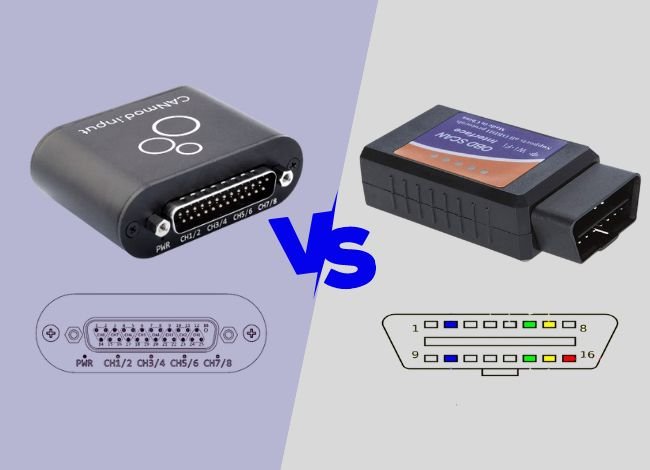 If you are learning to work on your own car, you may see CAN and OBD2 mentioned in the same scanner manual. They can work together when you plug in a scan tool, but each has a different job. This CAN Bus vs. OBD2 guide explains what the car’s network carries and what your scanner can ask it to report.
What is an OBD2 scan?
OBD2 stands for On-Board Diagnostics, second generation. It is built into the vehicle. The handheld scanner is a separate tool that connects to it. In the United States, OBD2 became standard on most passenger cars and light trucks beginning with the 1996 model year. Its standardized diagnostic functions focus on emissions-related systems. Vehicle coverage and requirements can differ outside that market.
The car’s computers watch for faults and can turn on the malfunction indicator lamp, commonly called the check engine light. A connected tool can read the OBD scanner code and any available freeze-frame information. The code tells you what the computer detected. For example, a misfire code can identify the affected cylinder, but several ignition, fuel or mechanical problems can cause it. 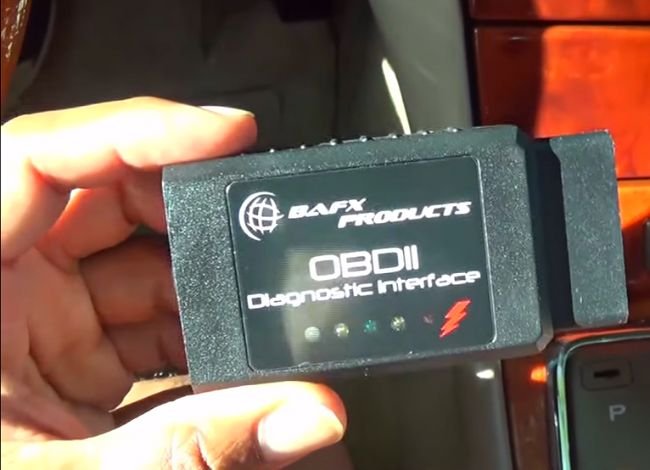
Most cars have a 16-position data link connector near the driver’s side of the dash. A scanner can request supported values such as engine speed, coolant temperature, throttle position or vehicle speed. The exact parameters depend on the vehicle. Clearing codes can erase diagnostic information and reset readiness monitors, so save the codes and freeze frame first.
Why do you need an OBD2 scanner in your car?
A scanner gives you the information behind a check engine light. It can show whether emissions monitors have completed and display a snapshot from when a fault was detected. If the fault occurs only once in a while, compare that snapshot with live readings when the car is behaving normally. That can help you decide what conditions to check next.
The basic scan is useful for emissions and some powertrain issues. For other systems or service procedures, check whether the tool can communicate with the specific module on your vehicle. The code reader and scan tool comparison explains how that extra coverage differs from basic code retrieval.
What is the CAN bus in a car?
CAN stands for Controller Area Network. It is a way for control modules to exchange messages over a shared network. On a typical high-speed CAN bus, two wires called CAN High and CAN Low carry the signal. The modules use the difference between the signals to read the message. They get their power separately. A vehicle can have several CAN networks linked by a gateway. 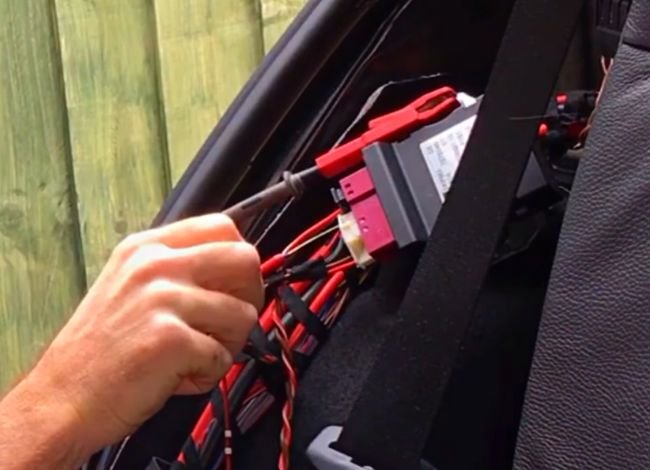
Why do cars use a CAN bus?
The network lets modules share information without a separate signal wire for every pair of devices. It also does not require one central computer to direct every transmission. For example, the engine controller can send an engine-speed message that the instrument cluster uses to update the tachometer. CAN is also used in equipment outside cars, including industrial machinery.
CAN messages are sent in frames. A frame carries an identifier, data and information that helps the receiving controllers check for errors. If two modules start transmitting together, the identifier determines which message wins access to the bus. Modules on that segment can receive the frame and use the information relevant to them. Knowing the frame identifier alone does not tell you what each manufacturer put in the data bytes.
CAN BUS vs. OBD2: Key Differences
The CAN Bus vs. OBD2 distinction comes down to what each standard describes. CAN moves messages between devices. OBD2 defines what diagnostic information a compatible scan tool can request and how the vehicle reports it. A vehicle can use CAN to carry those requests and responses.
Communication system:
Generic OBD2 defines diagnostic services and data, such as asking for an engine-speed value or stored emissions codes. A CAN bus protocol defines how controllers send and receive frames on the bus. ISO 15765-4 specifies how the diagnostic tool communicates with emissions-related systems over CAN. Older OBD2 vehicles may instead use SAE J1850, ISO 9141-2 or ISO 14230-4.
Communication speed:
Classical CAN can run at up to 1 Mbit/s. The CAN configurations used for traditional OBD2 diagnostics commonly use 250 or 500 kbit/s. OBD2 itself does not have one speed. How quickly a value updates on screen also depends on the request, controller response, scan tool and number of parameters being read. CAN FD is a newer frame format that allows more data in a frame and a faster data phase where supported.
Connectivity:
On the vehicle side, modules can broadcast information to other controllers on the same CAN segment. During a generic OBD2 scan, the tool usually sends a request and the relevant controller responds. The scanner might request engine speed even while the engine controller is sending its own separate speed messages for the dashboard. Those messages can use different formats and do not have to be visible on the same network.
What data can a tool access?
A generic scan can only show the standardized information the vehicle supports. Manufacturer-specific data for systems such as ABS, airbags or body electronics requires a tool with the right coverage. A gateway may filter traffic or require authorization for some enhanced diagnostic functions. A connector with CAN pins does not guarantee access to the internal networks or the ability to issue commands. See the difference between generic and enhanced OBD2 diagnostics before buying a tool for a specific module.
How are OBD2 and CAN bus related?
The CAN Bus vs. OBD2 overlap is easiest to see at the diagnostic connector. ISO 15765-4 CAN became the standard emissions-diagnostic connection for covered U.S. light-duty vehicles by the 2008 model year. On the SAE J1962 connector, diagnostic CAN uses pin 6 for CAN High and pin 14 for CAN Low. Older vehicles can use the same connector shape with different protocols and pin assignments. A vehicle may also use CAN internally without using it for generic OBD2.
On newer vehicles, check whether your tool supports the diagnostic standard and connection the vehicle uses. For example, OBDonUDS describes newer emissions diagnostics using Unified Diagnostic Services. CAN FD describes a way to carry frames. A tool’s support for one tells you little about the specific diagnostic services it can perform on a given car.
If a scan tool powers up but says it cannot communicate, the illuminated screen only confirms that the tool has power. Check the ignition position and confirm that the tool supports the vehicle’s protocol. A CAN-only adapter can fit an older connector and still fail to read a car using J1850 or a K-line protocol. That is a compatibility issue to rule out before diagnosing the vehicle’s wiring or modules.
Verdict
For the CAN Bus vs. OBD2 question, start with the job. To check a warning light, use an OBD2 scanner that supports the vehicle’s diagnostic protocol. It can ask an ECU for a standardized result and display it in readable form. To investigate a communication problem between modules, use vehicle-specific wiring information and a tool that supports the relevant network. A basic emissions scan and a network diagnosis can use the same connector, but they answer different questions.