
Last Updated on November 9, 2026
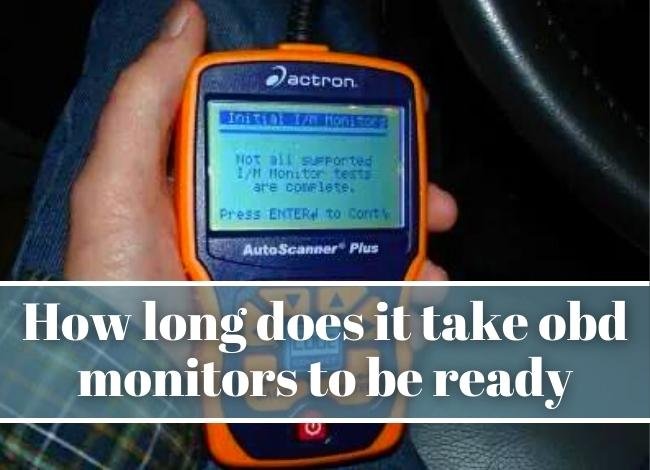
What are the OBD2 readiness monitors?
If you’ve just repaired your car, replaced the battery or cleared a code before an emissions inspection, the scanner may say a monitor is “not ready.” The OBD2 system runs emissions self-tests as the vehicle is driven. The readiness screen tells you which supported self-tests have finished since the diagnostic information was last reset.
How long it takes depends on which test is still incomplete and when your vehicle meets that test’s conditions. An EVAP check may wait for a certain fuel level and a cold soak. A catalyst check may need a warm engine at a particular load. Read the monitor names before deciding what drive to take.
How to tell if the OBD2 monitor is ready?
To check the OBD2 readiness monitors, connect an OBD2 scanner that supports I/M Readiness and follow the ignition instructions for the vehicle and tool. I/M stands for inspection and maintenance. Select the readiness screen for since codes were cleared. If your scanner also offers this drive cycle, that screen refers to the current trip and can show a different result.
- Ready, complete or done: The supported test has run. Read the trouble codes and malfunction indicator lamp status separately to check for a fault.
- Not ready or incomplete: The vehicle supports this test and has yet to complete it since the reset. Check the test’s conditions before drawing a conclusion about a part.
- Unsupported or N/A: The vehicle does not use that monitor in this list. You can focus on the supported tests.
Some vehicles have a key-on readiness check described in their owner’s manual. The lamp pattern is model-specific. For example, the 2025 Acura ADX manual describes five blinks with the engine off when readiness codes have not been set. Use the scanner or the documented procedure for your own vehicle.
Different kinds of OBD2 readiness monitors
The OBD2 readiness monitors are commonly grouped into continuous and non-continuous tests. Your scan tool may list monitors that your vehicle does not support.
- Continuous monitors: Common examples are misfire, fuel system and comprehensive components. They check frequently while their operating conditions are met.
- Non-continuous monitors: Examples include catalyst, heated catalyst where fitted, evaporative emissions (EVAP), oxygen sensor, oxygen sensor heater and EGR where supported. Each runs only when its enable conditions are met.
Conditions can include coolant temperature at start-up, time parked with the engine off, outside temperature, fuel level, vehicle speed or engine load. Some tests also depend on related sensors or tests being available first. A steady highway run may complete one monitor and leave a different one waiting.
What counts as a qualifying trip?
A trip is useful for a particular monitor when the vehicle reaches the conditions that let that test run. Imagine a vehicle with an EVAP monitor that needs a cold start and a particular fuel level. Driving farther on a warm engine won’t create the cold-start condition. A trip after the vehicle has cooled, with the fuel level in the specified range, gives the monitor a chance to run. Check the result afterward to see whether it did.
A catalyst monitor may have a different set of requirements on the same vehicle. If you’re following the manufacturer’s drive cycle, keep track of which conditions you were able to meet. If traffic makes a specified step impractical, skip it and choose a safer place or time to do the check.
Why are the OBD2 monitors not ready?
If your scanner shows an incomplete monitor, OBD2 may not be ready for an inspection. Write down the exact monitor name. This helps you separate a normal wait after a reset from a monitor that repeatedly fails to run.
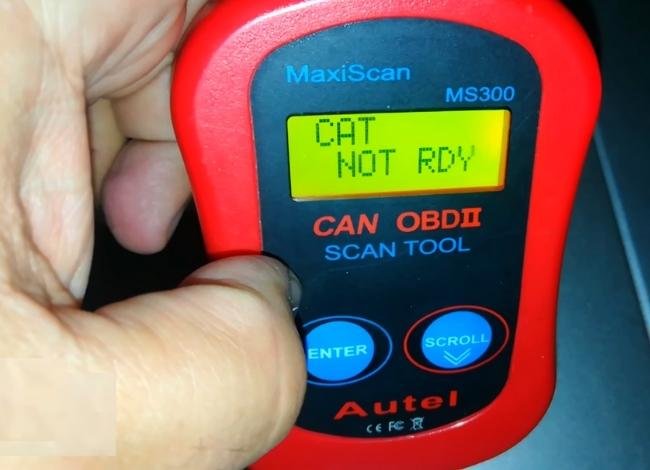
- The vehicle recently lost power or the codes were cleared. Clearing emissions-related diagnostic trouble codes resets readiness on the supported monitors. Disconnecting or replacing a battery can also reset readiness. If you’ve already repaired the issue, let the relevant monitors run before erasing anything again.
- The trip did not meet the test conditions. Repeated short trips may keep the engine from warming enough. Some EVAP routines need the vehicle to sit and the tank to be within a specified range. Look up those conditions for your exact model.
- A fault is still blocking the monitor. A current or pending fault can prevent a related self-test from running. Read and save codes and freeze frame before clearing anything. Check the vehicle’s diagnostic procedure for the named monitor.
- A vehicle-specific issue needs attention. If the same monitor remains incomplete after the specified conditions are met, check manufacturer service information for known issues. A software update is appropriate only if there is a documented procedure that applies to the vehicle.
How long does it take OBD2 monitors to be ready?
There is no fixed number of minutes, miles or days for all OBD2 readiness monitors. Some tests finish during normal driving. Others need several qualifying trips or a start after the vehicle has cooled. The elapsed time matters only when the vehicle also meets the required conditions.
Check the vehicle’s owner’s manual or service information for a drive cycle. The scanner owner’s manual explains where to view readiness. For any special driving procedure, follow traffic rules and leave the scanner display alone while driving. Recheck the monitor status when you’re parked.
The video below shows one approach. Use the procedure for your own make, model, engine and year, because its monitor conditions can differ.
What to do before an emissions inspection
Readiness is one part of the inspection. It’s possible to see every supported monitor marked complete and still have a trouble code or a commanded-on check engine light. Recheck trouble codes and the commanded lamp status before you retest. A permanent code can remain after a repair while the vehicle verifies the result. If you are unsure which incomplete monitors your inspection allows, verify that with the local program for your fuel type and model year.
- Read I/M Readiness and record which supported monitors are incomplete.
- Check the lamp, any returning codes, and any permanent codes if your local program checks them. Code status and readiness can change at different times. See why the number of drive cycles can differ by code status.
- If only one monitor remains incomplete, look up that monitor’s conditions. After a safe drive that meets them, scan again instead of clearing codes.
- Check the rules for your emissions testing program. The number and type of incomplete monitors it allows can depend on the jurisdiction, model year and fuel type.
For example, if everything is complete except EVAP, check the manufacturer’s fuel-level and soak requirements before repeating a highway drive. If several monitors return to incomplete after you shut the car off, have the vehicle checked for a power or memory-retention issue. Keeping a record of the before-and-after readings makes that pattern easier to spot.