
Last Updated on October 11, 2026
If you’re looking for a diagnostic scanner that does more than read Check Engine Light codes, the TOPDON ArtiDiag900 Lite deserves a closer look. Many car owners and small workshop users want access to multiple vehicle systems, active tests, and maintenance functions without spending thousands of dollars on professional equipment.
The ArtiDiag900 Lite is designed to offer that middle ground. It combines wireless diagnostics, an 8-inch touchscreen, bidirectional control, and several useful service functions in one portable device.
But is it the right scanner for your vehicle? In this TOPDON ArtiDiag900 Lite Review, we’ll examine its features, specifications, diagnostic capabilities, limitations, and overall value so you can decide whether it’s worth buying.
Key Features and Specifications of the TOPDON ArtiDiag900 Lite
Before getting into the detailed review, here are the important specifications confirmed by TOPDON.
| Feature | Details |
|---|---|
| Product Name | TOPDON ArtiDiag900 Lite |
| Scanner Type | Wireless automotive diagnostic tablet |
| Display | 8-inch touchscreen, 1280 × 800 resolution |
| Operating System | Android 11 |
| Memory | 2GB RAM, 32GB storage |
| Connectivity | Bluetooth 5.0 wireless VCI, Wi-Fi, USB |
| Diagnostics | Full-system diagnostics on supported vehicles |
| Active Tests | Bidirectional control |
| Maintenance Functions | 8 main reset and service functions |
| Battery | 10,000mAh rechargeable battery |
| Camera | 5MP |
| Vehicle Identification | AutoVIN and AutoScan |
| Best For | Advanced DIY users, mobile mechanics, and small repair shops |
| Product Image | 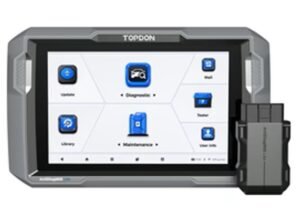 |
Note: Diagnostic and service function availability depends on the vehicle’s make, model, year, and installed software.
TOPDON ArtiDiag900 Lite Review 2027: Performance and Features
The ArtiDiag900 Lite offers a useful balance of everyday diagnostics and more advanced troubleshooting functions. It isn’t simply a basic engine code reader, but it also isn’t intended to replace every dealership-level diagnostic system.
Its main advantage is that it gives users access to multiple vehicle modules and allows certain components to be tested directly.
1. Bidirectional Control
One of the strongest features of this scanner is bidirectional control, also called active testing.
With a regular OBD2 scanner, you can read trouble codes and view sensor information. A bidirectional scanner can go further by sending supported commands to vehicle control modules.
For example, depending on the vehicle, you may be able to:
- Activate a cooling fan
- Command a fuel injector test
- Operate certain windows or wipers
- Test an electric coolant pump
- Check selected relays and actuators
Imagine you’re diagnosing a cooling fan that doesn’t turn on. Instead of replacing the fan immediately, an active test may help determine whether it responds to a command.
However, a successful or failed active test doesn’t always identify the exact defective part. Wiring, power supply, and control circuit checks may still be necessary.
To understand this feature in more detail, see our guide to bidirectional scan tools and active testing.
2. Comprehensive Full-System Diagnostics
Another major advantage of the ArtiDiag900 Lite is its ability to access more than the engine control module.
Basic OBD2 readers usually focus on emissions-related engine faults. The ArtiDiag900 Lite can communicate with additional electronic systems on supported vehicles.
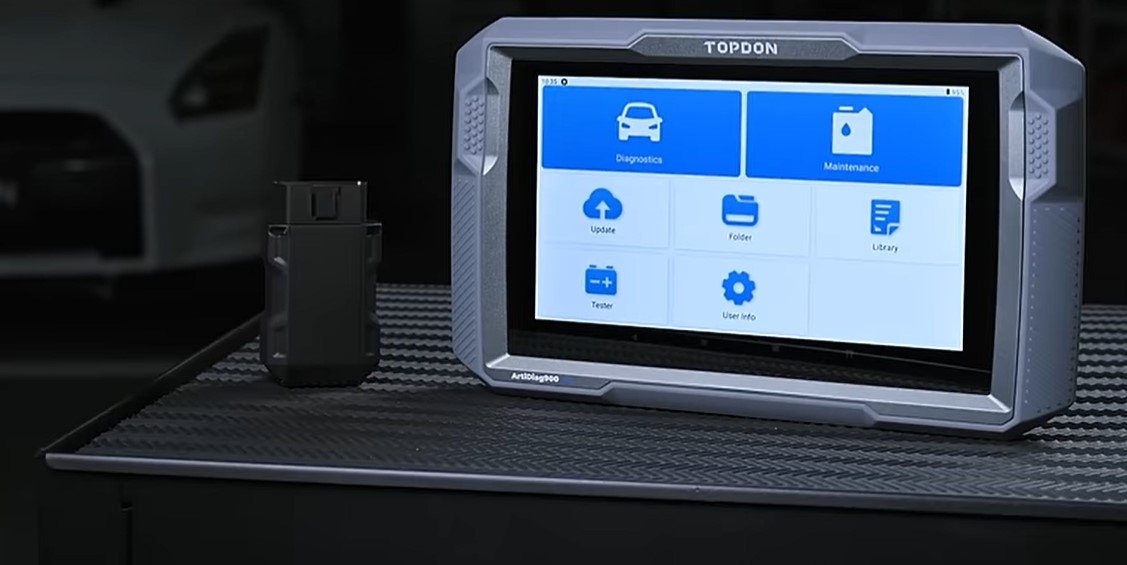
Depending on vehicle compatibility, accessible systems may include:
- Engine
- Transmission
- ABS braking system
- Airbag and SRS
- Body control module
- Electronic steering
- Tire pressure monitoring system
- Climate control and other comfort systems
Users can read and clear supported diagnostic trouble codes, view system information, and examine available live data.
This is particularly helpful when several dashboard warning lights appear together.
Still, full-system diagnostics doesn’t mean every function is available on every vehicle. Older cars and certain manufacturer-specific modules may have limited coverage.
3. Wireless Bluetooth Connectivity
The ArtiDiag900 Lite uses a wireless Vehicle Communication Interface (VCI) that connects to the vehicle’s OBD2 port.
The tablet communicates with the VCI through Bluetooth, allowing you to move around the car without keeping a diagnostic cable attached to the tablet.
This is useful when checking live data while observing components under the hood or carrying out supported active tests.
Another practical detail is the magnetic VCI design, which allows the adapter to attach to the back of the tablet for storage.
Wireless diagnostics are convenient, but you still need a stable connection and a properly powered vehicle. Communication reliability can depend on distance, interference, and the vehicle’s electrical condition.
4. AutoVIN and AutoScan
Manually selecting a vehicle every time you start a diagnostic session can become tiring, especially when you’re checking several cars.
The ArtiDiag900 Lite includes AutoVIN and AutoScan functions to simplify the process.
AutoVIN attempts to identify the vehicle automatically, while AutoScan checks accessible vehicle systems for trouble codes.
These functions can save time, although some vehicles may still require manual identification.
5. Live Data and Diagnostic Reports
Reading a trouble code is only the beginning of a proper diagnosis.
Live data can help you understand what the vehicle is doing while the engine runs or when certain conditions change.
The ArtiDiag900 Lite can display supported information such as engine RPM, temperature, throttle position, and other available sensor measurements.
It also supports diagnostic reports and saved data that can help document findings.
For practical examples, our guide to reading and interpreting OBD2 live data explains how to use these measurements during troubleshooting.
6. Eight Reset and Maintenance Functions
The scanner includes eight main service functions advertised by TOPDON.
| Service Function | What It Does |
|---|---|
| Oil Reset | Resets supported oil maintenance reminders after service |
| Throttle Adaptation | Performs supported throttle relearn procedures |
| EPB Reset | Supports electronic parking brake service procedures |
| Steering Angle Reset | Calibrates the steering angle sensor where supported |
| DPF Regeneration | Accesses applicable diesel particulate filter service procedures |
| ABS Bleeding | Supports certain electronic brake bleeding procedures |
| BMS Reset | Registers or resets battery management information where supported |
| Airbag Reset | Performs supported airbag-related reset procedures after proper diagnosis and repair |
These functions make the scanner more useful for routine maintenance. However, every service function isn’t available on every vehicle.
Additional manufacturer-specific functions may appear through vehicle software updates, but they shouldn’t be confused with the eight main advertised reset categories.
Some procedures, particularly ABS bleeding, DPF regeneration, and airbag servicing, require special safety precautions and should follow manufacturer instructions.
7. Battery Life and Hardware
A portable diagnostic tool needs enough battery capacity to handle regular troubleshooting without constant recharging.
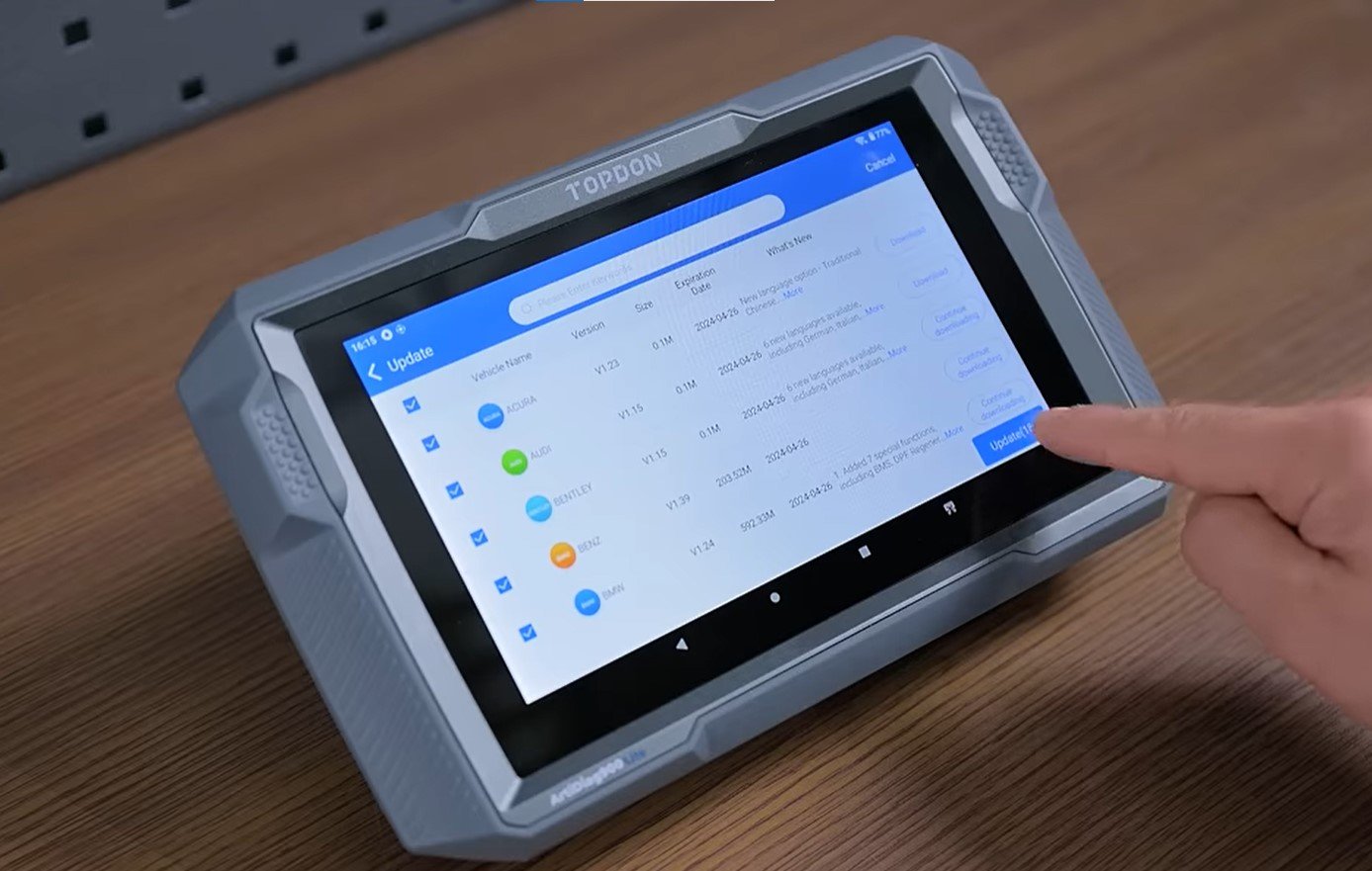
The ArtiDiag900 Lite comes with a 10,000mAh rechargeable battery, which is a useful capacity for a tablet in this category.
The 8-inch screen is large enough for viewing fault codes and data graphs while keeping the device reasonably portable.
It also includes practical connections such as USB ports and HDMI output.
Actual battery runtime depends on screen brightness, wireless activity, software use, and battery condition. The capacity alone doesn’t guarantee a specific number of working hours.
8. Vehicle Coverage and Secure Gateway Access
TOPDON advertises coverage for more than 100 vehicle brands, along with selected secure gateway access capabilities.
Secure gateway systems restrict certain diagnostic functions on newer vehicles. Additional authorization or service registration may be required before the scanner can perform protected operations.
Coverage varies by country and model, so check the manufacturer’s vehicle coverage lookup before purchasing.
This is especially important if you need a specific function on a newer vehicle rather than ordinary engine diagnostics.
Software Updates, Warranty, and Package Contents
Software updates can improve vehicle coverage and add diagnostic functions, making update terms an important part of the purchase.
TOPDON’s Australian product listing advertises two years of free software updates and a one-year warranty for the ArtiDiag900 Lite.
However, warranty coverage, update terms, and renewal costs may differ by seller and region.
The listed package includes the diagnostic tablet, wireless VCI, power adapter, OBD2 extension cable, USB cable, documentation, and carrying case.
Before ordering, confirm that you’re purchasing a new, properly activated device with the advertised accessories and update period.
Pros and Cons of the TOPDON ArtiDiag900 Lite
Pros
- Bidirectional control for supported vehicle components
- Full-system diagnostics beyond basic engine codes
- Wireless Bluetooth 5.0 VCI
- 8-inch touchscreen with Android 11
- Eight useful maintenance functions
- AutoVIN and AutoScan features
- 10,000mAh rechargeable battery
- Diagnostic reports and live data support
- Portable enough for mobile mechanics and small shops
Cons
- Advanced functions depend on vehicle compatibility
- Only eight main advertised service reset categories
- 2GB RAM and 32GB storage are relatively modest
- Software renewal may involve additional cost after the free update period
- Secure gateway functions may require authorization
- More expensive and complex than a basic code reader
Who Should Buy the TOPDON ArtiDiag900 Lite?
The ArtiDiag900 Lite is a practical option for people who work on vehicles regularly and need more than basic engine diagnostics.
Advanced DIY users may appreciate the ability to read several vehicle modules, monitor live data, and carry out supported maintenance functions.
Mobile mechanics may benefit from wireless connectivity, portability, and diagnostic reports.
Small repair shops may find its bidirectional testing and system coverage useful for routine diagnostic work.
However, if you only need to read a Check Engine Light once or twice a year, a simpler and less expensive scanner may be sufficient.
If you want to compare another TOPDON model, our TOPDON ArtiDiag Pro review covers a different option in the same brand’s diagnostic lineup.
What Should You Check Before Buying?
The most important thing is to confirm that the scanner supports the exact functions you need on your vehicle.
For example, if you’re buying it specifically for battery registration on a particular BMW or ABS bleeding on a Ford, check those functions individually through TOPDON’s compatibility information.
Also compare the current price, included update period, warranty terms, and renewal cost with other scanners in the same range.
A tool with more advertised functions isn’t necessarily the better purchase if it doesn’t support the vehicles you actually repair.
Frequently Asked Questions About the TOPDON ArtiDiag900 Lite
1. Is the TOPDON ArtiDiag900 Lite only for professionals?
No. Serious DIY car owners can use it for code reading, live data, system diagnostics, and supported service functions. However, advanced testing requires some understanding of vehicle systems.
2. Does the ArtiDiag900 Lite support full-system diagnostics?
Yes. It can access multiple electronic systems on compatible vehicles, including engine, transmission, ABS, SRS, and various body modules. Exact coverage depends on the vehicle.
3. Can it perform bidirectional active tests?
Yes. The scanner supports bidirectional control, allowing certain components to be commanded through the vehicle’s control modules. Available tests vary by make and model.
4. How many maintenance functions does it have?
TOPDON advertises eight main service functions, including oil reset, throttle adaptation, EPB reset, steering angle reset, DPF regeneration, ABS bleeding, BMS reset, and airbag reset.
5. Does the TOPDON ArtiDiag900 Lite require a subscription?
The product is sold with an included free software update period, advertised as two years in TOPDON’s Australian listing. Continued updates may require renewal afterward. Check the terms for your region.
6. Is the TOPDON ArtiDiag900 Lite worth buying in 2027?
It can be worth buying if you need wireless full-system diagnostics, active testing, and routine service functions. However, compare the current price and vehicle coverage with newer alternatives before making a decision.
Final Verdict: Is the TOPDON ArtiDiag900 Lite Worth It?
After reviewing its features and limitations, the TOPDON ArtiDiag900 Lite offers a useful combination of wireless diagnostics, bidirectional controls, full-system scanning, and practical maintenance functions.
Its 8-inch display, 10,000mAh battery, and wireless VCI make it convenient for garage work and mobile diagnostics. The eight main service functions also give it more everyday usefulness than a simple OBD2 reader.
However, it isn’t the right scanner for every buyer. Advanced function coverage depends on the vehicle, and users who only need occasional code reading may find it unnecessarily expensive.
To conclude this TOPDON ArtiDiag900 Lite Review, the scanner is a worthwhile option for serious DIY enthusiasts and small repair shops, provided it supports their vehicles and the purchase price is competitive.
Before buying, verify the vehicle compatibility, software update terms, and exact diagnostic functions you need. Those details matter more than the number of features printed on the product box.