
Last Updated on May 5, 2026
If you are looking for a wireless diagnostic scanner that offers more than basic code reading, this thinkscan 689bt review will help you understand whether it is worth your money. The THINKCAR THINKSCAN 689BT is designed for users who want full-system diagnostics, bidirectional control, service functions, and support for newer vehicle protocols in one device.
Many OBD2 scanners can read and clear trouble codes, but only a smaller number
ber can perform active tests, access multiple control modules, and handle advanced maintenance tasks. That is where the THINKSCAN 689BT becomes interesting. It aims to bridge the gap between a simple consumer scanner and a more advanced workshop-grade diagnostic tool.
In this article, I will cover its key features, performance, ECU coding options, bidirectional controls, live data functions, protocol support, update experience, and overall value. By the end of this thinkscan 689bt review, you should have a clear idea of who this tool is for and whether it matches your needs.
THINKSCAN 689BT at a Glance
The THINKSCAN 689BT is a Bluetooth-enabled bidirectional scan tool that offers all-system diagnostics and a wide range of service functions. It is built for advanced DIY users, mobile mechanics, and small workshops that need more than just engine code reading.
Unlike entry-level code readers, this scanner can communicate with multiple vehicle systems, including the engine, transmission, ABS, airbag, body control, steering, and other modules depending on the make and model. It also supports active tests, live data, and wireless operation, making it much more flexible in real-world use.
A major benefit of the scanner is convenience. Because it works wirelessly, you do not need to stay connected by cable while diagnosing the vehicle. That makes it easier to move around the car, monitor live data, and perform checks during repairs.
Key Features and Specifications of the THINKSCAN 689BT OBD2 Scanners
| Feature | Details |
|---|---|
| Product Name | THINKCAR THINKSCAN 689BT |
| Connection | Bluetooth / Wireless |
| Tool Type | Bidirectional scan tool |
| Diagnostics | All-system diagnostics |
| Active Tests | Yes |
| Live Data | Yes |
| ECU Coding | Limited / vehicle-dependent |
| Service Functions | Multiple maintenance resets |
| Protocol Support | CAN FD and DoIP |
| Updates | Wireless software updates |
| Best For | DIY users, mobile mechanics, small shops |
| Price | 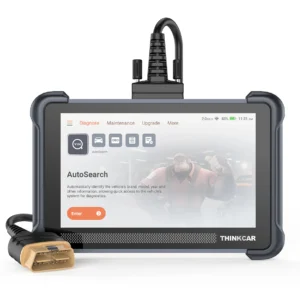 |
This quick table gives a basic overview, but the real value of the scanner depends on how well it performs during actual diagnostics.
Design, Build Quality, and First Impressions
The first thing that stands out in this thinkscan 689bt review is the wireless design. Many users prefer Bluetooth scanners because they make diagnostic work less restrictive. Once the VCI is plugged into the OBD2 port, the tablet connects wirelessly, allowing you to work without being tied directly to the car.
That may sound like a small detail, but it makes a big difference in practice. When checking live data, running active tests, or moving between the engine bay and the cabin, a wireless setup feels much more comfortable than a traditional wired scanner.
The interface is also important. A good scan tool should not just be powerful; it should also be easy to navigate. The THINKSCAN 689BT is designed with a touchscreen-based interface that helps users move between auto scan, diagnostics, service functions, reports, and settings without too much confusion.
In terms of build quality, it feels more serious than a cheap handheld code reader. It is clearly aimed at users who want a more professional-level experience without buying a very expensive dealer-style tool.
Performance in Real-World Use
Performance is one of the most important parts of any thinkscan 689bt review. On paper, many scanners look impressive, but what matters most is how well they work on actual vehicles.
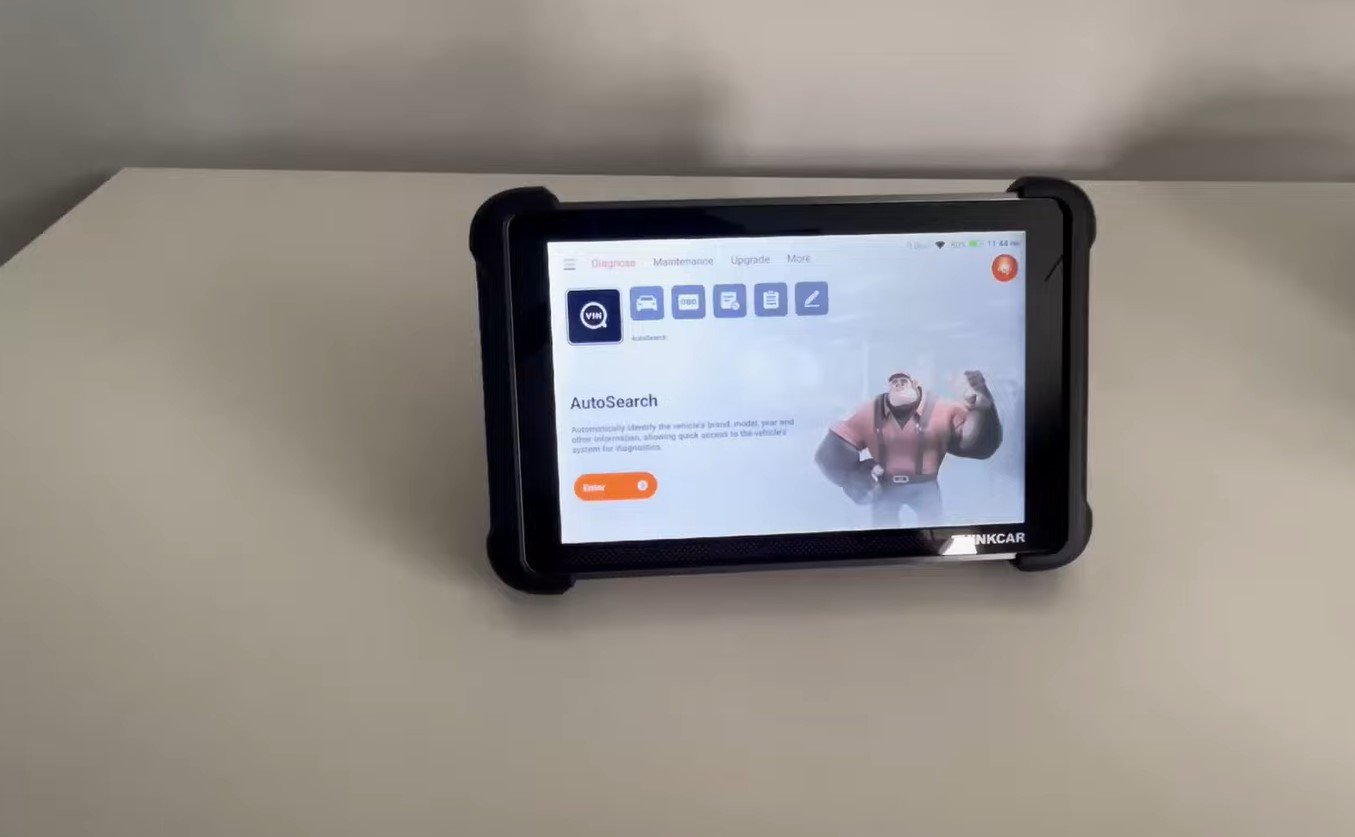
The THINKSCAN 689BT is built to scan multiple systems and retrieve trouble codes, data streams, and module information beyond the engine alone. That makes it more practical for diagnosing modern vehicles, where many problems originate in systems like ABS, SRS, EPB, or body electronics.
Another important factor is workflow. This scanner is not just useful for reading codes. It allows the user to go deeper by checking live data, performing active tests, and using service functions to support maintenance or confirm a repair. That makes it much more helpful than a standard code reader that only clears warning lights.
For example, if a vehicle has a suspected fan problem, a basic scanner may only show a related code. A bidirectional scanner like this one may let you command the fan on and off, helping you verify whether the issue is electrical, mechanical, or module-related.
All-System Diagnostics Explained
All-system diagnostics is one of the main reasons buyers consider the THINKSCAN 689BT. Unlike a simple OBD2 scanner that mainly focuses on engine and emission-related data, this tool is designed to access multiple vehicle modules.
These may include:
- Engine
- Transmission
- ABS
- Airbag
- Body control module
- Steering
- TPMS
- EPB
- HVAC
- Other electronic modules depending on compatibility
This matters because many faults in modern vehicles are not stored in the engine system. A brake warning, steering issue, or electronic parking brake problem may require access to specialized modules. Without all-system diagnostics, your understanding of the vehicle’s problem remains incomplete.
In this thinkscan 689bt review, this feature stands out as one of the tool’s strongest selling points, especially for users who work on a variety of systems and want broader diagnostic coverage.
Bidirectional Control and Active Tests
One of the biggest advantages of the THINKSCAN 689BT is bidirectional control. This means the scanner can send commands to the vehicle, not just receive data from it.
That allows the user to perform active tests on supported systems and components. Depending on the vehicle, this may include:
- Turning cooling fans on or off
- Testing fuel injectors
- Cycling ABS functions
- Operating relays
- Triggering throttle-related tests
- Checking solenoids or actuators
- Running certain body or convenience functions
This is extremely useful because it helps confirm whether a component is actually responding. Instead of guessing based on a fault code, you can directly test some systems and narrow down the cause of the problem.
That is why bidirectional functionality is such an important part of this thinkscan 689bt review. It gives the scanner a much more practical role in diagnosis and troubleshooting.
Live Data and Real-Time Monitoring
Live data is another key feature that adds real value to this tool. Fault codes only tell part of the story. To understand what is happening in real time, you need access to current sensor and module data.
The THINKSCAN 689BT can display live data from supported systems, including information such as RPM, coolant temperature, fuel trims, throttle position, oxygen sensor activity, voltage readings, airflow values, and other parameters.
This helps users:
- Compare sensor readings
- Track abnormal behavior
- Confirm whether a repair worked
- Monitor intermittent problems
- Diagnose issues that may not trigger a permanent code
For example, a rough idle problem may look simple at first, but live data can reveal whether the real cause is fuel delivery, airflow imbalance, or a sensor issue. That makes this function highly valuable for both skilled DIY users and professional technicians.
Service Functions and Maintenance Capabilities
A scanner becomes much more useful when it can help with everyday maintenance, and the THINKSCAN 689BT includes multiple service functions for this purpose.
Common service functions may include:
- Oil reset
- EPB reset
- SAS reset
- Battery matching
- TPMS reset
- DPF service
- Throttle relearn
- Injector coding
- ABS bleeding
These features make the scanner helpful not only for diagnostics but also for regular vehicle service. For a DIY user, this may reduce the need to visit a shop for basic reset procedures. For a mechanic or small garage, it improves efficiency by keeping multiple functions in one device.
In any realistic thinkscan 689bt review, this area adds major value because many users will end up using service functions more often than advanced coding features.
ECU Coding and Customization Options
ECU coding is a feature that often creates high expectations, so it is important to explain it clearly. The THINKSCAN 689BT offers ECU coding or customization support on selected vehicles, but this feature is not universal.
That means it may allow certain coding, adaptation, matching, or personalization tasks on compatible makes and models, but it should not be treated as a full dealer-level programming device for every vehicle.
Possible uses may include:
- Module matching after replacement
- Basic customization of certain settings
- Adaptation-related procedures
- Limited coding support on specific vehicles
So, in this thinkscan 689bt review, ECU coding should be viewed as a useful bonus rather than the main reason to buy the scanner. It increases value, but buyers should always check vehicle compatibility before relying on it for advanced module work.
CAN FD and DoIP Protocol Support
Modern vehicle communication keeps evolving, and protocol support plays a major role in long-term compatibility. The THINKSCAN 689BT supports both CAN FD and DoIP, which is an important advantage for users working on newer vehicles.
CAN FD allows faster and more efficient communication in many modern vehicle platforms. DoIP, or Diagnostics over Internet Protocol, is another advanced communication method used in newer electronic vehicle systems.
Why does this matter? Because older scanners without these protocols may struggle with newer cars. In this thinkscan 689bt review, protocol support is a strong point because it makes the tool more future-ready and more useful for modern diagnostics.
Wireless Connectivity and Software Updates
Wireless operation is one of the most attractive features of this tool. Bluetooth connectivity makes it easier to work around the vehicle, especially during live monitoring or active tests.
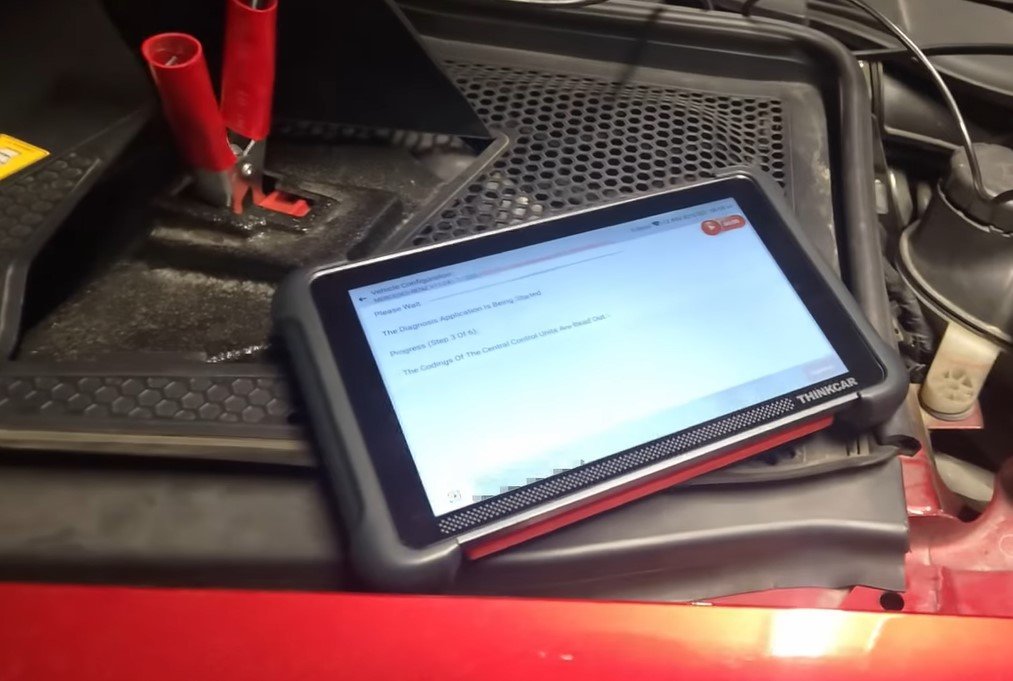
This setup is especially helpful for:
- Mobile mechanics
- Users diagnosing cars in limited space
- Watching live data from different positions
- General comfort during repair work
Wireless software updates are also important. A scan tool becomes more valuable when it can stay current with newer vehicles, improved functions, and expanded diagnostic coverage. The easier it is to update, the more likely users are to keep it current.
That gives the THINKSCAN 689BT another practical advantage over older or more limited tools.
Pros and Cons
Pros
- Supports bidirectional control
- Offers all-system diagnostics
- Includes multiple service functions
- Wireless Bluetooth operation is convenient
- Supports live data monitoring
- CAN FD and DoIP improve modern vehicle compatibility
- More advanced than a basic code reader
Cons
- ECU coding is limited and vehicle-dependent
- Not every feature works on every car
- Advanced functions may take time for beginners to learn
- It may not replace factory-level tools for specialized tasks
FAQ About THINKSCAN 689BT
Is the THINKSCAN 689BT good for beginners?
Yes, but it is best for serious beginners or advanced DIY users who want more than a simple code reader.
Does it support bidirectional control?
Yes. Bidirectional control is one of its strongest features and allows active testing on supported vehicles.
Can it diagnose all systems?
It is designed for all-system diagnostics, but exact coverage depends on the vehicle make, model, and year.
Does it offer ECU coding?
Yes, but only on selected vehicles. ECU coding support is limited and not universal.
Is it useful for maintenance resets?
Yes. It includes several service functions such as oil reset, EPB reset, battery matching, and more.
Conclusion
This thinkscan 689bt review shows that the scanner is a strong option for users who want more than basic code reading. Its biggest strengths are all-system diagnostics, bidirectional control, live data, service functions, wireless convenience, and support for CAN FD and DoIP protocols.
It is not a perfect replacement for dealer-level equipment, especially when it comes to advanced ECU coding and highly specialized programming. However, for advanced DIY users, mobile mechanics, and small repair shops, it offers a very useful mix of features and flexibility.
If your goal is to buy a scanner that helps you diagnose, test, and maintain vehicles more effectively than a basic OBD2 reader, the THINKSCAN 689BT is definitely worth considering.