
Last Updated on October 11, 2026
Choosing a professional OBD2 scanner isn’t easy, especially when several models from the same brand offer similar diagnostic features. You might need full-system scanning, ECU coding, bidirectional controls, or simply a reliable tool for everyday repair work.
TOPDON offers several professional automotive scanners, and the Phoenix series has been a popular option among mechanics and serious DIY enthusiasts. Three models worth comparing are the original Phoenix Pro, Phoenix Plus, and Phoenix Lite.
In this TOPDON Phoenix Pro vs Plus vs Lite comparison, we’ll look at their specifications, diagnostic capabilities, advantages, limitations, and which one makes the most sense for your needs.
These are the original Phoenix models, not the newer Phoenix Lite 2, Lite 3, or Plus 2. That distinction matters because newer versions have different hardware and features.
TOPDON Phoenix Pro vs Plus vs Lite: Comparison Table
Here’s a side-by-side look at the original models. Some specifications and software functions may vary by product version, market, or package.
| Features | Phoenix Pro | Phoenix Plus | Phoenix Lite |
|---|---|---|---|
| Display | 12-inch touchscreen | 10.1-inch touchscreen | 7-inch touchscreen |
| Resolution | 1920 × 1200 | 1280 × 800 | 1024 × 600 |
| Processor | 8-core, 2.0GHz | 4-core, 2.0GHz | 4-core, 1.3GHz |
| RAM | Check exact hardware version | 4GB | 2GB |
| Storage | 64GB | 64GB | 32GB |
| Battery | 15,000mAh | 12,600mAh | 4,680mAh |
| Operating System | Android 5.1 | Android 10 | Android 7 |
| Camera | Front and rear | 8MP rear | 5MP rear |
| Wireless VCI | Yes | Yes | Yes |
| Bidirectional Control | Supported vehicles | Supported vehicles | Supported vehicles |
| ECU Coding | Selected vehicles | Selected vehicles | Limited; verify compatibility |
| Topology Mapping | Verify version | Yes | Not standard |
| Best For | Large-screen workshop diagnostics | Balanced professional use | Portable diagnostics |
| Check Price |  Check Price Check Price |
 Check Price Check Price |
 Check Price Check Price |
Note: This table covers the original models. Confirm the seller’s exact model number and package before purchasing, as product listings may include newer hardware revisions.
Related: TOPDON ArtiDiag 500 vs 600 vs 800 Comparison
About the TOPDON Brand
TOPDON is an automotive diagnostic technology company based in China. Its product lineup includes basic OBD2 scanners, battery testers, thermal imaging equipment, and professional diagnostic tablets.
The Phoenix series is designed for users who need more than standard Check Engine Light diagnostics. Depending on the model and vehicle, these scanners offer full-system diagnostics, maintenance functions, active testing, and selected ECU coding capabilities.
However, the number of supported functions doesn’t tell the whole story. A scanner may advertise dozens of services, but each function only works when supported by the specific vehicle.
If you’re comparing professional equipment, our guide to professional automotive diagnostic scanners covers other options worth considering.
TOPDON Phoenix Lite Wireless Professional Scanner Review
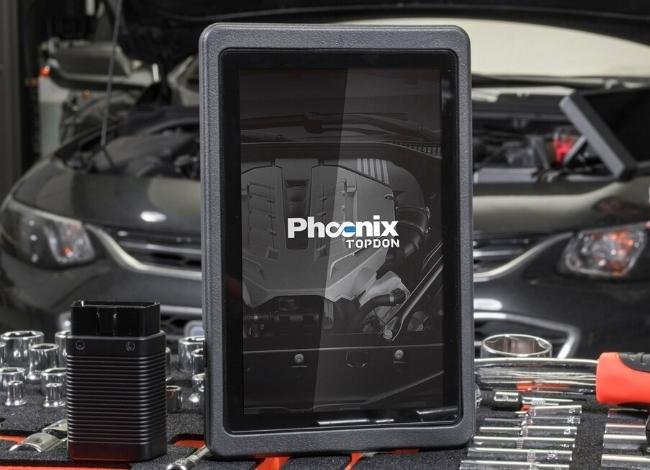
The original TOPDON Phoenix Lite is the smallest scanner in this comparison. Its compact design makes it easier to carry between vehicles, and its wireless interface lets you move around without keeping the tablet connected directly to the diagnostic port.
Despite its smaller size, the Phoenix Lite offers more diagnostic capability than a basic handheld code reader.
It supports full-system diagnostics for compatible vehicles, bidirectional testing, live data, and various maintenance functions.
Key Features of Phoenix Lite
- 7-inch touchscreen display
- Android-based interface
- Wireless vehicle communication
- Read and clear supported system fault codes
- Live data and diagnostic reports
- Bidirectional controls on supported vehicles
- Maintenance resets and service functions
Some common service operations include oil reset, steering angle calibration, electronic parking brake service, and DPF-related procedures where supported.
The original Lite’s 1.3GHz quad-core processor and older Android system are relatively modest by modern standards. However, the smaller screen and lighter design may still appeal to technicians who value portability.
 Check Today’s Price on Amazon
Pros and Cons: TOPDON Phoenix Lite
Advantages:
- Compact and easy to carry
- Wireless connection to the vehicle
- Useful full-system diagnostics
- Active testing on compatible vehicles
- Smaller investment than larger professional models in many listings
Disadvantages:
- Smaller display
- Older hardware and Android version
- Less convenient for viewing several data streams
- Limited advanced functions compared with higher-tier models
Best for: DIY enthusiasts and technicians who want portable full-system diagnostics without needing the largest professional tablet.
TOPDON Phoenix Pro All-System Bidirectional Scanner Review
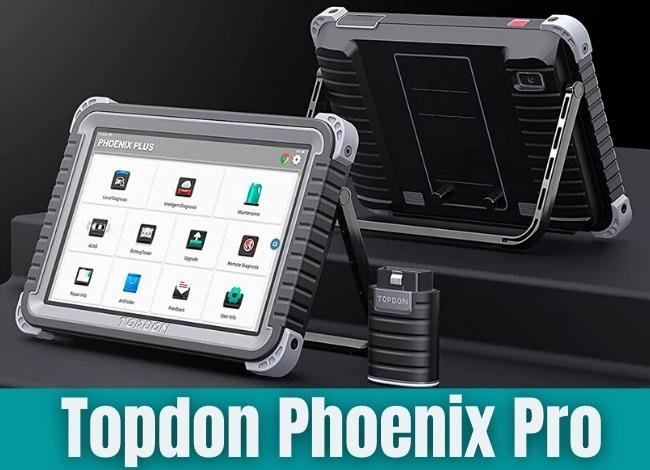
The TOPDON Phoenix Pro is designed for more demanding diagnostic work. Its biggest attraction is the large 12-inch touchscreen, which provides more room for viewing system information, fault codes, and diagnostic data.
This makes it particularly useful in workshops where technicians spend long periods diagnosing different vehicles.
The original Phoenix Pro also includes a powerful processor for its generation, substantial storage, a wireless vehicle interface, and professional diagnostic functions.
Key Features of Phoenix Pro
- 12-inch high-resolution touchscreen
- Octa-core processor
- Wireless diagnostic connection
- All-system scanning on supported vehicles
- Bidirectional actuator testing
- Multiple maintenance and reset functions
- Selected ECU coding and programming capabilities
- Detailed vehicle diagnostic reports
On compatible vehicles, the Pro can help technicians test supported actuators rather than simply reading trouble codes.
Advanced ECU functions depend on the vehicle manufacturer, control module, software package, and applicable security access.
It’s important not to confuse ECU coding with full dealership-level ECU programming. The two operations aren’t interchangeable, and not every Phoenix Pro configuration supports the same advanced functions.
 Check Today’s Price on Amazon
Pros and Cons: TOPDON Phoenix Pro
Advantages:
- Large 12-inch display
- Good screen space for diagnostic data
- Wireless operation
- Advanced active tests and maintenance services
- Suitable for frequent workshop use
Disadvantages:
- Larger and heavier than the Lite
- Older Android platform
- Potentially expensive to purchase and maintain
- Advanced capabilities vary by vehicle
Best for: Professional mechanics who prefer a larger display and need deeper diagnostics across supported vehicle systems.
TOPDON Phoenix Plus ECU Coding Scanner Review
The TOPDON Phoenix Plus sits between the Pro and Lite in size, but offers a particularly attractive balance of hardware, software, and professional diagnostic functions.
Its 10.1-inch touchscreen provides more room than the original Lite without making the tool as large as the Pro.
The Plus uses Android 10, a 2.0GHz quad-core processor, 4GB RAM, and 64GB storage. It also features a wireless VCI for convenient vehicle communication.
Key Features of Phoenix Plus
- 10.1-inch IPS touchscreen
- Android 10 operating system
- 4GB RAM and 64GB storage
- 12,600mAh battery
- Wireless diagnostic interface
- Full-system scanning
- Bidirectional controls
- Topology mapping
- Guided diagnostic functions
- Selected online ECU coding
One particularly useful feature is topology mapping, which presents supported vehicle modules and their communication relationships visually.
This can help a mechanic identify which systems are reporting faults and understand how different modules are connected.
The Plus also supports selected ECU coding functions, although availability depends on the vehicle and software access.
For technicians interested in active testing, our guide to bidirectional scan tools explains why this feature matters during diagnosis.
 Check Today’s Price on Amazon
Pros and Cons: TOPDON Phoenix Plus
Advantages:
- Good balance between portability and display size
- Android 10 and 4GB RAM
- Useful topology mapping
- Bidirectional diagnostic functions
- Selected ECU coding capability
- Suitable for independent repair shops
Disadvantages:
- Smaller display than the Pro
- Not every vehicle supports advanced coding
- May require paid software renewals
- More expensive than basic diagnostic scanners
Best for: Independent mechanics and experienced DIY users who want an advanced scanner without moving to the largest professional tablet.
TOPDON Phoenix Pro vs Plus vs Lite: Key Differences
Screen Size and Portability
The Phoenix Pro has the largest display at 12 inches, making it useful for viewing complex diagnostic information.
The Plus offers a comfortable 10.1-inch screen, while the Lite is easier to carry with its smaller 7-inch display.
If portability matters most, choose Lite. If screen space is the priority, Pro has the advantage.
Diagnostic Features
All three models offer more advanced functions than a basic OBD2 code reader. However, the Plus stands out for its documented topology mapping and guided functions.
The Pro is aimed at higher-level professional diagnostics, while Lite is more focused on providing core professional features in a smaller package.
Hardware Performance
The Pro’s larger display and octa-core processor make it attractive for workshop tasks. The Plus combines a capable quad-core processor with a newer Android platform than the original Pro.
However, operating system version alone doesn’t determine scanning speed. Vehicle communication, software optimization, and the test being performed also matter.
Software Updates and Subscriptions
TOPDON provides software updates for its diagnostic products, but free update periods and renewal prices vary by model, package, seller, and region.
According to TOPDON’s support information, certain Phoenix devices can continue using previously installed vehicle software after a subscription expires. However, access to newer vehicle coverage and functions may require renewal.
Always confirm the included update period, renewal cost, and warranty for the exact product you’re buying.
Price and Overall Value
The Phoenix Pro generally occupies a higher professional tier, while Lite is the more compact option.
The Plus often provides a useful balance of diagnostic capabilities and hardware for independent workshops.
However, older scanner prices can vary considerably depending on remaining inventory, included accessories, and whether the device is new or refurbished.
Check the current selling price rather than relying on old comparison figures.
Are These Phoenix Scanners Still Worth Buying in 2027?
These original Phoenix models can still be useful for supported vehicles, particularly when offered at an attractive price.
However, they aren’t the latest products in the TOPDON lineup. Newer Phoenix Lite and Plus generations offer updated hardware and additional capabilities.
Before purchasing an older model, confirm three things: vehicle coverage, software subscription status, and whether the scanner is still supported by the seller or manufacturer.
For some buyers, a newer mid-range TOPDON scanner may be better value than an expensive older professional tablet.
Our TOPDON ArtiDiag Pro review covers another option if you want advanced diagnostics in a different product range.
Final Recommendation: Which TOPDON Phoenix Scanner Is Best?
After comparing the original TOPDON Phoenix Pro vs Plus vs Lite, the Phoenix Plus offers the best overall balance for many independent mechanics and experienced DIY users.
Its 10.1-inch screen, Android 10 platform, wireless interface, topology mapping, and advanced diagnostic features make it a practical middle option.
Choose the Phoenix Pro if you prefer a larger professional display and the exact version supports the advanced functions you need.
Choose the Phoenix Lite if portability and a lower purchase price matter more than display size and higher-tier functions.
Before making a final decision, confirm compatibility with your vehicle and compare the original models against newer TOPDON scanners. The cheapest scanner isn’t necessarily the best value if it lacks an important function or requires an expensive subscription renewal.
Frequently Asked Questions
1. What is the difference between TOPDON Phoenix Pro, Plus, and Lite?
The main differences are screen size, hardware, portability, and advanced diagnostic features. Pro has the largest screen, Plus provides a balanced feature set with topology mapping, and Lite is the most compact.
2. Does the TOPDON Phoenix Lite support ECU coding?
Advanced ECU coding is more limited on the original Lite than on higher-tier models. Available functions depend on the exact hardware version, software package, and vehicle. Don’t assume universal coding support.
3. Which model is best for professional mechanics?
Phoenix Plus is a balanced choice for many independent shops. Phoenix Pro may suit technicians who prioritize a large display and higher-tier diagnostic functions.
4. Do TOPDON Phoenix scanners have free software updates?
They are generally sold with a limited free software update period. The duration and renewal costs depend on the model and seller. Confirm the current terms before buying.
5. Can all three scanners perform bidirectional tests?
All three original models advertise bidirectional capability, but individual active tests depend on vehicle compatibility and software support.
6. Is the original TOPDON Phoenix Plus still worth buying in 2027?
It may be worth considering if the price is competitive, the software license is in good standing, and the tool supports your vehicles. Otherwise, compare it with newer models before purchasing.
Affiliate Disclosure: We may earn a commission when you purchase through qualifying product links, at no additional cost to you.