
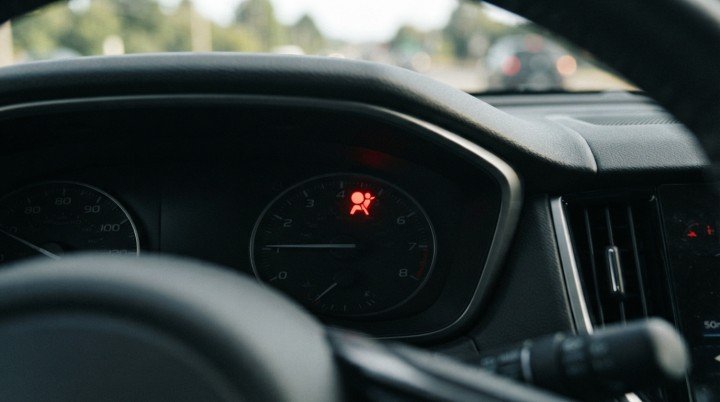
Your airbag warning light comes on, so you connect the same OBD2 scanner that previously read your check engine light. The scanner completes its search and reports that no codes were found. Does that mean the airbag system is working correctly?
Not necessarily.
If you are asking, “Can an OBD2 Scanner Read Airbag Codes?”, the short answer is yes—but only when the scanner includes SRS diagnostics for your specific vehicle. A basic OBD2 code reader usually communicates with the engine or powertrain control module for standardized emissions-related information. It may have no ability to enter the separate airbag control module.
This distinction explains why one scanner can read a P0300 engine misfire code but cannot explain an illuminated airbag warning light. The connector fits, but the scanner may not have permission, software, or vehicle coverage to reach the system where the relevant fault is stored.
The Four SRS Access Gates
Before a scanner can provide useful airbag information, it must pass four compatibility gates:
- It must connect through a compatible diagnostic port.
- It must support communication with the SRS module.
- Its software must cover the exact vehicle.
- It must support the function you need, such as reading codes, viewing data, clearing a repaired fault, or performing a calibration.
Part 1 focuses on the first two gates. They determine whether the scanner can reach the restraint system at all.
What Does the SRS System Include?
SRS stands for Supplemental Restraint System. Although it is often called the airbag system, it may monitor more than the airbags themselves.
Depending on the vehicle, the network may include the airbag control module, impact sensors, seat-belt pretensioners, buckle switches, passenger occupancy sensors, the steering-wheel clock spring, related wiring, and multiple airbag units.
When the SRS module detects an electrical, communication, component, or system fault, it may store a diagnostic trouble code and turn on the airbag warning light. That code can identify the affected circuit or problem area, but it does not automatically confirm which part has failed.
For example, a code involving the driver airbag circuit could relate to the clock spring, wiring, connector, airbag unit, or control module. The code provides a diagnostic direction—not permission to replace the component named in its description.
Gate 1: The Scanner Fits the Port, but Can It Reach the Module?
Most modern passenger vehicles provide a standardized 16-pin diagnostic connector, commonly located under the dashboard. This physical connector allows compatible equipment to communicate with vehicle computers.
However, sharing the same connector does not make every electronic system part of basic OBD2 diagnostics.
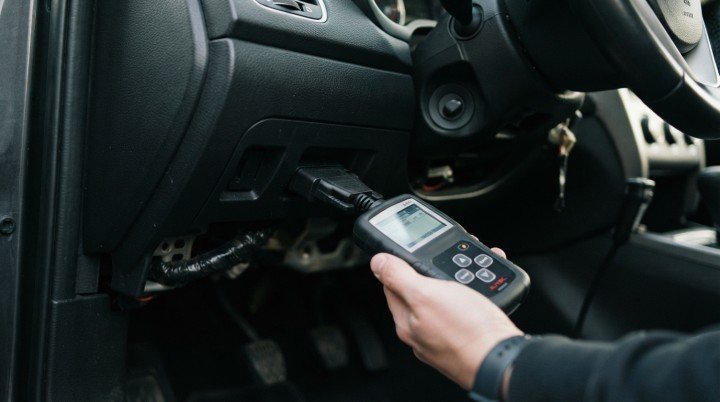
Generic OBD2 functions primarily provide standardized access to emissions-related powertrain information. The SRS module is a separate controller that may use manufacturer-specific communication, code definitions, and diagnostic procedures.
Think of the diagnostic connector as the entrance to a building. A basic scanner may enter the lobby and reach the engine department, but that does not mean it has access to the secured SRS department. Reaching that module requires the right hardware, software, and vehicle-specific instructions.
This is why “OBD2 compatible” on a product package is not enough to confirm airbag coverage.
Gate 2: What Type of Scanner Are You Using?
Scanner names can be confusing because several very different tools may all be advertised as OBD2 scanners.
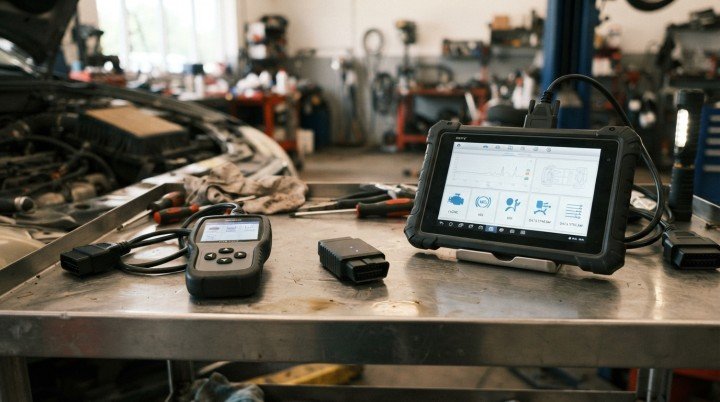
Basic OBD2 Code Reader
A basic reader is primarily designed for check engine light diagnostics. It may read generic and manufacturer-specific powertrain codes, display emissions readiness information, and clear certain engine codes. Most entry-level readers cannot access the SRS module.
If the airbag light is on and this scanner reports “no codes,” the result may simply mean that it searched the engine computer rather than the airbag computer.
Bluetooth Adapter and Mobile App
A Bluetooth adapter does not determine capability by itself. SRS access depends on the adapter hardware, the diagnostic app, any required software license, and support for the exact vehicle.
A low-cost adapter paired with a generic OBD2 app may only provide engine information. A compatible adapter paired with enhanced manufacturer software may reach additional modules. The app’s supported-system list and vehicle coverage must therefore be checked separately.
ABS/SRS Scanner
This category is specifically designed to communicate with anti-lock brake and supplemental restraint modules on supported vehicles. It can generally read SRS codes and may clear clearable faults after the underlying problem has been repaired.
Even here, the words “ABS/SRS” do not guarantee universal compatibility. A scanner may support the airbag system on one vehicle but not another year or model.
All-System Diagnostic Scanner
An all-system scanner is designed to access multiple modules, potentially including the engine, transmission, ABS, SRS, body control, climate control, and other systems.
These tools usually provide broader coverage than basic readers. However, “all-system” describes the intended capability—not guaranteed access to every function on every vehicle. Software coverage and available functions still need verification.
Check the Product Description for the Right Words
Before buying or using a scanner, look for terms such as SRS, Airbag, Restraint System, Enhanced Diagnostics, or All-System Scan. Then use the manufacturer’s coverage checker to confirm support for the exact year, make, and model.
Also verify what “support” means. Reading a code, clearing a code, viewing SRS data, calibrating an occupancy sensor, programming a replacement module, and dealing with stored crash information are different capabilities.
So, can an OBD2 scanner read airbag codes on your vehicle? It can if it passes the first two gates: the tool must connect properly and include genuine SRS module access. The next step is to verify exact vehicle coverage and determine whether the scanner supports the specific diagnostic function you need.
Gate 3: Does the Scanner Support Your Exact Vehicle?
A scanner may advertise SRS diagnostics and still fail to access the airbag module in a particular car. Enhanced diagnostics are not universally standardized across every manufacturer, model, and production year.
Before asking Can an OBD2 Scanner Read Airbag Codes on a particular vehicle, check the manufacturer’s official coverage information using the exact year, make, and model. When available, include the trim, engine, market, or VIN because vehicles with similar names may use different modules or communication systems.

Coverage may also depend on the scanner’s installed software. An older tool with outdated software may not support a vehicle that was added through a later update. Some app-based scanners require a paid enhanced-diagnostics package before SRS access becomes available.
This is why a statement such as “works on most 1996 and newer vehicles” can be misleading. It may describe generic engine OBD2 compatibility rather than SRS coverage. The scanner could read check engine codes perfectly while remaining unable to communicate with the airbag module.
How to Confirm SRS Coverage Before Buying
Do not rely only on a marketplace title or a seller’s general compatibility list. Visit the scanner manufacturer’s coverage checker and confirm that SRS or Airbag appears for the exact vehicle.
Also look for notes explaining whether the tool can only read and erase codes or provides additional functions. If the manufacturer does not publish clear coverage information, contact its support team before purchasing the scanner.
For a Bluetooth tool, verify all four parts of the setup:
- The adapter supports the required communication protocol.
- The app includes enhanced SRS diagnostics.
- The correct vehicle software or license is installed.
- The exact vehicle appears in the coverage list.
If any one of these is missing, the app may connect to the engine computer but never display an SRS menu.
Gate 4: What SRS Function Do You Actually Need?
“Supports SRS” can describe several different capabilities. Reading an airbag code is not the same as clearing it, resetting a module, or performing a calibration.
Reading SRS Codes
This is the most basic enhanced SRS function. The scanner communicates with the restraint control module and retrieves available diagnostic trouble codes and descriptions.
A code may identify a circuit, sensor category, communication fault, low-voltage event, or module problem. It does not automatically confirm which component should be replaced.
Clearing SRS Codes
Some scanners can erase clearable SRS codes after the underlying problem has been repaired. Clearing a code before repair may temporarily remove the warning or do nothing at all. If the fault remains active, the code and warning light will usually return.
Viewing SRS Data
A more capable scanner may display supported restraint-system data, such as buckle-switch status or occupant-classification information. Available data varies significantly by vehicle and tool.
Performing Calibrations or Resets
Certain repairs may require a manufacturer-specific procedure, such as occupant-classification calibration or module initialization. A scanner that reads and clears SRS codes may not support these functions.
Programming or Handling Stored Crash Information
Module replacement, coding, programming, and deployment-related crash information are separate from ordinary code clearing. These tasks may require professional or factory-level equipment and trained service personnel.
SRS Scanner Capability Comparison
No category guarantees every function on every vehicle. The manufacturer’s coverage database remains more reliable than the general scanner type.
| Scanner Type | Engine Codes | SRS Codes | Clear After Repair | SRS Data | Calibration or Programming |
|---|---|---|---|---|---|
| Basic OBD2 reader | Usually yes | Usually no | Usually no | No | No |
| Bluetooth adapter and app | Usually yes | App and vehicle dependent | App and vehicle dependent | May be available | Usually limited or unavailable |
| ABS/SRS scanner | Usually yes | Yes, on supported vehicles | Often supported | Tool dependent | Usually limited |
| All-system scanner | Yes | Yes, with coverage | Often supported | Often available | Some functions may be available |
| Professional or factory-level tool | Yes | Broad vehicle-specific access | Yes, when permitted | Broad data access | Vehicle and subscription dependent |
What Can an SRS Code Point Toward?
Depending on the vehicle, an SRS code may direct attention toward a seat-belt buckle circuit, pretensioner circuit, passenger occupancy sensor, impact sensor, clock spring circuit, wiring connection, low-voltage event, module communication issue, or internal controller fault.
The wording matters. “Circuit open,” “resistance too high,” “lost communication,” and “internal module fault” describe different diagnostic directions. Even so, a code description alone is not proof that the named sensor or airbag component has failed.
For example, a code referring to a passenger occupancy sensor may result from the sensor, related wiring, a connector, calibration status, or another part of the monitored circuit. Vehicle-specific diagnostic information is needed before selecting a repair.
What Different Scan Results May Mean
“No Codes Found”
This result does not prove the SRS is fault-free unless the scanner successfully entered the correct module. A basic reader may report no engine codes while never checking the airbag system.
“No Communication”
The scanner could lack coverage, have outdated software, or be unable to communicate through the vehicle network. Low system voltage, a module power problem, network fault, or controller issue may also be involved.
“Current” or “Active”
The module is presently detecting the fault. Clearing it without correcting the problem is unlikely to provide a lasting result.
“History” or “Stored”
The fault was detected previously. Terminology and erasing conditions vary, so its current status should be confirmed using service information and a rescan.
The Code Returns After Clearing
If a code returns immediately, the fault may still be active. The vehicle may also require a supported calibration or another manufacturer-specific procedure after the repair.
That is why the practical answer to Can an OBD2 Scanner Read Airbag Codes depends on more than the connector. The scanner must support the SRS module, the exact vehicle, and the specific function required.
Can an OBD2 Scanner Read Airbag Codes Safely?
Using a compatible scanner to retrieve SRS information through the diagnostic connector is generally a non-invasive first step. However, reading the code should be treated as the limit of beginner-level diagnosis unless the vehicle manufacturer provides a safe procedure that the user is qualified to follow.
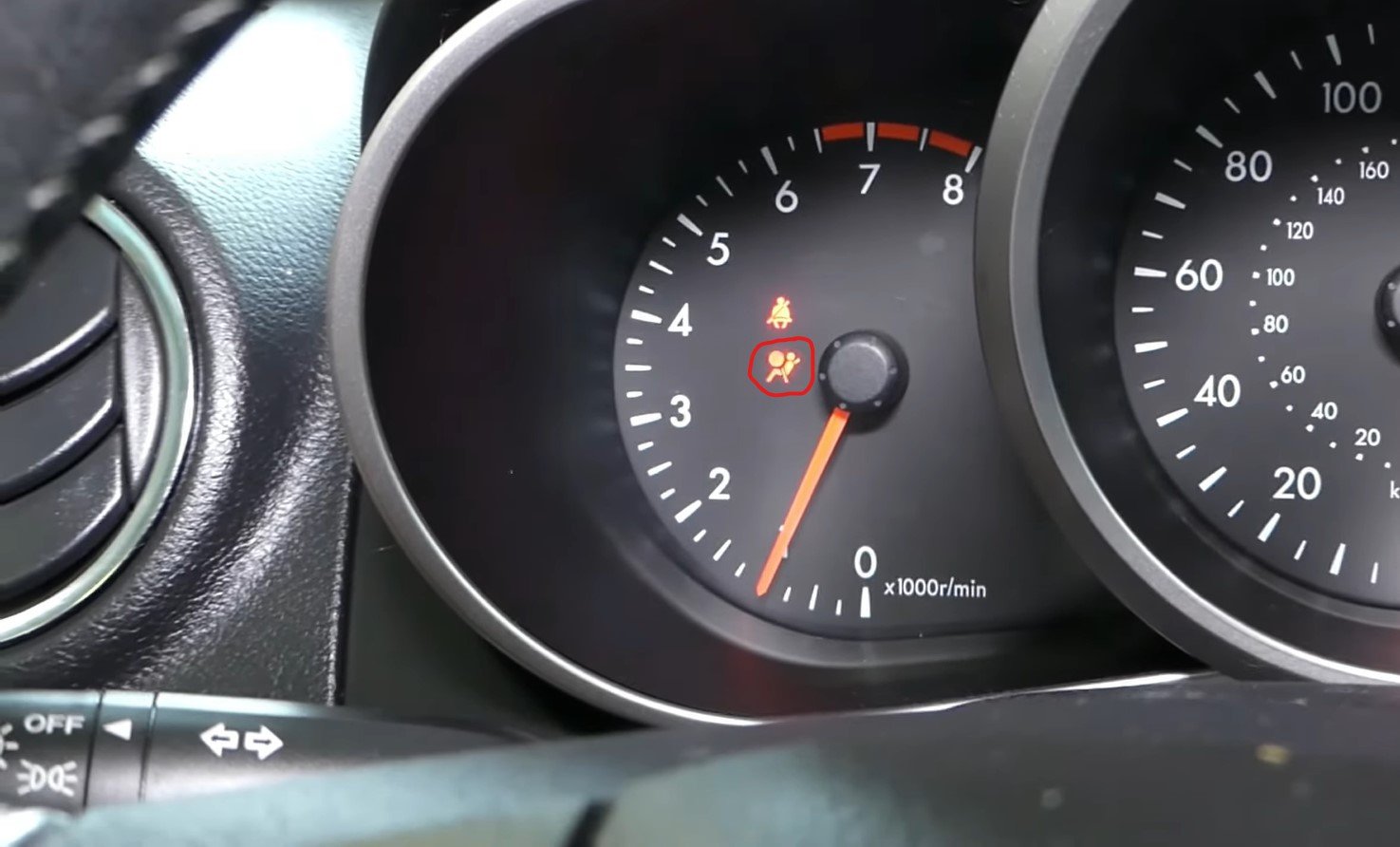
The SRS contains safety-critical components, including airbags and seat-belt pretensioners. A scan report can help identify the affected circuit, but it does not make direct testing or component handling safe.
A Safe SRS Scanning Workflow
Begin with the vehicle parked in a safe location. Follow the scanner manufacturer’s instructions for the correct ignition position, and use only the diagnostic connector intended for the scan tool.
After connecting, select the exact year, make, and model. If the scanner offers automatic VIN identification, confirm that the detected vehicle information is correct before continuing.
Open the SRS, Airbag, or Restraint System menu rather than performing only a generic OBD2 engine scan. Retrieve all available codes and record whether each one is described as current, active, history, stored, or intermittent.
Before clearing anything, save screenshots or export the diagnostic report. Record the complete code, description, status, date, battery condition, and any recent events that may be relevant. These could include a weak or disconnected battery, work performed under a seat, steering-wheel repairs, water intrusion, or a recent collision.
The safe sequence is:
- Enter the correct vehicle.
- Select the SRS module.
- Read every available code.
- Save the codes and their status.
- Research the vehicle-specific diagnostic information.
- Repair or professionally diagnose the underlying fault.
- Clear only eligible codes and rescan after the repair.
This order preserves useful evidence and prevents a temporary warning-light reset from being mistaken for a completed repair.
Why Clearing the Code Is Not the Repair
A scanner may offer an “Erase,” “Clear DTC,” or “Reset Warning Light” option. These commands tell the module to remove eligible stored information. They do not repair wiring, restore a damaged sensor, calibrate an occupancy system, program a replacement controller, or correct an active circuit fault.
If the problem is still present, an active code may refuse to clear or return immediately. In other situations, the warning light may turn off temporarily and return when the SRS module runs another self-check.
Deployment-related information can present another limitation. Some stored crash information is not equivalent to an ordinary clearable trouble code. A scanner that reads and erases common SRS faults may still be unable to handle locked crash records, module replacement, programming, or manufacturer-required initialization.
Why the Airbag Light May Stay On After a Repair
An illuminated warning light after repair does not always mean the newly installed part is defective. The system may still detect another active fault, or the original diagnosis may have identified the wrong component.
The light may also remain on because:
- A connector or wiring problem still exists
- The replacement component requires calibration
- A control module needs coding or initialization
- The scanner lacks the required special function
- Another SRS code was overlooked
- The module contains information that ordinary code clearing cannot erase
The system should be rescanned after the repair. Confirm that no relevant active codes remain and that the warning light performs its normal startup check as described in the owner’s manual.
Can You Drive With the Airbag Warning Light On?
An airbag warning light does not necessarily prevent the engine from starting or the vehicle from moving. However, the restraint system may not provide its intended protection while a fault is present.
The warning light alone cannot tell you which airbags, pretensioners, or sensors remain available. It is also unsafe to assume that every airbag has been disabled or that every component will still operate normally.
Arrange an inspection promptly and follow the vehicle owner’s manual. If the light appeared after a collision, water damage, interior electrical work, or along with other serious electrical problems, professional assessment becomes especially important. Clearing the warning to hide it is not a substitute for confirming that the system is operational.
Where DIY Diagnosis Should Stop
Retrieving and documenting SRS codes can provide useful information. Direct work on restraint-system components requires much greater caution.
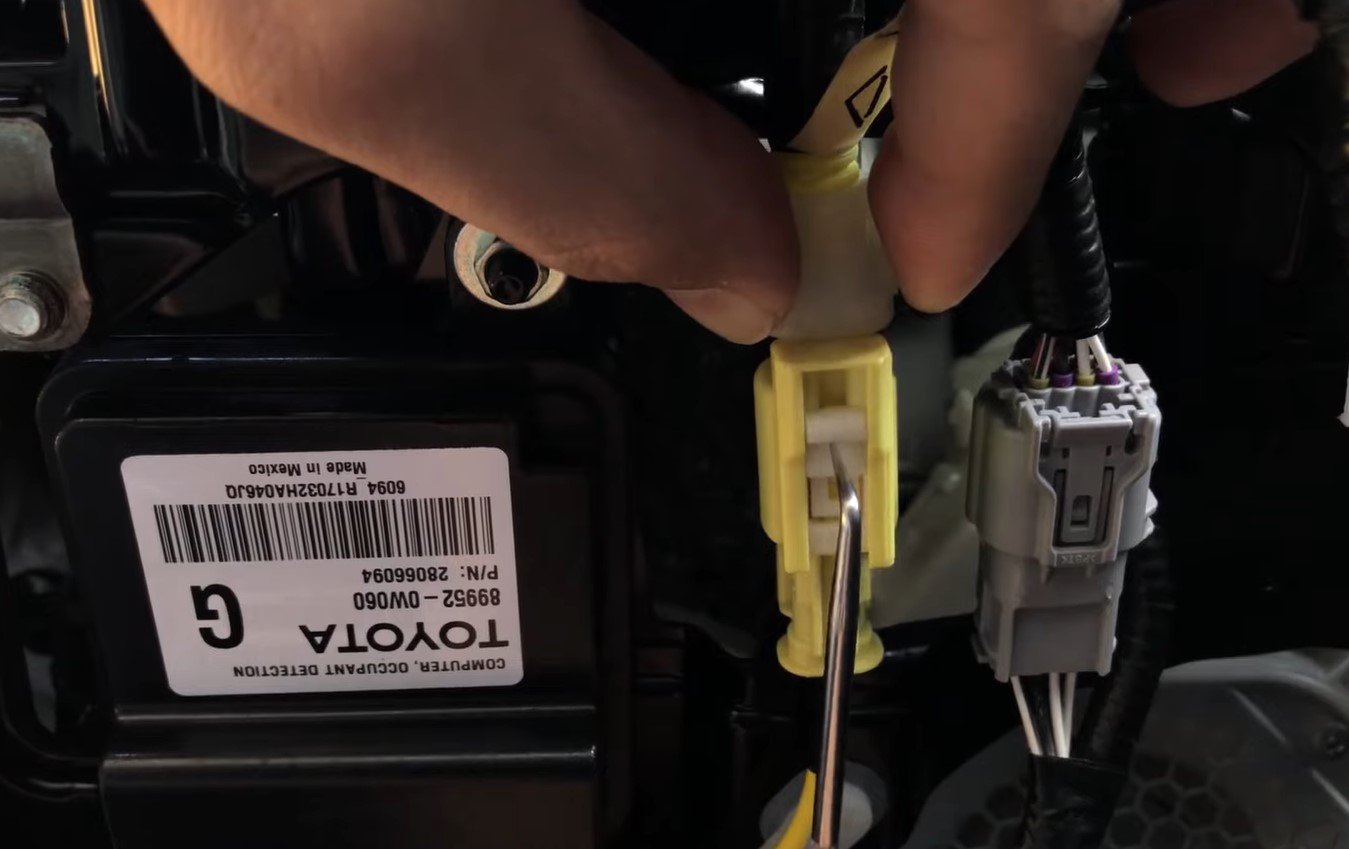
Do not probe airbag or pretensioner circuits with an ordinary test light or measuring device. Do not disconnect yellow SRS connectors, remove airbags, handle pretensioners, or experiment with restraint circuits without the manufacturer’s safety procedures, proper training, and approved equipment.
A professional or appropriately trained technician should handle:
- Deployed airbags or pretensioners
- Collision-damaged restraint systems
- Occupant-sensor calibrations
- SRS module replacement or programming
- Persistent internal-module faults
- Stored crash information
- Wiring repairs involving airbag deployment circuits
This boundary protects both the person working on the vehicle and anyone who later relies on the restraint system.
Common SRS Scanner Mistakes
One of the most common mistakes is buying a scanner because the listing says “OBD2,” without checking for SRS support. Another is assuming that an expensive scanner automatically covers every year and model.
Drivers may also clear codes before saving them, confuse an engine scan with a full-system scan, or replace the component named in the code description without testing the entire circuit.
“No codes found” is another frequent source of confusion. That message is meaningful only if the scanner successfully communicated with the correct SRS module. A generic engine scan returning no codes does not explain an illuminated airbag warning light.
Finally, do not confuse the main SRS warning light with the passenger-airbag status indicator. The passenger indicator may show that the passenger airbag is enabled or disabled under conditions described in the owner’s manual. The primary SRS warning light indicates that the restraint system has detected a fault or needs attention.
Frequently Asked Questions
Can a Cheap OBD2 Reader Diagnose an Airbag Light?
Usually not. Most inexpensive generic readers focus on engine and emissions codes. A lower-cost tool can read SRS information only if the manufacturer explicitly lists airbag support for the exact vehicle.
Will an ELM327 Adapter Read SRS Codes?
The adapter name alone does not guarantee this capability. The adapter hardware, app, enhanced software, and vehicle coverage must all support communication with the restraint module.
Can an OBD2 Scanner Read Airbag Codes on Every Vehicle?
No. Enhanced SRS support varies by manufacturer, model year, region, software version, and scanner. Always verify the exact vehicle in the tool manufacturer’s coverage database.
Can a Scanner Turn Off the Airbag Light?
A compatible scanner may clear an eligible code after the fault has been repaired. It cannot force an active problem to remain cleared, and it may not support calibrations, programming, or stored crash information.
Are Airbag Codes Always B-Codes?
Many restraint-system codes use manufacturer-specific body-code formats, often beginning with “B,” but naming and display conventions vary. The code prefix alone does not confirm the system or the failed component.
Final Verdict
The final answer to “Can an OBD2 Scanner Read Airbag Codes?” is yes—but only when four requirements are met:
Compatible port → SRS module access → Exact vehicle coverage → Required diagnostic function
A basic code reader usually stops at engine diagnostics. An ABS/SRS or all-system scanner can go further on supported vehicles, but even a capable tool may only read and clear codes without performing calibration, programming, or crash-data functions.
Use the scanner to identify and document the diagnostic direction. Do not treat the code as proof of a failed part or the clear command as proof of a repaired airbag system. Because the SRS is a critical occupant-protection system, unresolved codes and warning lights deserve prompt, properly equipped professional attention.