
You change the engine oil and filter, start the vehicle, and discover that the oil reminder is still displayed. The service may be complete, but the vehicle does not automatically know that fresh oil was installed.
Some scan tools can reset the oil-life monitor or maintenance interval. However, a basic OBD2 code reader usually cannot perform this job. The scanner needs a dedicated function labeled Oil Reset, Oil Life Reset, Maintenance Reset, or Service Reset, and that function must support the exact vehicle.
Before resetting anything, identify which oil-related light or message is displayed. An oil-change reminder can normally be reset after maintenance. A low-oil-pressure warning requires an entirely different response and should never be treated as a reminder that simply needs to be cleared.
The correct order is:
Identify the light → Complete the service or repair → Choose the correct reset method → Verify the result
Can an OBD2 Scanner Reset Oil Light?
Yes, some OBD2-connected scanners can reset an oil-service reminder, but the capability is not part of every basic scanner.
A generic code reader is primarily designed to read and clear emissions-related engine codes, display standardized data, and check emissions-monitor readiness. An oil-life monitor is often stored in the instrument cluster, body control module, or another manufacturer-specific system.
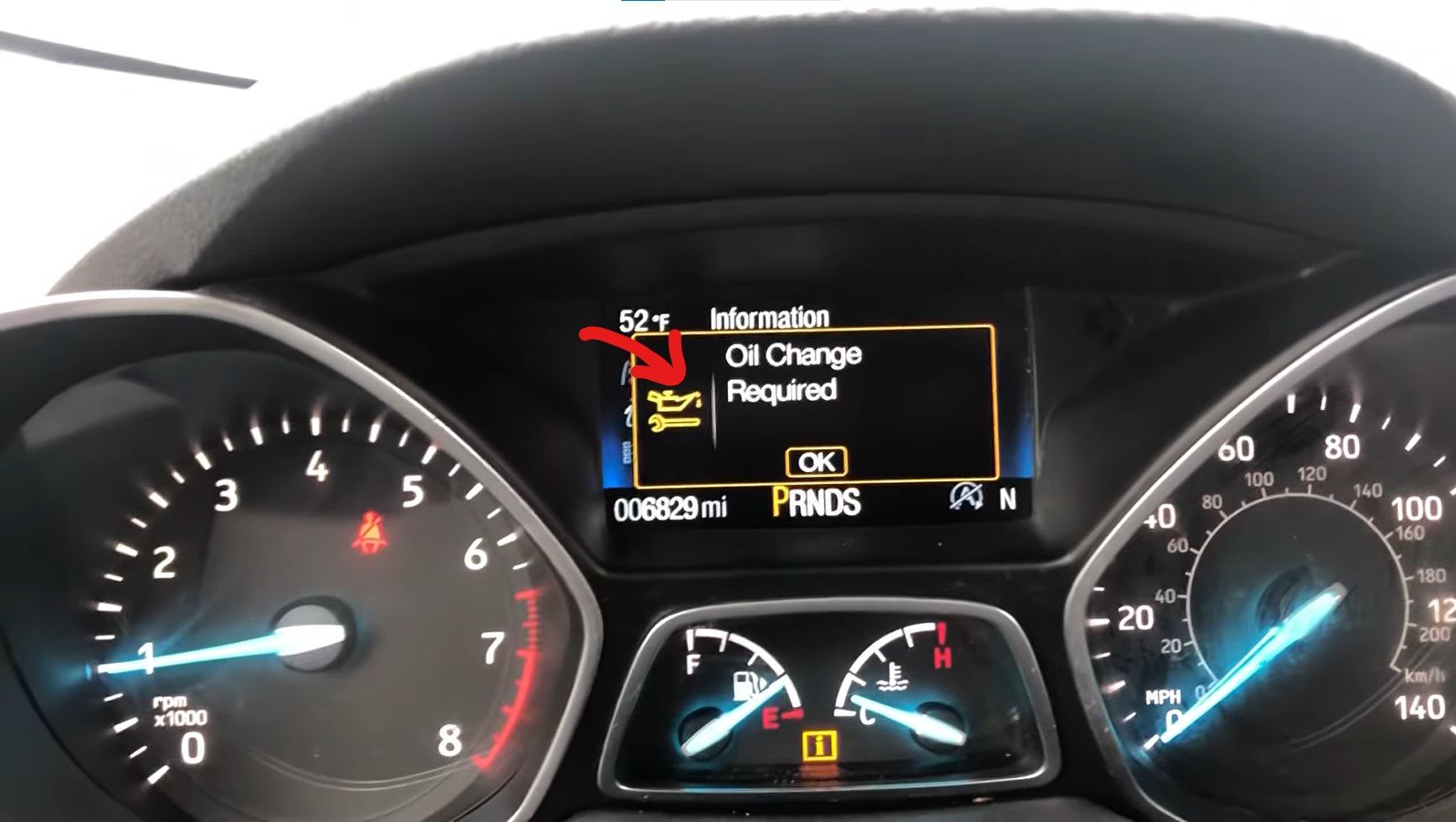
A scanner must therefore include the correct service software to communicate with that system. Simply connecting to the OBD2 port does not guarantee that the scanner can reset the maintenance interval.
Depending on the vehicle and tool, the reset may be available through:
- A dashboard or infotainment menu
- Steering-wheel or instrument-cluster controls
- A model-specific manual procedure
- A scanner with an Oil Reset service function
- An OEM diagnostic system
The easiest method is not always the scanner. Many vehicles provide an approved dashboard procedure that takes less time and does not require additional equipment.
Identify Which Oil Light Is On
Drivers often use the phrase “oil light” for several unrelated messages. Resetting the wrong one could hide an overdue service or delay attention to a serious lubrication problem.
| Light or Message | What It Usually Means | Should It Be Reset? | Correct First Action |
|---|---|---|---|
| Change Engine Oil Soon | The oil-life system indicates that service is due | Yes, after changing the oil and filter | Complete the required service, then reset the monitor |
| Oil Life 0% or Oil Change Required | The calculated oil-service interval has ended | Yes, after service | Use the correct oil and filter, then perform the approved reset |
| Maintenance Required | Scheduled maintenance is due | Only after confirming and completing the required maintenance | Check the maintenance schedule; it may include more than an oil change |
| Low Oil Level | The engine may not contain the required quantity of oil | Not as a substitute for correcting the level | Check the level correctly and inspect for leakage or consumption |
| Red oil-can symbol or Oil Pressure Low | Possible loss of engine-oil pressure | No | Stop safely and switch off the engine |
| Check Engine Light with an oil-related code | A sensor, circuit, timing-control, or pressure-related fault may exist | Diagnose before clearing | Read and record the codes and related data |
Colors, symbols, and wording vary between vehicles. Use the exact message and the owner’s manual rather than identifying the warning by color alone.
Oil-Change Reminder vs. Oil-Pressure Warning
The difference between these two indicators is central to using an oil-reset tool safely.
An Oil-Change Reminder Tracks Maintenance
An oil-life monitor estimates when the oil should be changed. Depending on the vehicle, the calculation may consider mileage, time, operating temperature, engine load, trip length, idle time, and other operating conditions.
The system does not normally analyze the oil in a laboratory sense. It estimates remaining service life using programmed calculations.
After the oil and filter are changed, the monitor must be reset so it can begin calculating the next interval. Resetting it before performing the service falsely tells the vehicle that fresh oil has been installed.
An Oil-Pressure Warning Signals Possible Lubrication Failure
Oil pressure is necessary to deliver lubricant to bearings, camshafts, timing components, turbochargers, and other moving parts. If pressure becomes too low, serious engine damage can develop quickly.
Possible causes include a critically low oil level, leaking oil, incorrect viscosity, a restricted pickup, oil-pump trouble, excessive internal wear, or a faulty pressure sensor or circuit.
If a low-oil-pressure warning appears while driving, move to a safe location and switch off the engine. Check the oil level according to the owner’s manual, but do not assume that a correct level proves pressure is safe. The engine can have the correct amount of oil and still lack adequate pressure.
A scanner may read related trouble codes, but clearing those codes does not restore lubrication. If the warning remains or the engine makes ticking, rattling, or knocking noises, avoid restarting it and arrange professional diagnosis.
What Does an Oil Reset Actually Change?
An oil reset updates an electronic maintenance record. Depending on the vehicle, it may change:
- Remaining oil-life percentage
- Distance until the next service
- Time until the next maintenance interval
- Oil-change reminder status
- Service-history information stored by the vehicle
It does not physically change the oil or repair the engine.
Resetting the system will not:
- Add missing oil
- Restore low oil pressure
- Stop a leak
- Repair an oil pump
- Unblock a pickup screen
- Correct the wrong oil viscosity
- Repair a pressure sensor or its wiring
- Remove sludge
- Replace an overdue oil filter
The reset is the final electronic step after maintenance—not a replacement for the maintenance itself.
When Should You Reset the Oil-Service Reminder?
Reset the system after the correct oil and filter have been installed and the service has been completed. If the oil is changed earlier than the indicated interval, the monitor should normally still be reset so its calculation begins from the new oil-change date.
Before resetting, confirm that:
- The engine contains the correct oil type and viscosity
- The correct amount of oil was added
- The filter and drain plug are installed properly
- No active leak is visible
- The dipstick or electronic level reading is correct
- The engine has no abnormal lubrication noise
- The displayed message is a maintenance reminder rather than a pressure warning
If “Maintenance Required” is displayed, check the manufacturer’s schedule before resetting it. That reminder may include inspections, tire rotation, filters, or other work in addition to an oil change.
Resetting an incomplete service can cause the next maintenance reminder to appear later than it should.
Can Resetting the Oil Light Damage the Vehicle?
A correctly performed oil-life reset after maintenance does not normally damage the vehicle. The risk comes from resetting the system at the wrong time or using the wrong procedure.
Resetting without changing the oil can extend the displayed interval beyond the oil’s actual service life. Entering an incorrect custom interval can cause the reminder to appear too early or too late. Following a procedure written for a different model could change unrelated settings or simply fail.
Always use the owner’s manual or a scanner procedure verified for the exact make, model, year, and market.
Once the display has been confirmed as an oil-service reminder—and the oil and filter have actually been changed—you can choose the appropriate reset route.
If you are asking Can an OBD2 Scanner Reset Oil Light, remember that a scanner is only one of three common options. The vehicle may already provide a faster reset through its dashboard menu or an approved manual sequence.
Try the methods in this order:
Dashboard menu → Owner’s-manual procedure → Compatible Oil Reset scanner
This order avoids buying a tool when the vehicle already includes a built-in reset.
Method 1: Reset Through the Dashboard Menu
Many newer vehicles allow the driver to reset the oil-life monitor through the instrument cluster, steering-wheel controls, or infotainment screen.
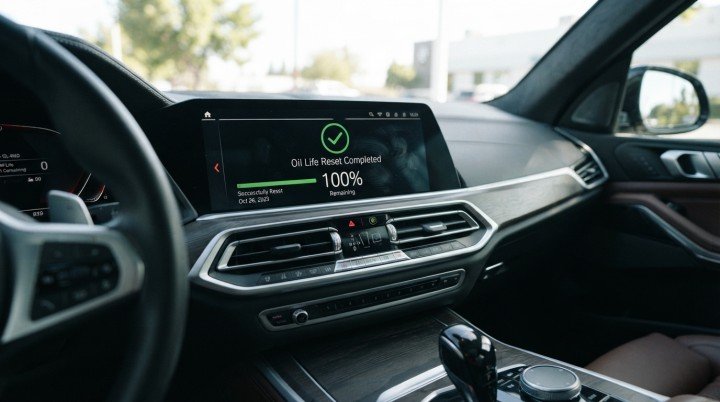
The exact labels vary, but the option may appear under:
- Vehicle
- Vehicle Settings
- Maintenance
- Service
- Oil Life
- Engine Oil
- Remaining Oil Life
- Maintenance Information
A general dashboard reset follows this pattern:
- Park the vehicle safely and complete the oil service.
- Set the parking brake and place the transmission in Park or Neutral as required.
- Switch the ignition to the mode specified in the owner’s manual.
- Open the vehicle or maintenance settings.
- Select Oil Life or Oil Service.
- Choose Reset and confirm the selection.
- Switch the ignition off and back on.
- Verify that the correct oil-life value or next service interval is displayed.
Some systems require the OK, Reset, or Select button to be held for several seconds. Others display a confirmation message before the new value is saved.
Do not assume that every vehicle should display 100%. While 100% is common after a complete oil change, the correct display depends on the manufacturer’s system and approved reset procedure.
What If There Is No Oil-Life Menu?
The menu may be located in a different display, available only in a certain ignition mode, or controlled through a trip-reset button rather than the touchscreen.
Before deciding that the vehicle requires a scanner, check:
- The instrument-cluster menus
- Steering-wheel controls
- Trip or odometer buttons
- Infotainment vehicle settings
- The maintenance section of the owner’s manual
- A manufacturer-approved digital owner’s manual
Some vehicles separate the oil-life display from the general maintenance reminder. Resetting one may not reset the other.
Method 2: Use the Vehicle’s Manual Reset Procedure
Vehicles without a straightforward dashboard option may use a specific sequence involving the ignition, pedals, or instrument-cluster controls.

Depending on the model, the approved procedure might require:
- Cycling the ignition without starting the engine
- Holding the trip or odometer button
- Using steering-wheel controls
- Pressing a particular pedal or pedal combination
- Navigating to a hidden maintenance screen
- Completing the steps within a specified time
The procedure must match the exact make, model, year, engine, and market. Even vehicles from the same manufacturer may use different steps.
One model may reset through a touchscreen menu, while another uses the accelerator and brake pedals. A procedure written for a conventional ignition may also differ from one intended for a push-button-start vehicle.
Why Random Reset Sequences Can Be a Problem
Trying multiple internet procedures is not a reliable diagnostic method. The wrong sequence may simply fail, but it could also change another maintenance setting, reset the wrong service item, or leave the owner uncertain about whether the oil-life monitor was actually updated.
Use the owner’s manual or verified manufacturer service information. Read the complete procedure before beginning, including any instructions about:
- Whether the engine should be running
- Which ignition mode is required
- Transmission position
- Parking-brake application
- Door or hood position
- Button-hold duration
- Confirmation messages
If the manual procedure does not work after careful verification, do not repeat it indefinitely. Confirm that the displayed message is truly an oil-service reminder, then consider a compatible scan tool.
Method 3: Use an OBD2 Scanner With Oil Reset
A scanner can be useful when the manual method is unavailable, unclear, or unsuccessful. It is also convenient for workshops servicing multiple makes and models.
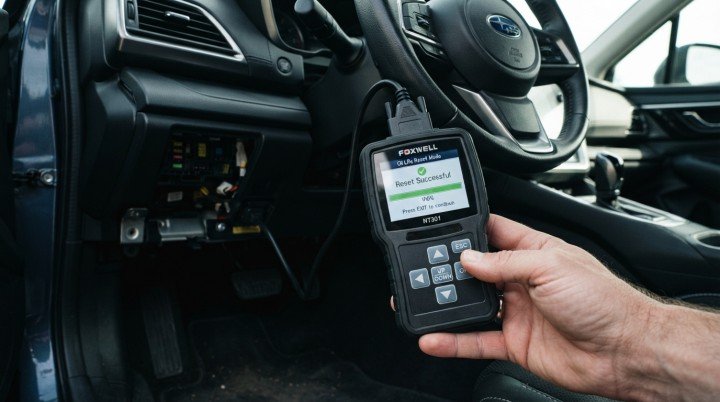
The scanner must list Oil Reset or Maintenance Reset as a supported service function for the exact vehicle.
General Scanner Reset Steps
Scanner menus vary, but the process generally follows this order:
- Complete the oil and filter change.
- Confirm that the oil level is correct and no leak is present.
- Locate the diagnostic connector, usually beneath the driver’s side of the dashboard.
- Connect the scanner securely.
- Follow the tool’s instructions for ignition position.
- Identify the vehicle automatically or enter its information manually.
- Open the Service, Maintenance, or Special Functions menu.
- Select Oil Reset, Oil Life Reset, or the equivalent function.
- Read every warning and follow the vehicle-specific prompts.
- Confirm the reset only after verifying that the service is complete.
- Wait for the tool to report success or completion.
- Cycle the ignition as directed and check the dashboard display.
Do not disconnect the scanner or switch off the ignition while the tool is communicating unless it instructs you to do so. A weak battery or loose connection may interrupt the reset.
An oil-service reset normally presents less risk than control-module programming, but the procedure still needs stable vehicle voltage and uninterrupted communication.
Can a Basic OBD2 Scanner Reset the Oil Light?
Usually not.
A basic code reader normally offers functions such as:
- Read Codes
- Clear Codes
- Live Data
- Freeze Frame
- I/M Readiness
- O2 Sensor Tests
- Mode 6 or onboard-monitor results
Oil Reset is a separate manufacturer-specific service function. A scanner can support all standard OBD2 modes and still lack access to the vehicle’s maintenance monitor.
Clearing engine codes is not the same as resetting oil life. Pressing Clear Codes may erase diagnostic information and switch off the Check Engine Light temporarily, but it usually does not update the oil-service interval.
Which Type of Scanner Can Reset an Oil Light?
| Tool Type | Typical Capability | Oil Reset Support | Best Use |
|---|---|---|---|
| Basic code reader | Generic engine codes and emissions data | Usually no | Basic engine diagnosis |
| Generic Bluetooth adapter | Functions depend on the adapter and app | Sometimes, with supported software and vehicle | Occasional DIY diagnosis |
| Dedicated service-reset tool | Oil, brake, battery, and other maintenance resets | Commonly available | Routine DIY or workshop maintenance |
| Full-system scanner | Multiple modules, service functions, and enhanced data | Often available | Advanced DIY and repair shops |
| Professional diagnostic tablet | Broad diagnostics, active tests, and maintenance functions | Broad but not universal | Multi-brand professional service |
| OEM diagnostic system | Manufacturer-specific service and programming | For supported manufacturer applications | Dealer-level or specialist service |
The words “OBD2 scanner” on the packaging are not enough. Look for a separate Oil Reset listing and check the manufacturer’s coverage database for the vehicle.
Bluetooth Oil Reset: Adapter Capability vs. App Capability
A Bluetooth adapter and mobile app operate as a system. Both must support the required communication.
A generic adapter may work well for engine codes but fail to access the instrument cluster or body module. A capable app may require paid manufacturer-specific software, while another app may offer only standard OBD2 functions.
Before purchasing a Bluetooth solution, verify:
- Exact vehicle support
- Oil Reset as a listed function
- Required app or software package
- In-app purchase or subscription cost
- Whether one brand or multiple brands are included
- Adapter compatibility with the app
- Secure-gateway requirements on newer vehicles
Do not rely only on screenshots showing an Oil Reset icon. The icon may appear in the app even when the function is unavailable for a particular vehicle.
Manual Reset vs. Scanner Reset: Which Is Better?
A manual reset is usually the best choice for a single vehicle when the manufacturer provides a clear procedure. It costs nothing, requires no additional tool, and directly follows the vehicle’s design.
A scanner becomes more useful when:
- The manual procedure is unavailable
- The dashboard controls are not working
- Multiple vehicles need service
- The reset must be performed through a control module
- Additional diagnostic information is needed
- The technician wants confirmation from the service function
Neither method is automatically more accurate. Both should update the same maintenance system when used correctly.
A scanner cannot compensate for an incomplete oil change, an incorrect replacement filter, a low oil level, or a real pressure problem. Likewise, a manual reset will not solve a reminder that remains on because the procedure or vehicle condition is incorrect.
Why Won’t My Oil Light Reset?
An oil reminder may refuse to reset even after you follow the correct-looking steps. Common reasons include:
- The ignition mode is incorrect
- The engine is running when the procedure requires it to be off
- A button, pedal, or menu option was not held long enough
- The wrong maintenance item was selected
- The scanner lacks a dedicated oil-reset function
- The vehicle is not supported by the tool
- The scanner software or vehicle database is outdated
- Communication with the instrument cluster or body module failed
- The warning is related to oil level or pressure rather than maintenance
Some vehicles require the driver’s door to be closed, the parking brake to be applied, or the ignition to be switched on without starting the engine. Others require a specific sequence involving the accelerator, brake pedal, trip button, or steering-wheel controls.
If the first attempt fails, do not repeat random procedures from another model. Check the owner’s manual and confirm that the instructions match the vehicle’s exact year, engine, trim, and instrument-cluster design.
Why Does the Oil Light Come Back After Resetting?
The timing of the light’s return provides an important clue.
An immediate red warning should never be treated as an ordinary oil-change reminder. A correct oil level also does not prove that the engine has adequate oil pressure.
Can Clearing Trouble Codes Reset the Oil Light?
Clearing diagnostic trouble codes and resetting an oil-life monitor are separate operations.
The “Erase Codes” function normally clears emissions-related or module-specific fault codes. An oil-service reminder is usually stored in the instrument cluster, body-control module, or maintenance-monitoring system. It requires a manual procedure or a dedicated Oil Reset command.

Using Erase Codes may also remove useful freeze-frame information and reset emissions readiness monitors. This can make diagnosis or an upcoming emissions inspection more difficult without solving the maintenance reminder.
Before asking Can an OBD2 Scanner Reset Oil Light on a particular vehicle, check whether the tool offers a named function such as:
- Oil Reset
- Oil Life Reset
- Maintenance Reset
- Service Interval Reset
- CBS Reset on certain vehicles
A scanner that only reads and erases engine codes may connect successfully but still lack access to the module responsible for the reminder.
How to Check Scanner Compatibility Before Buying
A product page saying “supports most vehicles” is not enough. Compatibility should be confirmed for the exact vehicle and the exact service function.
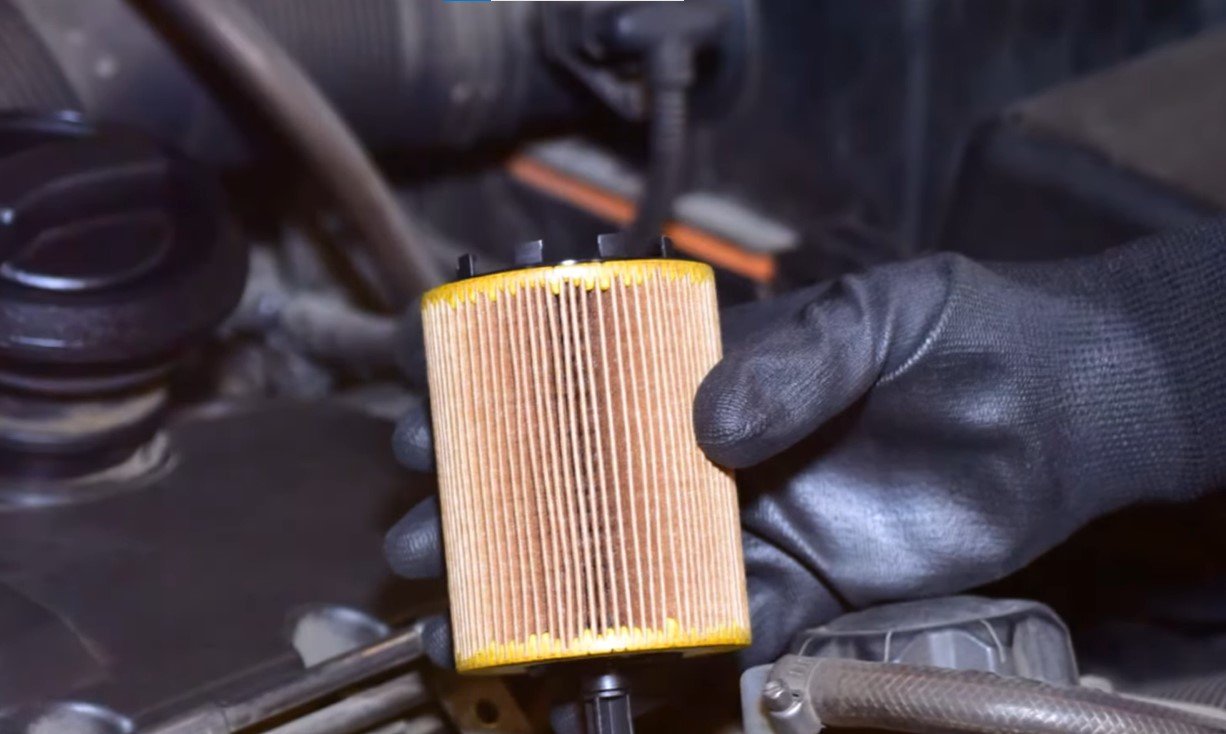
Check the following details:
- Vehicle make, model, and year: Coverage can differ between two model years of the same vehicle.
- Engine, trim, and market: Vehicles sold in different regions may use different modules or communication systems.
- Function-level coverage: Confirm Oil Reset support specifically. General OBD2 compatibility does not guarantee maintenance functions.
- Required software: Some scanners need an app, brand package, firmware update, or paid subscription.
- Secure gateway access: Certain newer vehicles require authorized gateway access before a tool can perform service commands.
- Update policy: Determine whether future software updates are free or require renewal.
- Return policy: Compatibility databases can contain gaps, so a reasonable return option is useful.
When possible, use the manufacturer’s online coverage checker or contact its technical support team with the vehicle identification number.
How to Verify That the Oil Reset Worked
Do not rely only on a scanner message that says “Success.” Verify the result on the vehicle itself.
After completing the reset:
- Switch the ignition off and wait briefly.
- Restart the ignition or engine as instructed by the manufacturer.
- Confirm that the maintenance message has disappeared.
- Open the oil-life or service menu.
- Check that the value shows 100%, a new service interval, or the manufacturer’s specified reset value.
- Confirm that the next service date or mileage appears reasonable.
- Drive briefly and recheck the display if the manual requires it.
Record the oil-change date, mileage, oil grade, filter used, and reset value. This provides a backup if the vehicle’s display is accidentally reset or its battery is disconnected later.
Is It Safe to Drive With the Oil Light On?
That depends entirely on which light is illuminated.
An amber or yellow oil-change reminder usually indicates scheduled maintenance. You should arrange the oil service promptly, but it does not normally mean that oil pressure has suddenly disappeared.
A red oil-pressure warning is different. If it appears while driving, move to a safe location and switch off the engine as soon as conditions permit. Check the oil level according to the owner’s manual. If the warning remains, the level is correct but the light stays on, oil is leaking heavily, or the engine makes ticking or knocking noises, do not continue driving. The vehicle should be professionally inspected and may need to be towed.
Resetting a display cannot make an oil-pressure problem safe.
Frequently Asked Questions
Can You Reset an Oil Light Without a Scanner?
Yes. Many vehicles provide a dashboard-menu, trip-button, pedal, or steering-wheel-control procedure. The owner’s manual should be the first source because the sequence varies by model.
Can a Cheap OBD2 Scanner Reset the Oil Light?
Only if it specifically includes an oil-reset function and supports your vehicle. Most inexpensive basic code readers can read and erase engine codes but cannot perform maintenance resets.
Can a Bluetooth OBD2 Scanner Reset Oil Life?
Possibly. The Bluetooth adapter, mobile app, vehicle, and service function must all be compatible. A generic adapter does not automatically gain oil-reset capability simply because it can display engine data.
How Do You Reset the Oil Light After an Oil Change?
Complete the oil and filter change first. Then use the vehicle’s maintenance menu or owner-manual procedure. If the vehicle requires diagnostic access, connect a compatible scanner and select Oil Reset, Oil Life Reset, or the equivalent function.
Why Is My Oil Light Still On After an Oil Change?
Changing the oil does not automatically reset every maintenance monitor. The reset may still need to be performed manually. The remaining light could also indicate low oil level, low oil pressure, a faulty sensor, a leak, or an incorrect oil fill.
Will Disconnecting the Battery Reset the Oil Light?
Usually, it is not a dependable method. Some maintenance data remains stored even without battery power. Disconnecting the battery can also erase clock settings, learned values, and other vehicle information or create additional relearn requirements.
Final Takeaway
So, Can an OBD2 Scanner Reset Oil Light? Yes—if the light is a maintenance reminder, the scanner includes a dedicated oil-reset function, and that function supports the exact vehicle. A basic code reader may not be enough, while many vehicles can be reset without a scanner through the dashboard or a manufacturer-specific button sequence.
Always identify the warning before attempting a reset. Complete the oil service, choose the correct method, and verify the new oil-life value afterward. If the vehicle displays a red oil-pressure warning, do not try to erase it. Stop the engine and diagnose the lubrication problem before driving again.