
Last Updated on October 17, 2026
That scene is called freeze frame data.
Learning how to read freeze frame data does not mean searching for one suspicious number and replacing the sensor connected to it. The better approach is to reconstruct what the engine was doing at the time: Was it cold or warm? Was the vehicle idling or moving? Was the engine under load? Was the computer adding or reducing fuel?
When those details are read in the correct order, freeze frame data can help narrow the investigation before parts are replaced unnecessarily.
Freeze Frame Data Is a Scene, Not a Diagnosis
Freeze frame data is a snapshot of selected operating conditions captured when the engine control module detects certain faults. In standardized OBD2 diagnostics, this information is commonly accessed through Service $02, also called Mode 02.
Depending on the vehicle, code, and scanner, the snapshot may include:
- Engine speed
- Vehicle speed
- Coolant temperature
- Calculated engine load
- Fuel-system status
- Short- and long-term fuel trims
- Intake-air temperature
- Throttle position
- MAF or MAP readings
These readings provide context for the diagnostic trouble code. For example, the same lean-condition code may require a different testing direction if it appeared during a cold start instead of at a fully warmed-up idle.
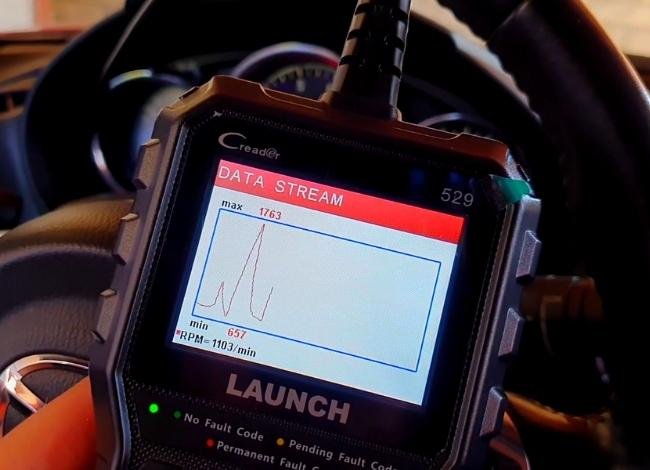
However, freeze frame data does not identify the failed component automatically. It only records what selected systems were reporting around the time the fault was stored.
A high fuel-trim reading could relate to unmetered air, low fuel delivery, an airflow-measurement problem, an exhaust leak, or another condition. Additional testing is still necessary.
How to Access Freeze Frame Data on an OBD2 Scanner
Before interpreting the values, you need to find the stored snapshot. Most compatible scanners make this relatively simple, although menu names differ between manufacturers.
- Park the vehicle safely. Switch off the engine and connect the scanner to the vehicle’s OBD2 diagnostic port, usually located beneath the dashboard on the driver’s side.
- Turn on the ignition. Follow the scanner’s instructions. Many tools can retrieve stored data with the ignition on and the engine off.
- Open the OBD2 diagnostic menu. Select the engine or emissions diagnostic function.
- Read the trouble codes. Record stored, pending, and permanent codes when supported.
- Select Freeze Frame. The option may appear as Freeze Frame Data, View Freeze Frame, or Mode 02.
- Save the information. Take screenshots, print a report, or record the values before clearing any codes.
If the scanner reports that no freeze frame is available, it does not necessarily mean the vehicle has no problem. The specific fault may not have an accessible frame, or the scanner may not support the information available from that control module.
If you are still learning the scanner’s basic functions, our OBD2 scanner guide can help you understand the differences between simple code readers and more advanced diagnostic tools.
Save the Evidence Before Clearing Anything
Before clearing trouble codes, take screenshots or write down the complete freeze frame. Include the DTC, code status, units, bank number, and every available PID, even values that do not initially appear important.
Also record the vehicle’s mileage, the approximate time the symptoms occurred, and whether the check engine light was steady or flashing.
Clearing codes commonly erases associated freeze frame information. The standard OBD2 clear command can also reset emissions readiness monitors, which may affect an upcoming inspection. Disconnecting the battery may remove useful diagnostic history on some vehicles.
Once that evidence disappears, an intermittent problem may have to occur again before comparable information becomes available.
For more information about what happens when codes are erased, see our guide on clearing OBD2 trouble codes.
It is also helpful to record the driver’s symptoms. Note whether the engine hesitated, lost power, idled roughly, used more fuel, or turned on the check engine light without any noticeable drivability problem.
Use Five Questions to Decode the Snapshot
A beginner does not need to interpret every PID simultaneously. Use this sequence instead:
- Which trouble code triggered the snapshot?
- Was the engine cold, warming up, or fully warm?
- Was the vehicle stopped, cruising, or accelerating?
- What was the fuel-control system doing?
- Do the related values support the same explanation?
This question-based method is one of the simplest ways to understand how to read freeze frame data without treating every unusual value as proof of a failed part.
Question 1: Which Trouble Code Does the Frame Belong To?
Start with the DTC associated with the freeze frame. A scanner may display this as DTCFRZF, Freeze DTC, or a similar label.
This step matters when several codes are stored. The snapshot may be associated with only one of them, and scanner capabilities vary.
Some vehicles and advanced tools can report multiple frames, while a basic reader may display limited information. A higher-priority emissions fault may also determine which snapshot is retained.
Confirm the associated DTC instead of assuming the snapshot belongs to whichever code appears first on the main code screen.
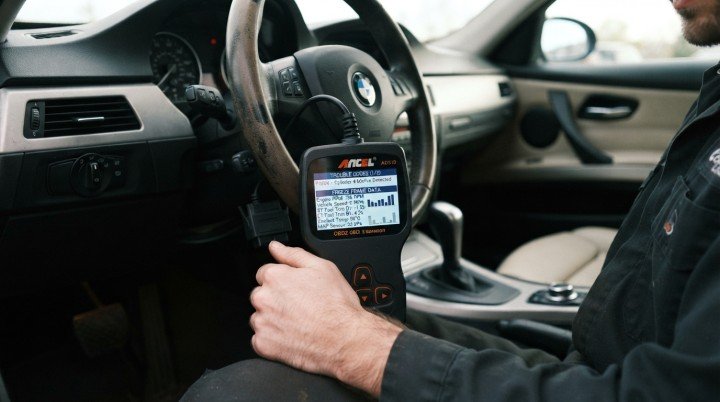
Next, use the code to identify the affected system, not the part to replace.
A P0171 code, for example, means the computer detected a lean condition on Bank 1. It does not automatically prove that the oxygen sensor is defective.
A P0301 identifies a misfire detected in cylinder 1, but it does not tell you whether the cause is a spark plug, ignition coil, injector, compression problem, or something else.
If a code is unfamiliar, use our OBD2 trouble code reference to look up its meaning and possible causes before examining the related readings.
The code gives the investigation a starting point. The remaining freeze-frame values describe the conditions surrounding it.
Question 2: Was the Engine Cold or Fully Warm?
Engine coolant temperature, usually displayed as ECT, is one of the most useful values in a freeze frame. It helps determine whether the fault occurred shortly after startup, during warm-up, or after the engine reached normal operating temperature.
For a fault captured after a long overnight soak, ECT and intake-air temperature should usually be reasonably close to the surrounding temperature before the engine starts.
They may not match exactly because of sensor location, sunlight, residual engine heat, and environmental conditions.
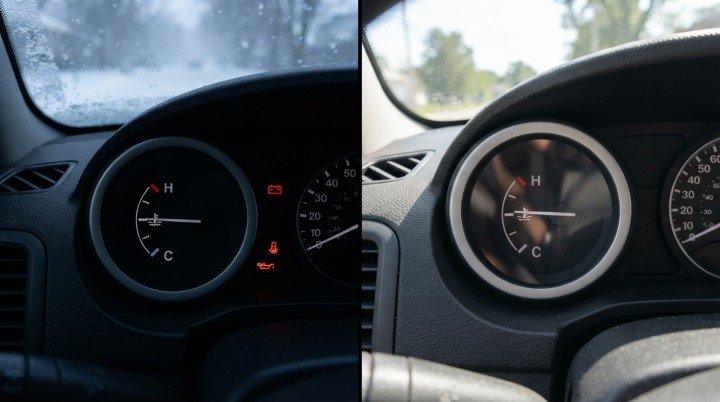
For a warm-engine snapshot, compare ECT with the normal operating range specified for that particular vehicle. Avoid relying on one universal temperature because thermostat settings and operating strategies vary between models.
An implausible extreme reading deserves further inspection. For example, a displayed temperature around -40°F (-40°C) can sometimes indicate an open circuit, unavailable information, or a default substitute value.
It should prompt verification of the scanner display, sensor, connector, and wiring, but it is not enough by itself to condemn the sensor.
By this point, the snapshot has answered two important questions: what fault the computer recognized and whether the engine was cold or warm when the snapshot was captured.
Question 3: Was the Vehicle Idling, Cruising, or Under Load?
After identifying the trouble code and engine temperature, reconstruct what the vehicle was doing. Engine speed, vehicle speed, calculated load, throttle position, MAF, and MAP can often reveal the operating condition.
Do not judge these readings separately. Read them as parts of the same scene.
A vehicle speed of 0 mph combined with relatively low RPM and a mostly closed throttle usually suggests that the engine was idling.
If vehicle speed and RPM are both elevated while throttle and calculated load remain moderate, the fault may have occurred during steady cruising.
Higher load, increased airflow, and a wider throttle opening may indicate acceleration, climbing a hill, or another demanding condition.

Calculated engine load deserves special attention. A 60% load reading does not necessarily mean the accelerator pedal was pressed 60% of the way.
It is a value calculated by the ECU using several inputs and operating conditions. Interpretation should therefore include throttle position, airflow, RPM, and vehicle speed.
Understanding the operating state matters because some problems appear only under particular conditions. A vacuum leak may have a stronger effect at idle, while a weak fuel pump or ignition problem may become more noticeable under heavy load.
How to Read Freeze Frame Data as an Operating Story
Suppose a scanner displays the following information:
- RPM: 740
- Vehicle speed: 0 mph
- Throttle position: 12%
- Calculated load: 19%
- Coolant temperature: 195°F
Taken together, these values suggest a fully warmed-up engine idling while the vehicle was stationary.
The 12% throttle reading does not necessarily mean someone was pressing the accelerator. Many vehicles do not display exactly 0% at a closed throttle because of sensor design and electronic throttle control.
This is more useful than looking at RPM or throttle position alone. The values support one another and create a believable operating picture.
Question 4: What Was the Fuel-Control System Doing?
Next, check the fuel-system status. It may be displayed as FUELSYS1, Fuel System 1, CL, OL, or a similar abbreviation.
In closed loop, the ECU uses feedback from oxygen or air-fuel sensors to adjust fuel delivery.
In open loop, it relies more heavily on programmed calculations and other sensor inputs. Open-loop operation can be normal during a cold start, certain high-load conditions, deceleration fuel cut, or specific fault conditions, depending on the vehicle.
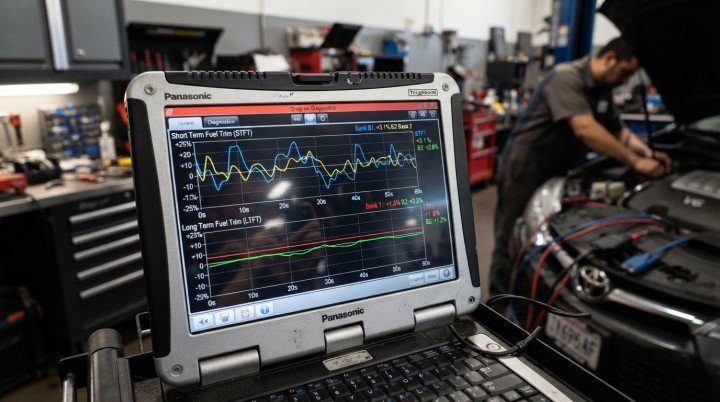
Fuel trims show how the ECU was adjusting fuel delivery:
- Positive fuel trim: The ECU was adding fuel in response to a condition it interpreted as lean.
- Negative fuel trim: The ECU was reducing fuel in response to a condition it interpreted as rich.
- Short-term fuel trim (STFT): The immediate correction being made at that moment.
- Long-term fuel trim (LTFT): A learned correction developed over a longer period.
Always confirm the bank number. Bank 1 contains cylinder number 1. Bank 2, when applicable, identifies the other cylinder bank on engines with two banks.
Comparing a Bank 1 code with Bank 2 trims without checking the correct bank can send the diagnosis in the wrong direction.
Fuel trims closer to zero generally indicate less correction, but there is no single percentage that diagnoses every vehicle.
Engine temperature, load, altitude, fuel type, manufacturer strategy, and the accuracy of other sensors can influence the readings.
A large positive trim does not automatically prove that the oxygen sensor is bad. The ECU could be responding to unmetered air, insufficient fuel delivery, inaccurate airflow data, an exhaust leak, or another issue.
Freeze frame data identifies a pattern; testing identifies the cause.
Question 5: Do the Related PIDs Tell the Same Story?
The final question is whether the values agree with one another.
If the engine was fully warm, closed-loop operation may be expected during ordinary idle or cruise.
If RPM and calculated load were high, MAF or MAP should generally reflect increased airflow or manifold pressure appropriate for that operating condition.
Vehicle speed should also make sense when compared with RPM, throttle position, and load.
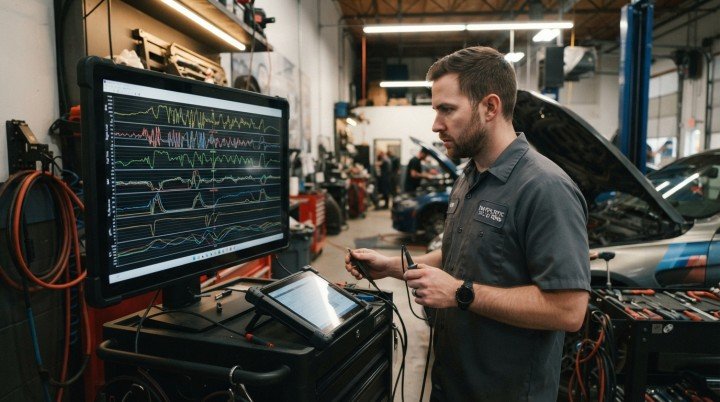
An inconsistency deserves investigation, but it is not immediate proof of a failed component.
A zero may represent a real reading, an unsupported PID, a scanner limitation, or unavailable data.
Compare suspicious information with live data and vehicle-specific service information before reaching a conclusion.
A practical way to learn how to read freeze frame data is to ask whether the entire snapshot describes one believable moment.
When several values conflict, first verify the scanner, units, supported PIDs, wiring, and related sensor data.
Beginner’s Freeze Frame PID Glossary
Different scan tools may use different abbreviations for the same information. These are some common labels you may encounter.
| PID | Meaning | What It Helps You Determine |
|---|---|---|
| DTCFRZF | Freeze-frame trouble code | Which fault triggered the snapshot |
| FUELSYS1 | Fuel-system status | Whether the system was open or closed loop |
| LOAD_PCT | Calculated engine load | How demanding the operating condition was |
| ECT | Engine coolant temperature | Whether the engine was cold or warm |
| STFT | Short-term fuel trim | The immediate fuel correction |
| LTFT | Long-term fuel trim | The learned fuel correction |
| MAP | Manifold absolute pressure | Engine load and intake-manifold conditions |
| RPM | Engine speed | Whether the engine was idling or running faster |
| VSS | Vehicle speed | Whether the vehicle was stopped or moving |
| IAT | Intake-air temperature | Air-temperature plausibility and cold-start context |
| MAF | Mass airflow rate | How much air was entering the engine |
| TP | Throttle position | Approximate throttle opening |
| SPARKADV | Ignition timing advance | Ignition timing reported at that moment |
Not every vehicle supports every PID. A missing value should not be treated as evidence that the associated component has failed.
How to Read Freeze Frame Data: A P0171 Example
The easiest way to understand the five-question method is to apply it to a realistic example. Imagine that a scanner reports these values:
| Parameter | Recorded Value |
|---|---|
| DTC | P0171 |
| Coolant temperature | 194°F |
| Engine speed | 720 RPM |
| Vehicle speed | 0 mph |
| Calculated load | 18% |
| Fuel-system status | Closed loop |
| STFT Bank 1 | +24% |
| LTFT Bank 1 | +18% |
| MAF | 2.5 g/s |
Start with the code. P0171 means the ECU detected a lean condition on Bank 1. It does not identify the component responsible for that condition.
Next, look at coolant temperature. A reading of 194°F suggests the engine was fully warmed up, although the exact normal range should be confirmed using vehicle-specific service information.
Now reconstruct the operating condition. An engine speed of 720 RPM combined with a vehicle speed of 0 mph and relatively low calculated load suggests the vehicle was stationary and idling.
The fuel system was in closed loop, meaning the ECU was using oxygen- or air-fuel-sensor feedback to adjust fuel delivery.
Both short- and long-term fuel trims were strongly positive. This indicates that the ECU was adding fuel in response to what it interpreted as a lean condition.
What the snapshot suggests: P0171 was detected while the engine was fully warm and idling, and the ECU was making a substantial positive fuel correction.
That pattern may direct the next tests toward an intake vacuum leak, a purge valve stuck open, inaccurate MAF data, insufficient fuel delivery, or an exhaust leak ahead of the oxygen sensor.
A vacuum leak may deserve particular attention when positive trims are much stronger at idle than at higher engine speed.
However, this freeze frame alone cannot prove which cause is responsible.
The MAF reading must also be evaluated using engine size, RPM, altitude, and manufacturer specifications. A value that is normal for one engine may be misleading on another.
Recognizing Three Useful Diagnostic Patterns
Positive Fuel Trims at Warm Idle
Large positive trims captured during a warm idle may support an unmetered-air or fuel-delivery investigation.
Comparing live fuel trims at idle and at a steady higher RPM can help distinguish patterns, but it should be done safely while the vehicle is parked and according to service procedures.
Misfire Captured Under Heavy Load
A misfire code stored with higher RPM and calculated load suggests that the fault appeared when the engine was working harder.
That can guide testing toward ignition performance, fuel delivery, injector operation, or cylinder condition rather than assuming the problem exists only at idle.
Rich Code During Cold Operation
A rich-condition code captured shortly after startup may lead to checks involving coolant-temperature input, leaking injectors, excessive fuel pressure, purge flow, or incorrect airflow information.
Again, the pattern determines the testing direction; it does not justify immediate part replacement.
Freeze Frame Data vs. Live Data: What’s the Difference?
Freeze frame and live data can display many of the same parameters, but they serve different purposes.
| Feature | Freeze Frame | Live Data |
|---|---|---|
| When recorded | Stored around the time a qualifying fault is detected | Reported while the scanner communicates with the vehicle |
| Typical OBD2 service | Mode 02 | Mode 01 |
| Main purpose | Understand conditions surrounding a stored fault | Observe current sensor and system behavior |
| Best use | Investigating intermittent or condition-specific faults | Comparing readings and checking diagnostic hypotheses |
For example, a freeze frame may show that a lean code appeared at warm idle. Live data can then help determine whether the same fuel-trim pattern remains present when the engine is idling now.
If the readings change significantly at different engine speeds, that difference may help narrow the next test.
Our separate guide explains how to interpret OBD2 live sensor data in greater detail.
What Freeze Frame Data Cannot Tell You
Freeze frame data has important limitations. It normally represents one captured moment rather than a continuous recording. It may not be the exact moment when the driver noticed the warning light or symptom.
Not every code will necessarily have an accessible freeze frame, and the amount of stored information varies by vehicle, module, and scanner.
When several codes are present, the available frame may be associated with a particular or higher-priority fault.
Freeze frame data also cannot confirm that a component is defective, show everything that happened before and after the fault, or verify that a repair was successful.
Those conclusions require additional checks, live-data comparison, circuit testing, mechanical inspection, or manufacturer-specific diagnostic procedures.
Mistakes That Can Send the Diagnosis in the Wrong Direction
One common mistake is starting with a suspicious PID before identifying the triggering DTC.
Another is using a universal normal range for every vehicle. Temperature, airflow, load, and fuel-trim behavior can vary between engines and operating conditions.
Other mistakes include reading the wrong cylinder bank, treating a calculated value as a direct sensor measurement, assuming that zero and N/A mean the same thing, and replacing a part based on one unusual number.
Clearing codes before saving the snapshot is especially costly. If the problem is intermittent, the missing information may not return until the fault occurs again.
Finally, freeze frame should not be mistaken for current live data. The snapshot provides historical context, while live data shows what the ECU is reporting now.
The most reliable diagnosis often comes from comparing both.
Safety Comes Before Capturing More Data
Never watch a scanner while driving. If road-test information is necessary, use a scan tool’s logging function, have a passenger operate the scanner, or let a qualified technician perform the test.
Do not deliberately recreate severe overheating, stalling, major power loss, flashing check-engine-light conditions, or other symptoms that could make the vehicle unsafe.
Freeze frame information is useful, but collecting more data is never worth creating a driving hazard or causing additional damage.
Frequently Asked Questions
Does Every Trouble Code Store Freeze Frame Data?
No. Availability depends on the code, vehicle, module, diagnostic strategy, and scanner. Some tools also display more manufacturer-specific information than basic code readers.
Which Code Does the Freeze Frame Belong To?
Look for DTCFRZF, Freeze DTC, or a similar scanner label. When multiple codes exist, do not assume the frame belongs to the first code displayed.
What Does N/A Mean?
N/A may mean the PID is unsupported, was not included in the snapshot, or cannot be displayed by that scanner. It should not automatically be interpreted as a zero reading.
What Do Positive and Negative Fuel Trims Mean?
Positive trim generally means the ECU was adding fuel. Negative trim generally means it was reducing fuel. The cause cannot be determined from the direction of the trim alone.
Does Clearing Codes Erase Freeze Frame Data?
In many vehicles, clearing diagnostic codes also deletes the associated generic freeze frame. It commonly resets readiness monitors as well. Save or export the information before erasing anything.
Can Freeze Frame Data Prove a Sensor Is Bad?
No. Knowing how to read freeze frame data helps identify the conditions surrounding a fault, but the suspected sensor, wiring, connector, and related systems still need to be tested.
Final Takeaway
The most effective way to learn how to read freeze frame data is to stop treating it as a list of isolated numbers. Read it in a fixed order:
Trouble code → Engine temperature → Operating condition → Fuel control → PID agreement
This process turns a confusing scanner screen into a description of the conditions surrounding the fault.
It will not name the failed part automatically, but it can narrow the diagnostic path, reduce guesswork, and help prevent unnecessary repairs.