
Last Updated on October 20, 2026
If you are looking for a scan tool that does more than read and clear basic engine codes, the TOPDON ArtiDiag Pro deserves a closer look. Many drivers start with a simple OBD2 reader, but those tools often stop at the basics. They may show a check engine code, but they usually cannot access ABS, airbag, transmission, or advanced service functions. That is where a more capable scan tool becomes valuable.
This TOPDON ArtiDiag Pro Review is for DIY car owners, enthusiasts, and small shop users who want better diagnostic control without jumping straight to an expensive professional platform. The ArtiDiag Pro is designed to sit in that useful middle ground. It offers more power than a cheap code reader while still being approachable for regular users.
One of the most appealing things about this scan tool is its balance. It is not overly complicated, but it includes features that can help with real troubleshooting. Instead of simply showing fault codes, it gives you access to live data, service resets, full-system diagnostics, and bidirectional testing that make problem-solving easier and more practical.
For anyone tired of paying repair-shop diagnostic fees for every warning light or maintenance reset, a tool like this can be a smart investment. Over time, even a few successful uses may help offset the purchase cost. In this review, we will look at its features, specifications, usability, limitations, and overall value so you can decide whether it is the right fit for your garage.
Technical Specifications of the TOPDON ArtiDiag Pro OBD2 Code Reader
| Specification | Details |
|---|---|
| Display | 7-inch LCD touchscreen |
| Screen Resolution | 1024 × 600 pixels |
| Operating System | Android 10 |
| Processor | Quad-core 2.0 GHz CPU |
| RAM | 4 GB |
| Storage (ROM) | 64 GB |
| Battery Capacity | 6100 mAh rechargeable battery |
| Battery Life | Up to 14 hours, depending on usage |
| Operating Voltage | 9V–18V |
| Vehicle Coverage | 72+ vehicle makes |
| Diagnostics | Full-system diagnostics, including Engine, ABS, SRS, Transmission, and other supported modules |
| OBD2 Functions | 10 standard OBDII diagnostic modes |
| Service Functions | 35 maintenance and reset functions |
| Special Features | Selected ECU coding, bidirectional control, AutoVIN |
| Data Functions | Live data streaming, graphing, and comparison of up to four data streams |
| Software Updates | 2 years of free updates; paid renewal available afterward |
| Languages Supported | Multilingual interface, including English, French, German, Spanish, and Japanese |
| Connectivity | Wired OBD2 diagnostic connection; Wi-Fi for software updates |
| Dimensions | 246 × 139.5 × 34 mm |
| Weight | Approximately 805 g |
| Price | 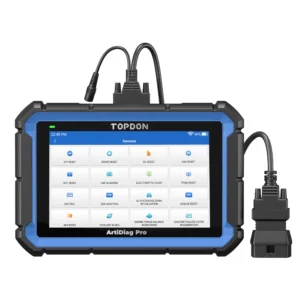
|
Note: Vehicle coverage, available functions, and update terms should be confirmed for your specific vehicle and product version before purchasing.
TOPDON ArtiDiag Pro Review 2026: Advanced OBD2 Scanner with Bidirectional Functions and ECU Coding
If you are looking for a modern diagnostic scanner with advanced features, this TOPDON ArtiDiag Pro Review will help you understand what makes this tool stand out. It is designed for users who want more than basic code reading, offering functions such as bidirectional control, selected ECU coding, and full-system diagnostics.
Whether you need regular maintenance support or deeper troubleshooting, the TOPDON ArtiDiag Pro can be a practical solution for DIY users and independent technicians. However, some advanced features are vehicle-specific, so it is important to check compatibility before buying.
Performance
Performance is where a scan tool proves whether it is actually useful in real life. On paper, many scanners look impressive. But what matters most is how easily the tool communicates with the vehicle, how quickly it retrieves information, and how clearly it presents that information.
The ArtiDiag Pro combines a quad-core processor, 4 GB of RAM, and a 7-inch touchscreen to support its diagnostic software. Its full-system scanning capability gives users a more complete view of vehicle problems than a basic code reader.
Instead of showing only generic engine codes, it can help identify issues across multiple systems, depending on the vehicle’s make, model, year, and supported software functions.
This is where the TOPDON ArtiDiag Pro Review becomes especially relevant. A scan tool like this is not just about listing faults. It is about helping users understand patterns, narrow down problems, and decide what action makes sense next.
The tool is also useful when you want to move beyond fault codes and examine actual operating values. Live sensor readings may reveal unusual behavior that has not yet triggered a trouble code. That can be helpful for intermittent issues, drivability concerns, or performance-related complaints.
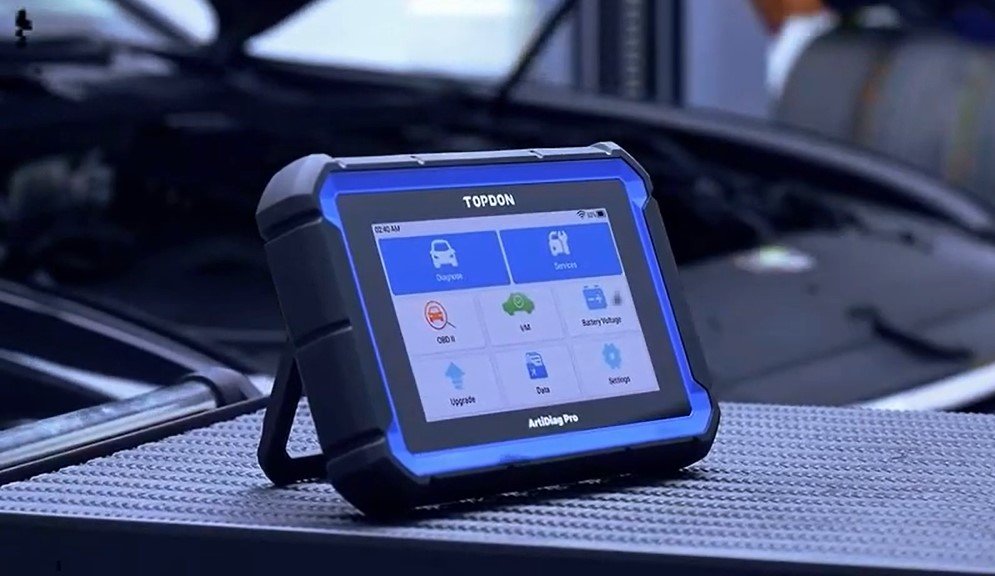
It is important to keep expectations realistic. This scanner is not meant to replace every high-end dealership diagnostic system. But for its category, it offers a useful combination of hardware, diagnostic coverage, and advanced functions.
ECU Coding and Hidden Features
Many buyers are attracted to scan tools because they see terms like ECU coding or hidden feature support. These features sound exciting, but they can also create confusion. Not all coding functions are the same, and not every vehicle allows the same level of access.
The ArtiDiag Pro supports selected ECU coding functions on compatible vehicles, including certain Volkswagen Group vehicles and other supported makes. Depending on the model, these functions may help with coding a replacement module or changing supported vehicle settings.
Some vehicles may also support customization features, such as instrument-cluster behavior or locking confirmation settings.
However, ECU coding should not be confused with full ECU programming or firmware flashing. The ArtiDiag Pro is not a replacement for specialized factory programming equipment.
Before making coding changes, confirm the exact supported function and follow the manufacturer’s instructions. Incorrect coding may cause warning lights or interfere with vehicle operation.
Bidirectional Control and Actuator Tests
Bidirectional control is one of the biggest upgrades you get when moving from a simple code reader to a more advanced scan tool. This feature allows the scanner to send commands to supported vehicle components instead of only reading information from them.
Depending on vehicle compatibility, the ArtiDiag Pro may perform active tests on components such as:
- Cooling fans and coolant pumps
- Fuel pumps and fuel injectors
- Door locks and power windows
- Exterior lights
- Windshield wipers
- EVAP system components
These tests can help determine whether a component responds when commanded. For example, if a cooling fan is not operating normally, an active test may help narrow the problem to the fan, its control circuit, or another part of the system.
However, a successful actuator test does not always prove that every part of the system is working correctly. Electrical checks and further diagnosis may still be needed.
For users who want a more efficient troubleshooting process, bidirectional control adds meaningful value.
Comprehensive Service Coverage
A modern scan tool should do more than identify trouble codes. It should also help with maintenance and repair-related functions that commonly come up during vehicle ownership.
The TOPDON ArtiDiag Pro offers 35 maintenance service functions, although the number available on a particular vehicle will vary.
Common supported functions may include:
- Oil service reset
- Electronic parking brake (EPB) service
- Steering angle sensor (SAS) calibration
- Battery management system (BMS) reset
- Throttle adaptation
- Diesel particulate filter (DPF) service functions
- ABS bleeding on compatible vehicles
- Transmission-related adaptations on selected models
These functions can save time and money. Many routine maintenance procedures require an electronic reset or recalibration after the physical repair is completed.
For example, some vehicles require a battery registration procedure after installing a new battery. Certain models also need electronic parking brake service mode before rear brake work.
In this TOPDON ArtiDiag Pro Review, service coverage stands out as one of the biggest practical advantages. Even if you are not diagnosing complex faults every week, these maintenance functions can make the scanner useful over the long term.
Remember that a reset function does not replace the actual repair. Always complete the necessary maintenance before resetting related service information.
Live Data Streaming
Live data is one of the most helpful features in any scan tool, especially when a fault code alone does not tell the full story. Instead of only reading stored information, live data lets you see what the vehicle is doing in real time.
Depending on the vehicle, available readings may include:
- Engine RPM
- Engine coolant temperature
- Short-term and long-term fuel trims
- Oxygen sensor activity
- Mass airflow readings
- Throttle position
- Control module voltage
The ArtiDiag Pro also supports graphical data display. Its comparison function can show up to four data streams together, making it easier to identify relationships between different sensor readings.
For example, if your vehicle has a rough-running engine or intermittent performance issue, comparing fuel trim, airflow, and oxygen sensor information may help narrow down the cause.
However, live data should always be interpreted using the vehicle’s operating conditions and manufacturer specifications. An unusual reading alone does not confirm that a sensor is defective.
What Is It Like to Use the TOPDON ArtiDiag Pro?
The ArtiDiag Pro is designed to be approachable, which matters because some advanced scan tools have complicated menus and steep learning curves.
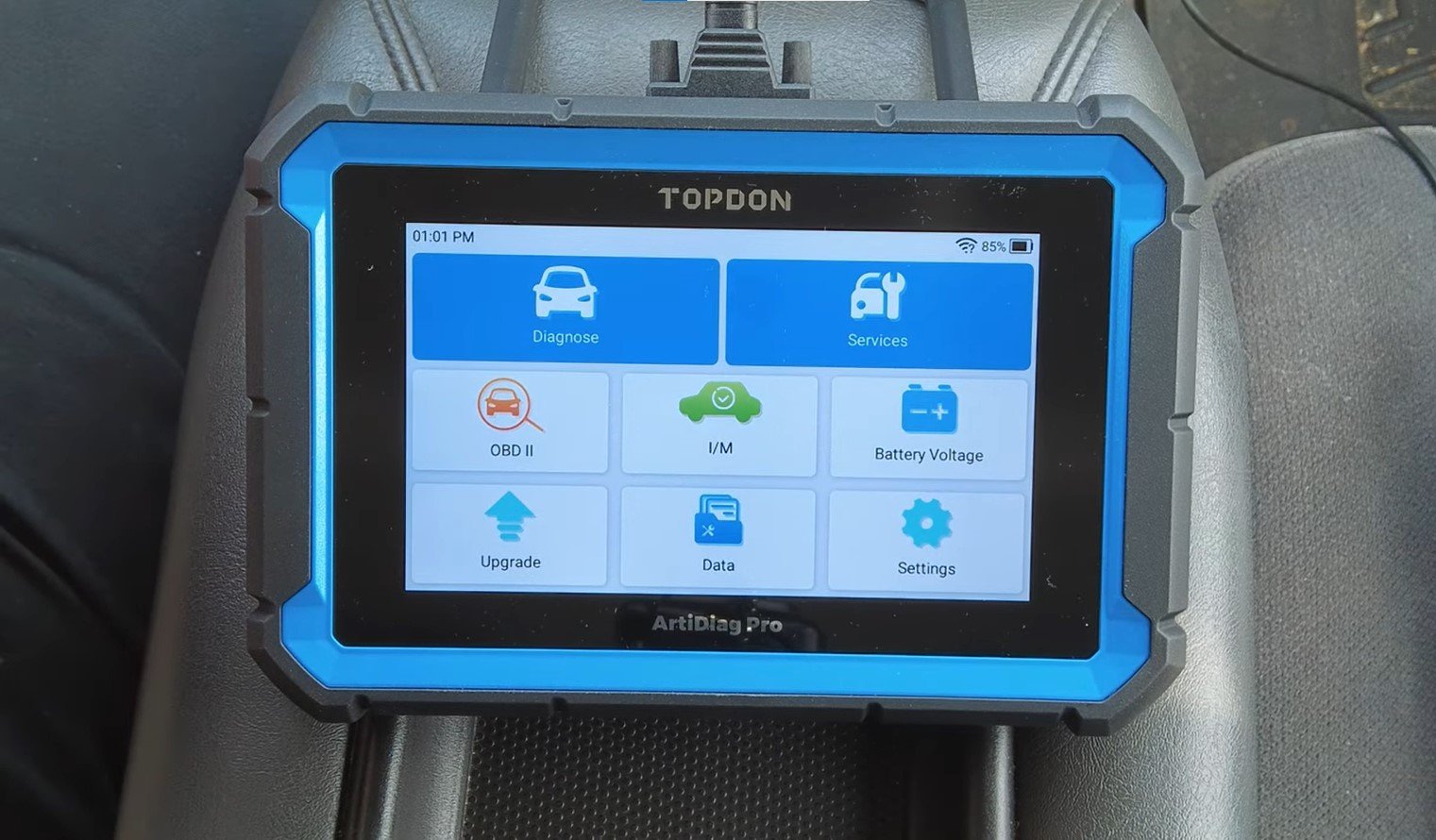
The 7-inch touchscreen provides more room for viewing diagnostic results than a small handheld code reader. Its Android-based interface uses menus for system scans, maintenance functions, diagnostic reports, and software updates.
Another useful feature is AutoVIN, which can automatically identify supported vehicle information. If automatic identification is unavailable, users may need to select the vehicle manually.
The scanner connects to the vehicle through a diagnostic cable. Its rechargeable battery helps power the tablet during use, while Wi-Fi provides access to software updates.
For many DIY users, this design offers a reasonable balance between advanced capabilities and everyday convenience.
Pros and Cons
Pros
- Full-system diagnostics on supported vehicles
- Broader coverage than a basic code reader
- Live data graphing and comparison
- 35 advertised maintenance service functions
- Bidirectional control on compatible vehicles
- Selected ECU coding capabilities
- Large 7-inch touchscreen
- AutoVIN vehicle identification support
- Two years of included software updates
Cons
- Not a complete dealership-level programming system
- Advanced functions depend on vehicle compatibility
- ECU coding coverage is limited to supported models
- Paid software renewal after the included update period
- Wired diagnostic connection rather than a wireless vehicle interface
- May be more expensive than necessary for basic code reading
What Are the Specs of the TOPDON ArtiDiag Pro?
The ArtiDiag Pro is built around a 7-inch touchscreen, Android 10 operating system, quad-core 2.0 GHz processor, 4 GB RAM, and 64 GB internal storage. It also includes a 6100 mAh rechargeable battery.
These specifications support its diagnostic interface, live data display, vehicle coverage software, and maintenance functions.
The included accessories typically consist of the scanner tablet, diagnostic cable, USB-C cable, power adapter, user documentation, and carrying case.
Although the hardware is important, the scanner’s real value comes from its software coverage and supported vehicle functions. A technically powerful scanner is not useful if it cannot access the particular system you need to diagnose.
What Does a Scan Tool Do That My OBD2 Reader Can’t?
This is one of the most important questions buyers ask. A basic OBD2 reader usually focuses on emissions-related engine and powertrain trouble codes, along with limited live data.
That is fine for simple needs, but it may fall short when modern cars develop problems involving safety systems, electronic controls, or maintenance procedures.
A more advanced scan tool can often:
- Access additional vehicle control modules
- Read ABS and airbag trouble codes
- Perform supported maintenance resets
- Run bidirectional actuator tests
- Display more detailed live data
- Help identify faults across several vehicle systems
That difference is why tools like the ArtiDiag Pro exist. They offer a broader diagnostic approach rather than simply reading and clearing engine codes.
If you only need basic engine diagnostics, a more affordable scanner such as the TOPDON ArtiDiag500 may be worth considering. The ArtiDiag Pro is better suited to buyers who specifically need its additional service, coding, and active testing capabilities.
TOPDON ArtiDiag Pro Vehicle Compatibility and Software Updates
Vehicle compatibility is one of the most important things to check before purchasing the TOPDON ArtiDiag Pro. The scanner advertises full-system diagnostic coverage for more than 72 vehicle makes, but that does not mean every function works on every vehicle.
Basic OBD2 diagnostics may be available on a wide range of compliant vehicles. Advanced functions such as ECU coding, battery registration, ABS bleeding, and actuator testing require separate vehicle-specific support.
For the most accurate information, check the manufacturer’s ArtiDiag Pro vehicle coverage information using your vehicle’s make, model, year, and required function.
The scanner includes two years of free software updates. According to TOPDON’s published product information, continued software updates after that period require a paid renewal. The scanner is not advertised as having free lifetime updates.
Before buying, consider whether you are comfortable with future update costs, especially if you regularly work on newer vehicles.
Who Should Buy the TOPDON ArtiDiag Pro?
The ArtiDiag Pro makes the most sense for car owners who perform their own maintenance and want to diagnose problems beyond the engine system.
It may also suit enthusiasts who work on several vehicles or small repair shops that need a capable secondary diagnostic scanner.
However, if you only want to read an occasional check engine light, the ArtiDiag Pro may offer more functions than you need.
Similarly, technicians who require complete module programming, factory-level security access, or extensive brand-specific coding should consider more specialized equipment.
The best approach is to choose a scanner based on the functions you actually need rather than the longest advertised feature list.
TOPDON ArtiDiag Pro Scan Tool: Final Verdict
After looking at its features, specifications, practical usefulness, and limitations, the ArtiDiag Pro stands out as a capable option for users who want more than a basic scanner but do not need the complexity of a high-end professional diagnostic platform.
This TOPDON ArtiDiag Pro Review shows that the tool fits best for serious DIY users, automotive enthusiasts, and smaller repair environments. It offers meaningful diagnostic coverage, useful maintenance functions, bidirectional testing, and selected ECU coding capabilities.
Its main limitations are vehicle-dependent feature coverage, restricted advanced programming capabilities, and software renewal costs after the included update period.
For users who want to handle more maintenance tasks themselves and gain better insight into vehicle problems, the ArtiDiag Pro can be a worthwhile addition to the toolbox. Just make sure its supported functions match your vehicle before purchasing.
FAQ About TOPDON ArtiDiag Pro
Is the TOPDON ArtiDiag Pro good for beginners?
Yes. Its touchscreen interface and organized menus make it more approachable than many older advanced diagnostic tools. However, users should learn the correct procedures before performing resets, coding, or active tests.
Can it read ABS and airbag codes?
Yes. On supported vehicles, it can access several systems beyond basic OBD2 diagnostics, including ABS and SRS modules.
Does the TOPDON ArtiDiag Pro support bidirectional control?
Yes. It supports bidirectional testing on compatible vehicles, allowing users to command selected components and check their responses.
Does it support ECU coding?
Yes, but only for selected coding functions on supported vehicles. It should not be confused with complete ECU programming or factory-level software flashing.
Does the ArtiDiag Pro have lifetime free updates?
No. TOPDON advertises two years of free software updates for the ArtiDiag Pro. Continued updates after that period require renewal under the manufacturer’s applicable terms.
Can it replace a dealership scan tool?
Not in every situation. It can handle many common diagnostic and maintenance tasks, but some advanced programming and manufacturer-specific procedures still require specialized equipment.
Is it better than a basic OBD2 reader?
For advanced diagnostics, yes. One of the clearest takeaways from this TOPDON ArtiDiag Pro Review is that it offers broader system access, maintenance functions, and active testing capabilities that most entry-level readers do not provide.